Skip to: |

Newegg.com - A great place to buy computers, computer parts, electronics, software, accessories, and DVDs online. With great prices, fast shipping, and top-rated customer service - once you know, you Newegg.

If you are reading this message, Please click this link to reload this page.(Do not use your browser's "Refresh" button). Please email us if you're running the latest version of your browser and you still see this message.

Newegg.com - Computer Parts, Laptops, Electronics, HDTVs, Digital Cameras and More!

  • | Wish List
  • Help
Home
Home > 
Computer Hardware > 
Hard Drives > 
External Hard Drives > 
Western Digital > 
Item#: N82E16822136471

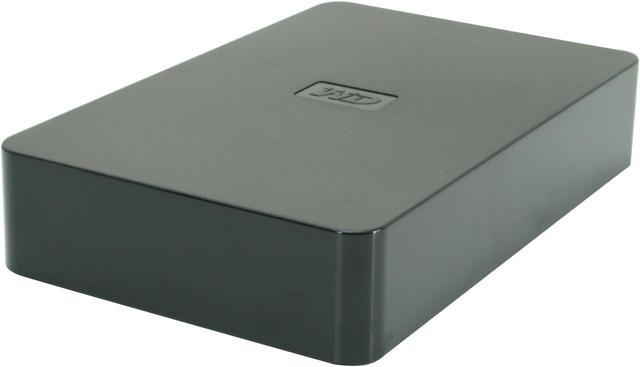
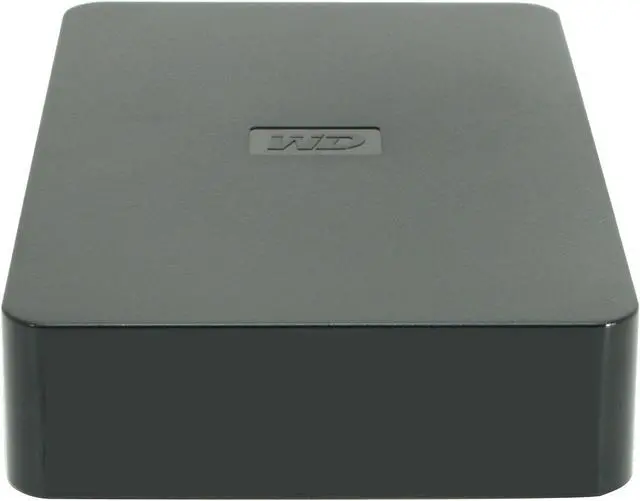
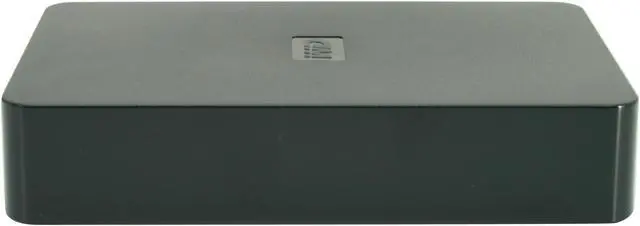
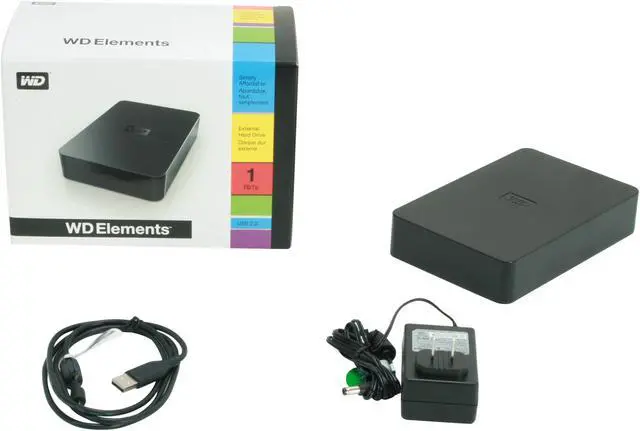
WD Elements 2TB Desktop External Hard Drive

  • WDBAAU0020HBK-NESN
  • USB 2.0
  • 3.5"
  • 1 year limited
  • Pin It
  • Email this page
ICON Loading...

  • newegg High Performance Hard Drive The Western Digital Elements WDBAAU0020HBK-NESN is equipped with a high performance 3.5” hard drive providing a massive capacity of 2TB so you can store your movies, music, applications and documents for easy sharing with your friends and even back up your system.
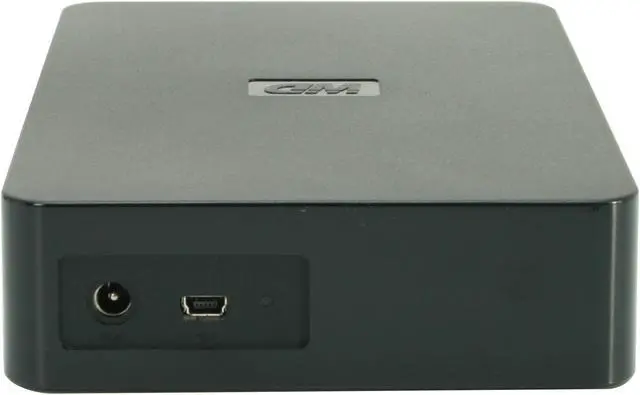
  • newegg USB 2.0 Interface The Western Digital Elements WDBAAU0020HBK-NESN external hard drive features a USB 2.0 interface for fast transfer speeds of up to 480Mbps and plug-and-play connectivity.

Learn more about the Western Digital WDBAAU0020HBK-NESN

Model

Brand
WD
Series
Elements
Model
WDBAAU0020HBK-NESN

Performance

Interface
USB 2.0
Capacity
2TB

Physical Spec

Form Factor
3.5"
Dimensions
7.01" x 4.59" x 1.42"
Weight
2.24 lbs.

Features

Features
Compatibility:
Available USB port
Mac OS X Tiger or Leopard
Windows Vista/XP

Packaging

Package Contents
USB 2.0 external hard drive
USB cable
AC adapter
Quick Install Guide

Manufacturer Warranty

Parts
1 year limited
Labor
1 year limited

Quick Info

Warranty

  • Limited Warranty period (parts): 1 year
  • Limited Warranty period (labor): 1 year


Customer Reviews of the Western Digital WDBAAU0020HBK-NESN

Do you own this product? Write a Review

Filter Results

Go
  • N/A
  • 5/16/2013 6:42:45 AM
  • Tech Level: Somewhat High
  • Ownership: 1 month to 1 year
  • Verified Owner

1 out of 5 eggsde la merde

Pros: It's black and elegant, so that it looks unobtrusive when sitting in the garbage bin.

Cons: Absolutely unreliable. It was intermittent from an early date, which I thought was a computer rather than drive issue, but it eventually failed totally just outside warranty. There's a bug in this model which causes it to become unstable and impossible to dismount or even format. Check the WD forums.

Other Thoughts: This is the second WD drive debacle I've had. A few years ago, they were the brand to buy. Now they are not. Try anyone else.

Did you find this review helpful? Yes No

  • Draperbart
  • 5/8/2013 9:03:27 PM
  • Tech Level: Somewhat High
  • Ownership: more than 1 year
  • Verified Owner

1 out of 5 eggsDied just after one year warranty

Pros: Did the trick while it lasted.

Cons: Did the trick but lost its partition. Partial recovery took over two weeks. Still, a high percentage of sectors are bad. Released that WD started pushing 1 year warranties in lieu of three.

Did you find this review helpful? Yes No

  • The Data Master
  • 5/1/2013 5:37:07 AM
  • Tech Level: High
  • Ownership: more than 1 year
  • Verified Owner

5 out of 5 eggsExcellent Drive!

Pros: Originally, I bought 2 of these to store my movies/tv shows for my media center (one for everyday use and one for a backup).
After about 6 months, I got tired of plugging them in so I ripped them out of the enclosure and popped them into my system. They are still running to this day and run a lot cooler than my previous WD drives (they were throttled down a bit so the heat didn't become overbearing in the enclosure).
Couldn't be happier.
Speed was okay both in the enclosure and in the system - around 70mb/s average.

Cons: No power off switch on enclosure.

Other Thoughts: I bought these because the price of 2tb externals was cheaper than the price of internals. It is very easy to jam a thin flathead into the casing and pull out the drive for internal use (this will also give you a sata to usb component to test future drives.

1 out of 1 people found this review helpful. Did you? Yes No

  • Bob
  • 4/29/2013 9:30:42 PM
  • Tech Level: Average
  • Ownership: 1 week to 1 month
  • Verified Owner

4 out of 5 eggs

Pros: Quiet and fast - the size says lots of storage, and that's what I primarily use it for, a storage medium.
Great bang for the buck!

Cons: I do and have owned several WD drives over the years and my experiences with them have been really good - HOWEVER -
I use power strips on my equipment setups (and feel lots of others also do ) and WD makes me crazy because they design the power supply for these things in the power plug itself - when you plug it in, its size consumes TWO receptacles. And I need that extra for other things. It appears to me that simply putting a 12-18" leader on the cord leading to the P/S would really alleviate this.
Of course, I'm not in the design business and don't know what obstacles they face, but this one little item keeps me from a five egg rating.

Did you find this review helpful? Yes No

  • N/A
  • 4/21/2013 3:36:48 PM
  • Tech Level: High
  • Ownership: 1 week to 1 month
  • Verified Owner

5 out of 5 eggsWork great

Pros: work great with my WDTVLIVE

Cons: none

Did you find this review helpful? Yes No

  • N/A
  • 4/21/2013 8:18:14 AM
  • Tech Level: Average
  • Ownership: more than 1 year

1 out of 5 eggs13 Month Wonder

Pros: It didn't set the house on fire.

Cons: Unreliable. Died just after the warranty.

Other Thoughts: Purchased strictly to store hard drive back up images, once a month or so. The drive spent most of its 13 month life turned off. Turned it on one day and could not access anything. The LED just blinked. Disk Management indicated the drive needed to be initialized. Since the drive was already out of warranty I pulled it from its enclosure and hooked it directly to a SATA controller on the MB. I managed to initialize it and it worked for a few days before becoming inaccessible and needing to be initialized again. I gave up trying to use it for anything other than a paperweight at this point. I wouldn't recommend this. Seems to be pretty widespread problems with these units looking at the feedback here.

Manufacturer Response:

We appreciate your feedback and apologize for any inconvenience you may have experienced with the My Book Essential, as this is not the typical experience with the product. We are very sorry to hear that your drive malfunctioned in such a short time frame. We stand behind our warranty for the duration of the products provided warranty period, and as such, we are here to support our products regardless of the circumstances. We would like to assure you that what you have experienced is extremely abnormal. We would appreciate the opportunity to further assist you, and resolve any further concerns you may have with the device and/or your experience. You may contact us at 1 (800) 275-4932, or via our support website at: http://support.wdc.com/rs/. Please indicate within the online case creation or with the first support agent you speak with, that you are responding to a Newegg review, so we route you and your information to the correct team members.

Did you find this review helpful? Yes No

  • bandit1200
  • 4/16/2013 11:42:06 AM
  • Tech Level: High
  • Ownership: 1 month to 1 year
  • Verified Owner

5 out of 5 eggsFine jelly bean

Pros: Reliable work a day external hard drive. Spins down when not in use. Quiet in operation. Relatively zippy for a USB 2 drive. Cures the common cold.

Cons: Activity light may be a bit too bright. Nothing a bit of electrical tape won't fix.

Did you find this review helpful? Yes No

  • MJ
  • 4/13/2013 9:16:28 PM
  • Tech Level: High
  • Ownership: more than 1 year
  • Verified Owner

3 out of 5 eggsQuestionable Reliability.

Pros: Affordable storage. Above average RMA service if within warranty period.

Cons: It's not much to look at. Multiple failures. Poor thermal design which may pose problems when first loading data on, which is usually hours worth of time on USB 2.0, depending on your files. I suggest taking a break between file loads to let it properly cool back down. Poor customer service with a serious communication barrier. USB controller board seems faulty and prone to failure.

Other Thoughts: I've owned about 4 of these hard drives over the years from 1TB to 3TB in sizes. When they work they work great. When they fail Western Digital is usually fairly quick and reliable with their RMA service IF your failure occurs during the warranty. If not, expect a lot of grief and a lot of communication issues. They usually outright ignore anything you say and give you a canned response for about three times before they actually respond directly to your concerns. If you're looking for troubleshooting help, forget it. Also they don't extend the warranty of your RMA'd drive, which they should. When you buy a product you shouldn't have to hope that you won't have multiple failures after multiple replacements simply because the company won't make good on their own replacement.

I've had two failures with this model on two separate drives. The first time the drive just stopped powering up. I suspect the usb controller board was faulty but I didn't want to open the drive and void my warranty. The second time, on a different drive, my files were suddenly corrupted, without warning, and the partition table was totally out of whack. It basically reversed my empty space and used space. Their customer service help was 100% useless in addressing my concerns. After a reformat and bad sector checking, the drive came back with clean results. It was the USB controller board that caused the issue since usually a drive will act unusual once it starts having bad sectors, outside of physical damage, drives rarely die overnight from bad sectors. Since the drive was out of warranty I took it out of the enclosure and plugged it in via SATA. It's still working to this day and no further corruption or any issues. Of course, WD insisted I was wrong and that it was drive issue and not USB. In both cases my hard drives came clean with S.M.A.R.T data, no physical damage or sensor trips.

When the weakest link in your product is the biggest selling point, well you have to readdress said product.

Due to WD's RMA service, I wouldn't say they're not worth purchasing, just be mindful and don't use their external drives as your first back-up choice. Also don't expect someone with technical knowledge to address your concerns.

Manufacturer Response:

We appreciate your feedback and apologize for any inconvenience you may have experienced with the My Book Essential, as this is not the typical experience with the product or the provided support. We are very sorry to hear that your drive did not function so soon after it was delivered. Western Digital does rigorously test and verify all of our drives, prior to shipping, with burn-in and diagnostic tests. We stand behind our warranty for the duration of the products provided warranty period, and as such, we are here to support our products regardless of the circumstances. We would like to assure you that what you have experienced is extremely abnormal.
How to physically connect, disconnect, and install a WD external drive in a Windows PC or Mac
http://wdc.custhelp.com/app/answers/detail/a_id/5316
Is there anything we can do to assist you at this time? Please contact us at 1 (800) 275-4932, or via our support website at: http://support.wdc.com/rs/. Please indicate within the online case creation or with the first support agent you speak with, that you are responding to a Newegg review, so we route you and your information to the correct team members.

2 out of 2 people found this review helpful. Did you? Yes No

  • N/A
  • 3/23/2013 11:22:34 AM
  • Tech Level: High
  • Ownership: 1 week to 1 month
  • Verified Owner

5 out of 5 eggsGreat deal

Pros: Great deal -no issues

Cons: none

1 out of 3 people found this review helpful. Did you? Yes No

  • N/A
  • 3/20/2013 7:53:58 PM
  • Tech Level: Average
  • Ownership: 1 day to 1 week

2 out of 5 eggsWD Elements 2TB External

Pros: Runs quiet, seems responsive

Cons: Does not clone

Other Thoughts: I bought this for a friend to clone her Windows XP PC. Western Digital's website provides Acronis True Image WD Edition software in a free version. They also have illustrated instructions for partitioning the hard drive in Windows. All went well until I was ready to begin the clone. That when I realized there was no way to maintain our 3 partitions. If the clone succeeded, there would be only the cloned HD and lots of unused space. My friend needed to clone under 500 GB which left almost 1500 GB "wasted."
We called WD tech support and after a lengthy wait was told that WD external HDs will not clone; only their internal HDs will clone.
This would not have been so disappointing if WD had made it clear with their advertising, packaging, or Acronis instructions that the external HD was not designed for cloning.

Manufacturer Response:

We appreciate your feedback and apologize for any inconvenience you may have experienced with the WD Elements 2 TB, as this is not the typical experience with the product.
Please note that the Acronis Tool was designed to clone internal hard drives. You also have the option to use any third party backup option that you would like to move data to the external drive.
http://wdc.custhelp.com/app/answers/detail/a_id/3689
We would appreciate the opportunity to further assist you, and resolve any further concerns you may have with the device and/or your experience. You may contact us at 1 (800) 275-4932, or via our support website at: http://support.wdc.com/rs/. Please indicate within the online case creation or with the first support agent you speak with, that you are responding to a Newegg review, so we route you and your information to the correct team members.

1 out of 2 people found this review helpful. Did you? Yes No

ICON Loading...

Protect Your Investment!

    • (more options) read warranty details
    • (more options) read drive saver details
Are you an E-Blast Insider? Subscribe Newegg e-Blast

Buzz

Works

5 out of 5 eggs
2TB in an external enclosure that's cheaper than a bare drive. Super small - the case is practically painted on around ...
— 2/19/2010

Western Digital Elements 2TB

5 out of 5 eggs
Typical Western Digital Reliability (I have over a dozen of their drives all told). Up to now I had been buying their ...
— SierraFoothills 2/19/2010


PayPal
Shop without retyping payment details. Secure shopping made faster.
Check out with PayPal.

Financing


Home
Home > 
Computer Hardware > 
Hard Drives > 
External Hard Drives > 
Western Digital > 
Item#: N82E16822136471
LOADING... LOADING...
Shop by Region: United States | Canada | China
Follow us:   RSS Feeds Youtube
VeriSign Reliability Seal1This site protected by Trustwave's Trusted Commerce program Inc500
Policy & Agreement | Privacy Policy  © 2000-2013 Newegg Inc.  All rights reserved.
If the Adobe Reader does not appear when you click on a link for a PDF file, you can download Adobe Reader from the Adobe web site. nassau