Skip to: |

Newegg.com - A great place to buy computers, computer parts, electronics, software, accessories, and DVDs online. With great prices, fast shipping, and top-rated customer service - once you know, you Newegg.

If you are reading this message, Please click this link to reload this page.(Do not use your browser's "Refresh" button). Please email us if you're running the latest version of your browser and you still see this message.

Newegg.com - Computer Parts, Laptops, Electronics, HDTVs, Digital Cameras and More!

  • | Wish List
  • Help
Search all
Search
Home
Home > 
Software > 
Audio & Video Editing > 
Nero > 
Item#: N82E16832111031

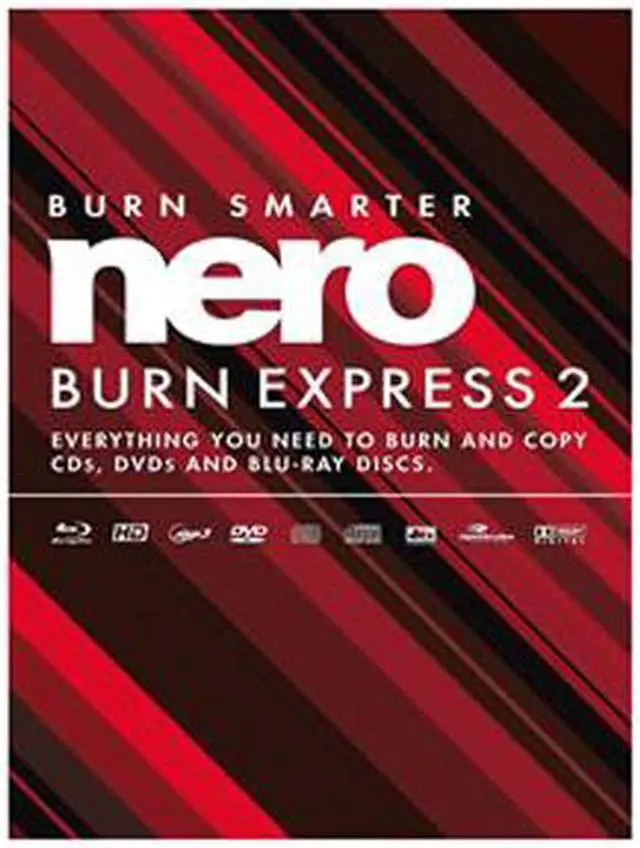
Nero Burn Express 2

  • Copy and Burn CD, DVD, Blu-ray Disc
  • Burn CDs, DVDs, Blu-ray Discs from disc images
  • Create password protected SecurDisc data discs
  • Create Audio CDs
  • Burn DVD-Video, AVCHD, and BDMV compilations
  • Pin It
  • Email this page
ICON Loading...

Learn more about Burn Express 2

Features

Brand
Nero
Model
AMER-11430000

Model

Name
Burn Express 2

s/w

AV Type
Video Editing

Features

Operating Systems Supported
Windows
System Requirements
Windows 8, Windows, Vista SP1 or later (32 and 64bit), XP SP3 (32bit), Windows 7 Home Premium, Professional or Ultimate (32 and 64bit)

2 GHz AMD or Intel processor, 512 MB RAM (1 GB RAM for Windows Vista or Windows 7)

500 MB hard drive space for a typical installation of all components (including temporary disk space)

CD, DVD, or Blu-ray Disc recordable or rewritable drives for burning

Third party components such as Microsoft Windows Installer 4.5 are shipped with the product or automated download if not included in the package

For some services an Internet connection is required (DSL-1000 and higher recommended)

Internet connection charges are the user's responsibility

Note: On 64-bit operating systems, applications run in 32-bit emulation mode. The devices must be correctly installed and recognized by the operating system for the product to work properly. Installation of the latest WHQL certified device drivers is strongly recommended.
Packaging
Retail

s/w

Features
Nero BurnExpress 2 is an easy to use yet fully featured Burning Studio for consumers from the industry leading burning solution provider Nero. It integrates robust burning technology for data, audio and video formats to CD, DVD and Blu-ray Disc as well as disc copying with highest quality and reliability standards.

Key Features:

Works on Windows 8

The industry’s most established, award-winning burning technology

Copy and Burn CD, DVD, Blu-ray Disc

Burn CDs, DVDs, Blu-ray Discs from disc images

Create password protected SecurDisc data discs

Create Audio CDs

Rip Audio CDs with Gracenote album information and convert to Audio file formats: MP3, AAC, FLAC, and more

Create Jukebox Audio CDs, Audio DVDs, and Audio Blu-ray Discs with MP3, AAC, FLAC, and more formats

Burn DVD-Video, AVCHD, and BDMV compilations

Integrates Nero MediaBrowser for quick access to Photo, Video and Music with Kwik Media free installed

Integrates Nero CoverDesigner for creating disc covers and labels when downloaded and installed for free

Quick Info


Customer Reviews of Burn Express 2

Do you own this product? Write a Review

Filter Results

Go
  • N/A
  • 3/12/2013 12:01:28 AM
  • Tech Level: High
  • Ownership: 1 week to 1 month
  • Verified Owner

4 out of 5 eggsGood feature vs price compromise

Pros: Includes support for burning CD, DVD and Blu-ray data, video and music discs. Support for image files as well. Everything available from Nero Express interface. The interface is simple, yet it does not make me feel like a dumb user where it needs to mask details from me and guide me step-by-step. Received the rebate very fast, within a month or so I think.

Cons: Cannot access Nero Burning-ROM interface., but I think it's a fair compromise for the reduced price.
One annoying thing is that it has been showing pop-up for software updates every week or two (One month use so far). Not sure why a burning software needs update every week. I hope it was temporary because I recently installed it, and it doesn't continue to throw software update pop-up every week in my face for ever, like freaking Adobe flash player.

Did you find this review helpful? Yes No

  • eh
  • 3/9/2013 5:35:12 PM
  • Tech Level: High
  • Ownership: 1 month to 1 year
  • Verified Owner

1 out of 5 eggsStill no rebate, 4 mo later

Pros: Eh, they have a wonderful red color in the pictures of the CD.

Cons: Still no rebate. It says it's valid. They have had my money for 4 months, still processing.

Did you find this review helpful? Yes No

  • Old Tech
  • 3/2/2013 6:54:57 PM
  • Tech Level: Somewhat High
  • Ownership: 1 week to 1 month
  • Verified Owner

1 out of 5 eggsNo Burn Express 2

Pros: None..wrong application on install CD.

Cons: Box and CD are both labelled "NERO Burn Express 2", but Nero Express 12 is what I ended up with. When I click on switch to NERO Burn 2, a message tells me that Nero Burn 2 is not available and I need to upgrade for $39.95.

Other Thoughts: If I wanted Nero 12, I would have bought it. I thought I bought Nero Burn 2, but I can't find it on the install CD.

0 out of 1 people found this review helpful. Did you? Yes No

  • Dan
  • 2/16/2013 9:31:40 AM
  • Tech Level: Somewhat High
  • Ownership: 1 month to 1 year
  • Verified Owner

1 out of 5 eggsNot worth the stamp and hassle

Pros: Inexpensive with potential rebate.

Cons: I tried trial demo version of Nero 12 and liked some of the features but made the mistake of buying Express 2 and it does not have feature that I need that are not available from free apps.

WARNING: The rebate form indicates that I should be getting my rebate for my purchase within "6-8 weeks." I just checked the status online and it is still in "being processed" status after 13 weeks.

Other Thoughts: I deleted it from my PC and will probably just toss it in the trash after/if I receive the rebate.

1 out of 1 people found this review helpful. Did you? Yes No

  • N/A
  • 1/23/2013 12:06:22 PM
  • Tech Level: Average
  • Ownership: 1 month to 1 year
  • Verified Owner

1 out of 5 eggsUseless

Pros: None that I can see

Cons: Will not work with DVD Shrink, had to reload Nero 7. Nero version that came with CD Writer works better, has more options.

2 out of 2 people found this review helpful. Did you? Yes No

  • GreekSamurai
  • 1/16/2013 12:09:59 PM
  • Tech Level: High
  • Ownership: more than 1 year

1 out of 5 eggssave your money

Pros: None (DOA)

Cons: DOA. Could not replace

1 out of 2 people found this review helpful. Did you? Yes No

  • Ryan
  • 1/5/2013 2:21:45 PM
  • Tech Level: Somewhat High
  • Ownership: 1 week to 1 month
  • Verified Owner

1 out of 5 eggsCD would not work

Pros: The CD kept giving me an error saying a file was corrupt. I emailed their tech support seeing if I could download it from the Internet and simply enter my code (as you can with many of their other software choices), however they said I could not do this. Instead, I would have to install logging files, then zip them, email them to their tech support, and they would advise me from there. In my opinion, spending hours to get through all of these steps is not worth it for a piece of $20 software, so consider this $20 down the drain.

Cons: DID NOT WORK!
Tech support.

Other Thoughts: You should be able to download this as a backup if/when your cd does not work.

2 out of 2 people found this review helpful. Did you? Yes No

  • Brian
  • 1/3/2013 5:22:14 PM
  • Tech Level: Somewhat High
  • Ownership: 1 week to 1 month
  • Verified Owner

2 out of 5 eggsDoesn't do as much as I thought

Pros: This will burn AVCHD format stuff to DVD, and will copy home-made DVD's (I didn't try commercial DVD's, but I'm betting it won't)

Cons: This will not convert standard video formats like avi's and mpegs and such to burn to DVD, which is what I would expect of a real DVD burning product. I haven't found a single feature that is not available and done better by freeware

Other Thoughts: Don't waste your money, go buy some freeware. The only reason I can think of to use this is if you're in a professional environment where you need to copy CD's/DVD's and don't want to take the risk of using freeware.

1 out of 1 people found this review helpful. Did you? Yes No

  • N/A
  • 1/2/2013 4:06:20 PM
  • Tech Level: High
  • Ownership: 1 day to 1 week
  • Verified Owner

2 out of 5 eggsBuggy in Windows 8

Pros: Inexpensive, and will do all your basic CD and DVD burning.

Cons: There was a $20 rebate, which I bought before the expiration date. But it arrived the day after the expiration date...dang!
I installed this on Windows 8, and it did not work good at all. Buggy, buggy, buggy, glitchy, glitchy, glitchy. I reinstalled Windows 7, and it works flawlessly. But I went back to my good ol' trusty Nero 7, which is still the best all-around version of Nero.

2 out of 2 people found this review helpful. Did you? Yes No

  • Bert
  • 12/19/2012 1:50:50 PM
  • Tech Level: Somewhat High
  • Ownership: 1 week to 1 month
  • Verified Owner

3 out of 5 eggsTeaser software

Pros: It works, as long as one is not demanding on control over the burning process.

Cons: Name of software is deceiving...The box should say "Nero Express 12", since it is what installs on the computer. You basically pay to get a dumber, more limited version of Nero 12 (the kind you usually get for free when buying a DVD or Blu-Ray recorder). I couldn't find a setting to decide on the disk write speed, for example. Typical of Nero, the software offers a constant (and aggravating) "upgrade me" background as you use it. There are even choices on the limited menus that allow Nero, if selected, to pop a "if you want this, you must upgrade!!!!" Annoying to say the least...On the bright side, after it produced a blu-ray coaster for me (after a first successful one), I tested the writing ability of AvidStudio and found the latter to write very well...It will make my life simpler!

Other Thoughts: Ok if you get it for free after rebate (as I did...Let's see if I DO get the rebate!!)

4 out of 4 people found this review helpful. Did you? Yes No

ICON Loading...
Are you an E-Blast Insider? Subscribe Newegg e-Blast

Buzz

Teaser software

3 out of 5 eggs
It works, as long as one is not demanding on control over the burning process.
— Bert 12/19/2012

Useless

1 out of 5 eggs
Will not work with DVD Shrink, had to reload Nero 7. Nero version that came with CD Writer works better, has more options.
— 1/23/2013


PayPal
Shop without retyping payment details. Secure shopping made faster.
Check out with PayPal.

Financing


Home
Home > 
Software > 
Audio & Video Editing > 
Nero > 
Item#: N82E16832111031
LOADING... LOADING...
Shop by Region: United States | Canada | China
VeriSign Click for the BBB Business Review of this Computers - Supplies & Parts in Whittier CAThis site protected by Trustwave's Trusted Commerce program Inc500
Policy & Agreement | Privacy Policy  © 2000-2013 Newegg Inc.  All rights reserved.
If the Adobe Reader does not appear when you click on a link for a PDF file, you can download Adobe Reader from the Adobe web site. nassau