

Your Browsing History


Featured Brands















Shop Desktop Computers


Shop by Price




PCs Built by Real Gamers
Time to optimize your new Intel gaming PC!
Every STORMCRAFT PC is crafted by passionate gamers and supported by esports players who understand competitive performance, stability, and real gameplay demands—built to perform and built to be trusted.
ASMR UNBOXING My Dream ABS Gaming PC
An ASMR unboxing of the ABS Kaze II Gaming PC.
✨ No talking — just the sounds of opening a brand-new gaming PC, peeling the plastic, and revealing the clean setup inside.
Desktop PCs Popular Brands





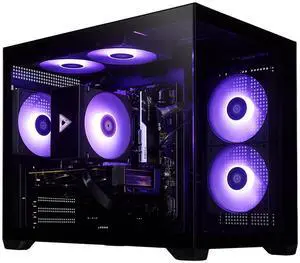
STORMCRAFT Gaming PC SIRIUS Intel Core i5-14400F NVIDIA GeForce RTX 5060 AI Powered 16GB 3200MHz RGB 1TB NVMe SSD 650W PSU Windows 11 Home - SI1440FBB-560N2
- GPU/VGA Type: GeForce RTX 5060
- CPU Name: Intel Core i5-14400F
- Memory Capacity: 16GB DDR4
- SSD: 1TB
- Model #: SI1440FBB-560N2
- Item #: N82E16883420040
- Return Policy: 15-Day Return Policy
- $1,299.99
- $1,049.99 –
- Save: 19%
- Free Shipping
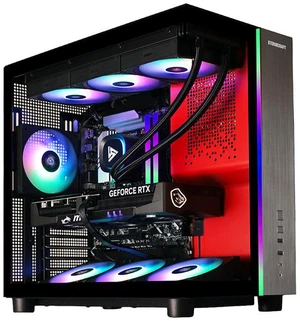
Free Nvidia CONTROL Resonant Game Bundle + Intel AI Software Bundle 2026 (Desktop), ends soon
- GPU/VGA Type: GeForce RTX 5080
- CPU Name: Intel Ultra 7 265F
- Memory Capacity: 32GB DDR5
- SSD: 2TB
- Model #: PH265F0CC-580N2
- Item #: N82E16883420073
- Return Policy: 15-Day Return Policy
- $2,999.99
- $2,799.99 –
- Save: 6%
- Free Shipping
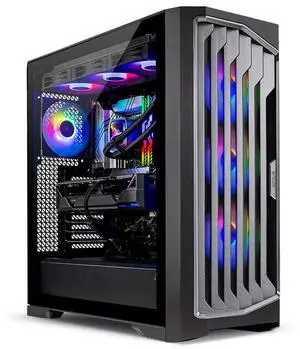
Skytech Gaming Legacy 4 Gaming PC, AMD Ryzen 9 9950X3D 4.3GHz, NVIDIA RTX 5090 32GB, X870 Board, 4TB Gen4 NVMe SSD, 64GB DDR5 RAM 6000, 1200W GOLD ATX 3 PSU, 360 ARGB AIO , Wi-Fi, Win 11, Desktop
- CPU Type: AMD Ryzen 9 9000 Series
- GPU/VGA Type: GeForce RTX 5090
- CPU Name: AMD Ryzen 9 9950X3D
- Memory Capacity: 64GB DDR5
- Model #: ST-LEGACY4-2500-B-AL
- Item #: 9SIA1HJKMH7728
- Return Policy: View Return Policy
- $7,899.99 –
- Free Shipping
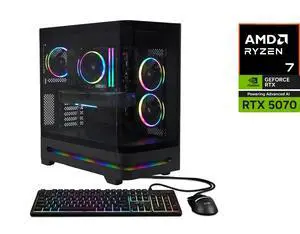
Free AMD ONIMUSHA Game Bundle w/ purchase, limited offer
- GPU/VGA Type: AMD Radeon RX 9070 XT
- CPU Name: AMD Ryzen 9 9900X
- Memory Capacity: 16GB DDR5
- SSD: 1TB NVMe
- Model #: N85-100-UR37
- Item #: N82E16883101942
- Return Policy: 15-Day Return Policy
- $2,199.99 –
- Free Shipping
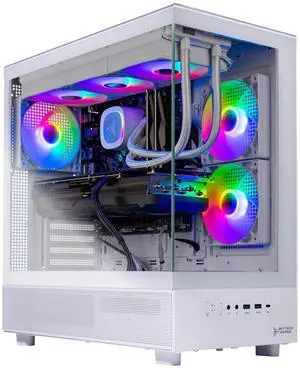
Skytech Gaming Azure 3 Gaming PC, AMD Ryzen 7 9800X3D 4.7GHz, NVIDIA RTX 5070 Ti 16GB VRAM, 2TB Gen4 NVMe SSD, 32GB DDR5 RAM 5600, 850W GOLD ATX 3 PSU, 360 ARGB AIO , Wi-Fi, Win 11, Desktop
- GPU/VGA Type: GeForce RTX 5070 Ti
- CPU Name: AMD Ryzen 7 9800X3D
- Memory Capacity: 32GB DDR5
- SSD: 2TB NVMe
- Model #: ST-AZURE3-2699-W-AL
- Item #: 9SIA1HJKPK4205
- Return Policy: View Return Policy
- $2,999.99
- $2,699.99 –
- Save: 10%
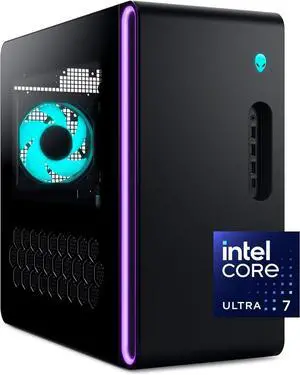
Alienware - Aurora Gaming Desktop - Intel Core Ultra 7 265F 2025 - 32GB Memory - NVIDIA GeForce RTX 5060 Ti 8GB - 1TB Storage - Black
- GPU/VGA Type: GeForce RTX 5060 Ti
- CPU Name: Intel Core Ultra 7 265F
- Memory Capacity: 2x16GB
- SSD: 1TB
- Model #: DACT1250-7483BLK-PUS
- Item #: 3D5-0002-01MS9
- Return Policy: 15-Day Return Policy
- $2,299.99 –
- More options from $2,149.99 - $2,399.99
- Free Shipping
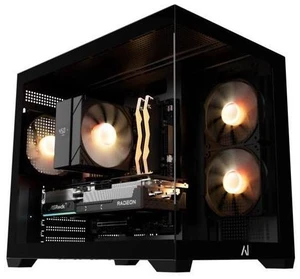
Andromeda Insights Spectra Prebuilt Gaming PC Desktop - Radeon RX 9070 16GB, Ryzen 5 9600X, 16GB DDR5 6000, 1TB NVMe SSD, Wi-Fi + Bluetooth, 650W Gold, Windows 11 Home
- CPU Type: AMD Ryzen 5 9000 Series
- GPU/VGA Type: AMD Radeon RX 9070
- CPU Name: AMD Ryzen 5 9600X
- Memory Capacity: 16GB DDR5
- Model #: UBG-RX9070-9600X-1TB-16GB-650W-AIR-BLK
- Item #: 9SIBWCHM5Z1163
- Return Policy: View Return Policy
- $1,749.99
- $1,599.99 –
- Save: 8%
- Free Shipping
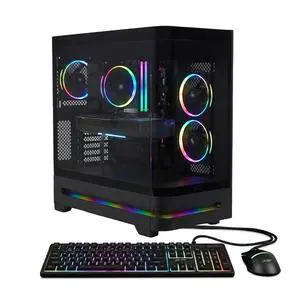
Free AMD Onimusha Game Bundle and Nvidia CONTROL Resonant Game Bundle, limited offer
- GPU/VGA Type: GeForce RTX 5070
- CPU Name: AMD Ryzen 7 9800X3D
- Memory Capacity: 16GB DDR5
- SSD: 1TB NVMe
- Model #: N85-100-UR38
- Item #: N82E16883101944
- Return Policy: 15-Day Return Policy
- $2,199.99 –
- Free Shipping
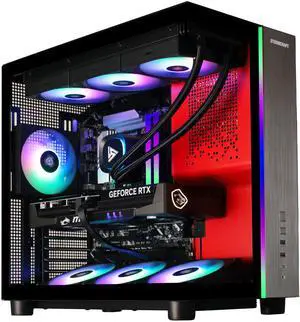
STORMCRAFT Gaming PC PHANTOM INTEL Core Ultra 7 265F NVIDIA RTX 5080 - AI Powered 32GB DDR5 6000MHz RGB 2TB NVMe SSD 360mm AIO 850W PSU Windows 11 Home-PH265F0CC-580N1
- GPU/VGA Type: GeForce RTX 5080
- CPU Name: Intel Core Ultra 7 265F
- Memory Capacity: 32GB DDR5
- SSD: 2TB
- Model #: PH265F0CC-580N1
- Item #: N82E16883420035
- Return Policy: 15-Day Return Policy
- $3,099.99
- $2,899.99 –
- Save: 6%
- Free Shipping
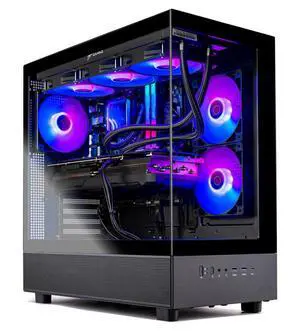
Skytech Gaming Azure 3 Gaming PC, AMD Ryzen 7 7700X 4.5GHz, AMD RX 9070XT 16GB VRAM, 1TB NVMe SSD, 16GB DDR5 RAM 6000, 850W GOLD ATX 3 PSU, 360 ARGB AIO , Wi-Fi 5, Windows 11, Desktop
- CPU Type: AMD Ryzen 7 7000 Series
- GPU/VGA Type: AMD Radeon RX 9070 XT
- CPU Name: AMD Ryzen 7 7700X
- Memory Capacity: 16GB DDR5
- Model #: ST-AZURE3-3233-B-AL
- Item #: 9SIA1HJM1K0537
- Return Policy: View Return Policy
- $1,999.99 –
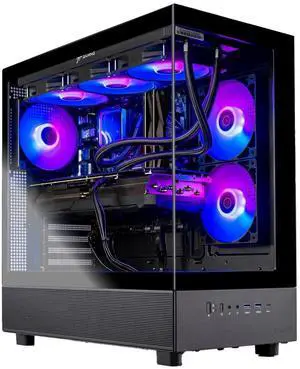
Skytech Gaming Azure 3 Gaming PC, AMD Ryzen 7 9800X3D 4.7GHz, AMD RX 9070 XT 16GB VRAM, 1TB NVMe SSD, 32GB DDR5 RAM, 850W GOLD ATX 3 PSU, 360 ARGB AIO , Wi-Fi, Win 11, Desktop
- CPU Type: AMD Ryzen 7 9000 Series
- GPU/VGA Type: AMD Radeon RX 9070 XT
- CPU Name: AMD Ryzen 7 9800X3D
- Memory Capacity: 32GB DDR5
- Model #: ST-AZURE3-2810-B-AL
- Item #: 9SIA1HJKS78228
- Return Policy: View Return Policy
- $2,599.99
- $2,249.99 –
- Save: 13%
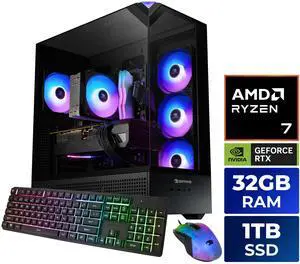
iBUYPOWER Element Gaming PC Desktop - AMD Ryzen 7 8700F, NVIDIA GeForce RTX 5060 8GB, 32GB DDR5 RGB RAM, 1TB NVMe SSD
- GPU/VGA Type: NVIDIA GeForce RTX 5060 8GB
- CPU Name: AMD Ryzen 7 8700F
- Memory Capacity: 32GB DDR5
- SSD: 1 TB
- Model #: EBA7N5602
- Item #: 3D5-0007-00J68
- Return Policy: 15-Day Return Policy
- $1,799.99
- $1,599.99 –
- Save: 11%
- Free Shipping
Related searches
Choosing Desktop PC Computers
Building your own desktop computer can be a fun and rewarding experience, but in many cases, buying a pre-built PC can give you the same performance while saving you the trouble of assembling it yourself. Fortunately, Newegg has a wide variety of PC desktops to suit every need. Shop desktop computers at Newegg for all of your different PC needs with the ability to filter by form factor, CPU type, manufacturer, current promotions, and more. Buy a gaming PC and spend hours playing your favorite games. Choose a business desktop to stay productive at work or home. You can also opt for an all-in-one desktop computer for a truly self-contained system.
Get a Gaming PC Minus the Hassle
Being a PC gamer means compromising on the gaming experience only when you want to. That’s because every component in a gaming PC is customizable. If you notice that your system can’t handle the latest game, then you have the option to upgrade the video card, as an example. While many PC gamer enthusiasts will build their own rig, this can be problematic when something goes wrong during the build, like a component failure. Buying a pre-built gaming desktop is a wonderful alternative to avoid those hassles. Newegg facilitates easy comparison shopping for your pre-built gaming PC by allowing you to filter through essential components and add-ons. Be sure to also explore our collection of gaming chairs and desktops to complete your gaming set-up.
Get More Done with a Business Desktop PC
Some of the best pre-built PCs are business desktops. These systems are typically mid-range in power but have more than enough functionality to complete your important work. Productivity applications like Microsoft Office will run smoothly, and browsing the Internet for research is a breeze. These systems typically have a small footprint as well, ensuring that you will plenty of desktop space left over. Shop desktop PCs for business and sort by CPU type, manufacturer, and form factor. Additionally, you can shop Newegg for your business computer by operating system and filter by form factor, discounts, and current promotions. The bestseller for business desktops is the DELL Desktop OptiPlex 3040 SFF Intel Core i5 6th Gen 6500 for its affordability and easy set-up.
An All-in-One Desktop Could Be All You Need
Imagine a computer monitor with a complete desktop PC system built inside of it. You’ve just envisioned the all-in-one desktop computer. If you ever need to move your system from one room to another, then you’ll no longer need to move several large pieces, like the monitor and the tower, separately. All-in-one PCs are very similar to laptops, except all-in-one PCs don’t typically come with a battery. Because of their form factor, these types of desktop PCs are usually low- to mid-range when it comes to performance, making them well-suited for everyday tasks that students and less computer-savvy users might need to perform. On occasion, however, a manufacturer that specializes in gaming hardware will create a gaming all-in-one PC, but the performance is usually below that of a traditional gaming PC due to the limiting factor of the all-in-one’s inability to house full-size components. The main benefit of all-in-one PCs is that they offer sleek, spacing setups. Despite being less portable than laptops, they are ideal for at-home office setups and apartments because they offer larger screen displays without the need for an extra monitor.
Last Updated: 2026 | Newegg Gaming Desktop PCs Buying Guide
Desktop FAQs:
What is a gaming desktop PC and how is it different from a regular desktop?
A gaming desktop PC is built to handle higher graphics workloads, faster processors, and stronger cooling than a standard desktop. Many models on Newegg are designed for esports, AAA gaming, streaming, and multitasking right out of the box.
What components matter most in a gaming desktop PC?
The most important parts are usually the GPU, CPU, memory, storage, and cooling. For most buyers, graphics performance and processor tier have the biggest impact on real gaming results.
What does GPU or VGA type mean on a gaming desktop listing?
GPU or VGA type refers to the graphics processor used in the system, such as GeForce RTX or Radeon RX models. This is one of the fastest ways to estimate gaming performance across different prebuilt PCs.
How much RAM do I need in a gaming desktop PC?
For many gamers, 16GB is a common starting point, while 32GB can offer more headroom for heavier multitasking, streaming, and newer titles. The right amount depends on how you plan to use the system beyond gaming.
What storage setup should I look for in a gaming desktop PC?
Many shoppers prefer an SSD-based setup for faster boot times and game loading, while larger secondary storage can help with bigger game libraries. On Newegg, storage capacity and drive type are useful filters when comparing value.
What’s the difference between a gaming PC and a workstation PC?
A gaming PC is usually optimized for graphics performance and frame rates, while a workstation PC is often tuned for professional applications, heavier multitasking, and specialized workloads. The better choice depends on whether gaming or productivity is your main priority.
How does ABS compare to iBUYPOWER at the same price point?
At the same price level, buyers often compare ABS and iBUYPOWER by GPU tier, CPU platform, memory, storage, cooling, and overall build value. On Newegg, the easiest approach is to compare systems side by side instead of judging only by brand name.
How do RTX and Radeon gaming desktops compare?
RTX and Radeon systems can both deliver strong gaming performance, but they may differ in features, software ecosystems, and price-to-performance depending on the model. The best fit usually depends on the games you play and the features you value most.
What is the difference between an entry-level and a high-end gaming desktop?
Entry-level gaming desktops are usually aimed at lighter or lower-resolution gaming, while high-end systems target stronger frame rates, higher settings, and more demanding titles. The biggest differences often come from GPU, CPU, cooling, and upgrade flexibility.
How do Intel- and AMD-based gaming desktops compare?
Both Intel and AMD platforms can deliver excellent gaming performance, and the better choice often comes down to the exact CPU model, price, and total system configuration. Comparing full system specs is usually more useful than choosing by platform alone.
How do I choose the right gaming desktop PC for my needs?
Start with your target games, resolution, budget, and whether you also plan to stream or multitask. On Newegg, filtering by GPU, CPU, price, and brand can quickly narrow the field to systems that make sense for your setup.
What’s the best prebuilt RTX 4070 PC under $1,500?
The best option depends on current pricing, CPU pairing, memory, storage, and cooling, so there is no single answer that stays best for long. On Newegg, compare RTX 4070 systems by total configuration and value instead of focusing only on the graphics card.
Is it better to buy a prebuilt PC or build one myself?
A prebuilt PC is usually faster and easier to start using, while building your own system gives you more control over parts and customization. The better choice depends on how much time, experience, and flexibility you want.
How much should I spend on a gaming desktop PC?
Your budget should reflect the games you play, your target resolution, and whether you want room for future upgrades. On Newegg, filtering by price range is one of the simplest ways to compare realistic options before you go deeper into specs.
Should I prioritize GPU power or CPU performance in a gaming desktop?
For many gaming-focused builds, the GPU has the biggest effect on visual settings and frame rates, while the CPU matters more for certain game types, streaming, and multitasking. The best value usually comes from keeping the system balanced rather than overbuying one part.
What are common issues to watch out for when buying a prebuilt gaming PC?
Common concerns include unclear upgrade paths, limited cooling, weaker power supplies, and imbalanced part combinations. Reading the full specs carefully helps avoid buying a system that looks strong on paper but is less flexible in real use.
How important are customer reviews when choosing a gaming desktop?
Customer reviews can highlight real-world experiences with thermals, noise, shipping condition, and setup quality. On Newegg, verified buyer feedback is especially useful when comparing similar systems at the same price point.
Are budget gaming desktops reliable?
Some budget gaming desktops can offer strong value, but quality can vary more at lower price points. It is worth checking the balance of parts, cooling, and buyer feedback before deciding based only on price.
What compatibility or upgrade issues should I check before buying a gaming desktop?
Check memory capacity, storage expansion, power supply headroom, and case or cooling limitations if future upgrades matter to you. A system can look good today but still be restrictive later if those details are overlooked.
Have there been any stability issues reported with ABS desktops?
Stability can vary by exact model, component mix, and setup, so it is best to review recent buyer feedback for the specific ABS system you are considering. On Newegg, looking at recent reviews is the fastest way to spot patterns in reliability or setup issues.
How do I set up a new gaming desktop PC after unboxing it?
Connect the monitor, keyboard, mouse, power cable, and network, then complete the operating system setup and install any necessary updates. It is also a good idea to confirm that the system recognizes the expected hardware before regular use.
What should I do after buying a prebuilt gaming PC?
Update Windows, graphics drivers, and key system software, then test a few games to confirm temperatures and performance are normal. This is also a good time to review storage space and backup options.
How do I connect a gaming desktop to a monitor and peripherals?
Connect your display to the graphics card output, not the motherboard video port if the system includes a dedicated GPU. Then attach your keyboard, mouse, audio devices, and other peripherals as needed.
How do I update drivers on a new gaming desktop?
Start with graphics, chipset, and network drivers, then check for Windows updates and any manufacturer utilities that apply to your system. Keeping drivers current can help with stability, compatibility, and gaming performance.
What should I check before upgrading a prebuilt gaming desktop later?
Check the power supply, physical space inside the case, motherboard compatibility, and airflow before upgrading parts like the GPU, memory, or storage. Planning ahead makes future upgrades much easier and safer.
Bestselling Desktop Computer Reviews:
Anonymous
9/17/2026 7:12:01 PM
Extremely satisfied
“ I spent months shopping for a new gaming desktop before finally deciding on this machine, and I am so happy that I did. ”
Andromeda Insights AMD Spectra Gaming PC - RX 9070 XT 16GB | Ryzen 5 9600X (5.4 GHz Turbo Boost) | 16GB DDR5 6000MHz | 1TB Gen4 SSD | 850W Gold | ARGB | Wi-Fi + BT | Win 11