
Your Browsing History
 Holiday Shipping Details & Extended Holiday Returns Holiday Shipping Details & Extended Holiday Returns

Joined on 12/08/03
Massive Copper Beast
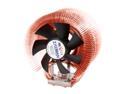
Pros: It keeps my "Intel Core i7-2600 Sandy Bridge 3.4GHz" CPU at a cool 38* C while idling. I don't have a video card yet so I am using the CPU's GPU. When I play MineCraft this cooler keeps my CPU at 46*C constant. The thermal grease that I used was AS Ciramique. The heat-sink itself is very well constructed, I expect nothing less from this company as I have used them many times before. The fan is QUIET! VERY VERY QUIET!
Cons: The instruction booklet that comes with the device is the bare minimum. I think it could have been a little more descriptive, but not that bad either. The included tube of thermal grease isn't terrible, but I recommend using something better especially with this beast of a heat sink. The base that the heat sink has to connect itself to worries me. I feel like it is a little flimsy as it is made of a hard plastic and at one point you have to screw screws into it. It is one of those situations where I was too afraid to over tighten it at the risk of breaking the plastic, or pulling the metal lugs out, but then if it is too loose that would be just as bad.
Overall Review: Take your time when putting this one together. The heat sink is heavy and awkward to hold. I recommend putting the heat sink onto your mother board before putting it into your case IF possible. This heat sink is BIG and clumsy. Be careful when screwing the heat sink on to the base! Be patient and be cautious when screwing in the screws to the plastic base. Plastic is notorious for breaking under stress even if there are metal lugs in it. The last thing you want to do is over tighten it and pull the metal lugs out. Make sure to observe which way the base is supposed to be facing on your board. The base dictates which way the heat sink will be facing which dictates which way the hot air will be blowing.
Pros: Its a free game?
Cons: I would have totally preferred a 50 dollar off credit from my Video Card which is why I got this to begin with. It is an 11GB install!
Powerful card
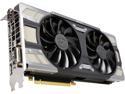
Pros: Excellent upgrade card on a 4 year old mother board Allows me to play doom with zero lag on Ultra settings across the board. I get 150-200 FPS (V-sync is turned off) Software installation was EASY Hardware installation was just like any other, had some bumps - but if I was actually prepared it wouldn't have been a problem at all. So my fault. (covered in Cons)
Cons: Even though I am going to give this card 5/5 eggs - there are some things about this card that just completely caught me by surprise. It's my fault for not investigating more thoroughly, but still these things just shocked me when I got the card. 1. The card is a mammoth sized card. It almost didn't fit into my case 2. The card weighs a ton! I couldn't believe how heavy it is, all of the weight is from the massive heat sink it has. I am afraid it might wrench itself from the motherboard so I will be checking periodically that it is still in the right spot. If anything I will have to prop it up with a piece of wood or something - I am not joking. 3. The card bellows out heat like crazy. Playing Doom for a while on ultra settings got it up to 67*C and I could feel my legs getting warm from all the heat being pushed out under my desk. Unreal man! Like wow! 4. The card requires two 8 pin PCIe power connections. Again - wow... like #(*@$(*&! seriously? My fault for not checking, but when I got the card I wasn't expecting this. I couldn't use it for three days because I had to get a 6 pin to 8 pin adapter. Luckily I did have two dedicated PCIe outputs - but this really threw me for a loop.
Overall Review: After you have everything connected together, I strongly recommend on your first power on - only connect one monitor! I made the mistake (again - I did this on my last card too by mistake) of plugging in all of my monitors on the first go around. This may result in a black screen - don't freak out, just turn off your computer, unplug the other monitors (I have 3 in total) and just plug in one monitor. Start up your rig and let it boot into your OS. When you are actually in your OS, you can plug in your monitors now - but you should probably install the drivers and stuff first anyhow. After installing the drivers, make sure to reboot otherwise you may experience lag. Should run flawlessly afterwards. If you are playing Doom and you get locked in at 60 FPS - open up the card's management console and TURN OFF V-Sync. This will allow you to get 150-200 FPS. I don't care about tearing, plus I still haven't seen ANY tearing whatsoever. Runs like a champ.
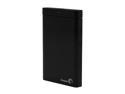
Pros: Excellent price for a nice sized drive using USB 3.0
Cons: Segate should really not use a propitiatory connector! Hence the 4/5 Eggs and not 5/5. I hate it when companies decide to get cute and introduce connectors no one else uses. Buyer beware - this device uses a propitiatory connector. Had I realized this sooner, I would have thought twice about getting it. What is wrong with the regular USB mini cable that the rest of the planet is using right now?
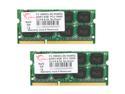
Pros: Bought this for a client. Reliable GSkill RAM at a great price.
Cons: None.
Pros: Its a cable! It gets the job done.
Cons: none