Out of stock
This item is currently out of stock and it may or may not be restocked.
Sold by Newegg

Shipped by Newegg

Shop it at NeweggBusiness.

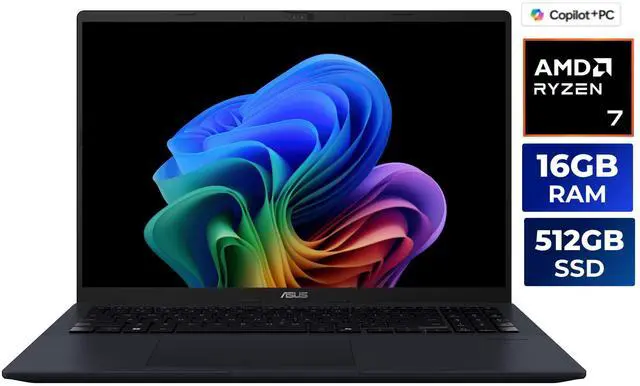
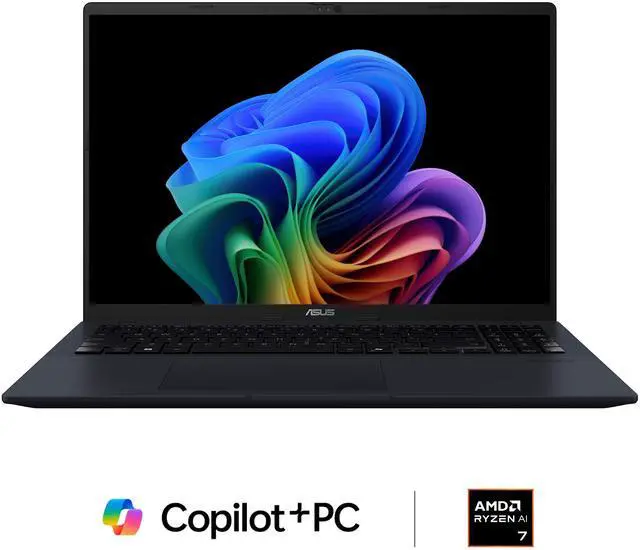
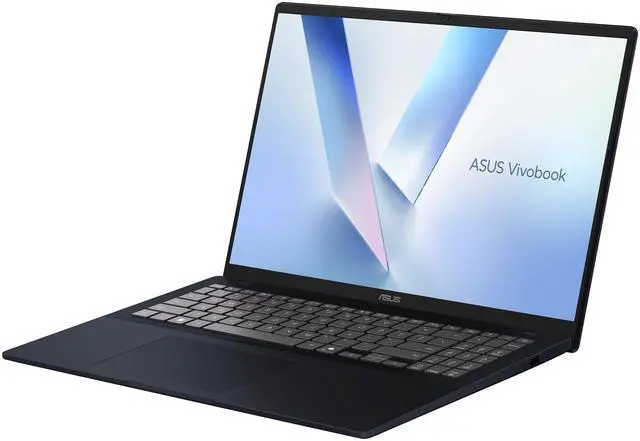
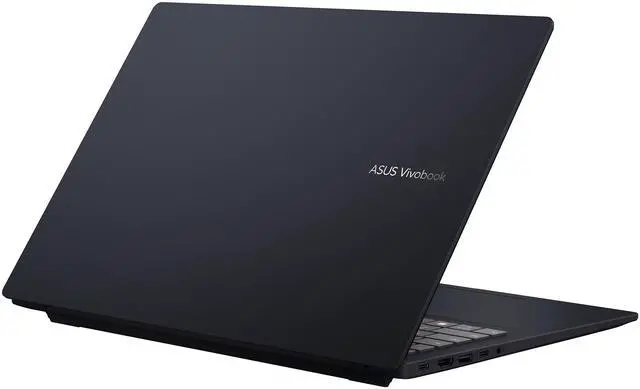
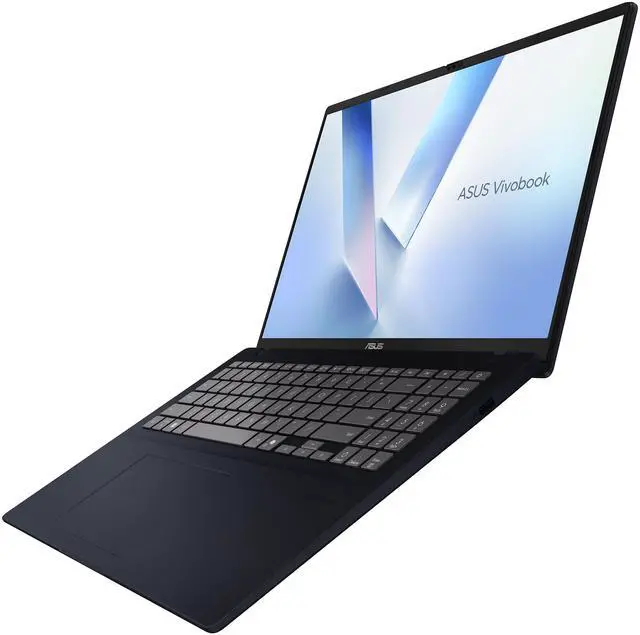
Asus VivoBook 16" Copilot+ PC Laptop AMD Ryzen AI 7 350 16GB DDR5 Memory 512GB PCIE SSD Windows 11 Home (M1607KA-NS76)

(134)(11) Write a Review
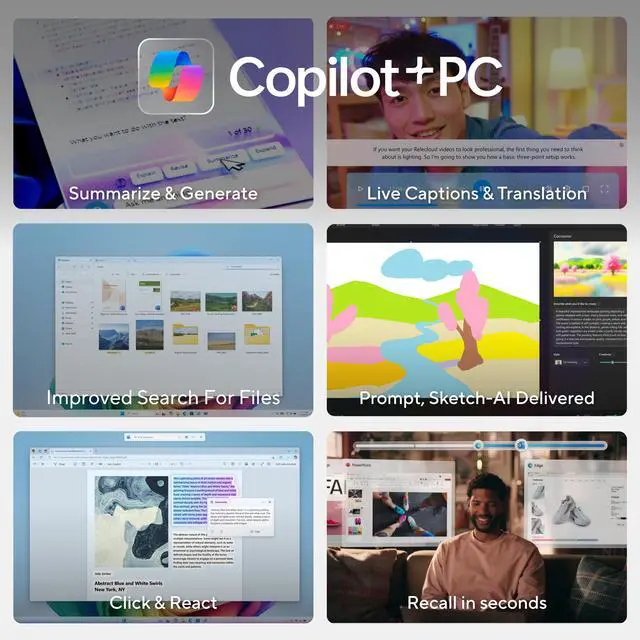
  • Copilot+ PCs. A New AI Era Begins - New AI superpowers. Discover the power of Recall (preview), improved Windows search, and Click to Do (preview) on Copilot+ PCs. Effortlessly locate past content, perform natural searches, and interact with text and images – all while ensuring your data remains private and you stay productive1
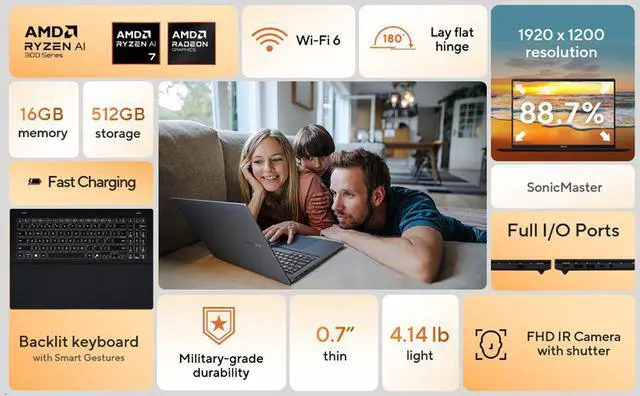
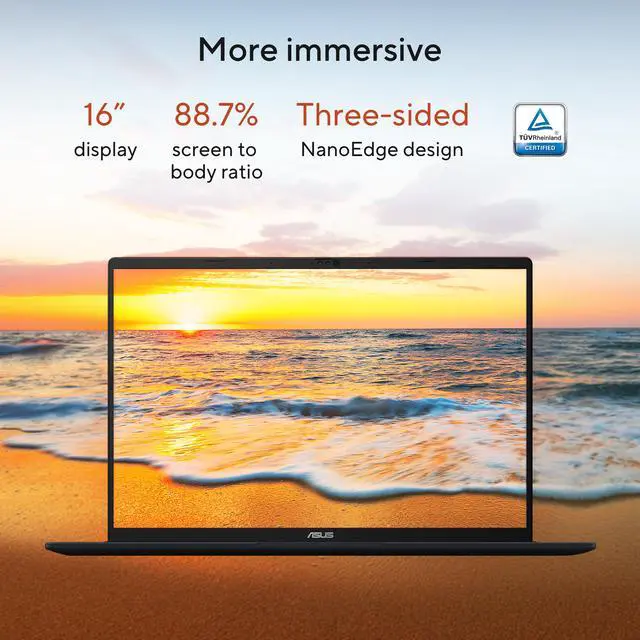
  • Stunning 16-inch WUXGA Display - Indulge in stunning visuals in breathtaking 1920 x 1200 resolution (16:10) and a 300-nit sustained brightness with brilliant life-like colors and a smooth 60Hz refresh rate
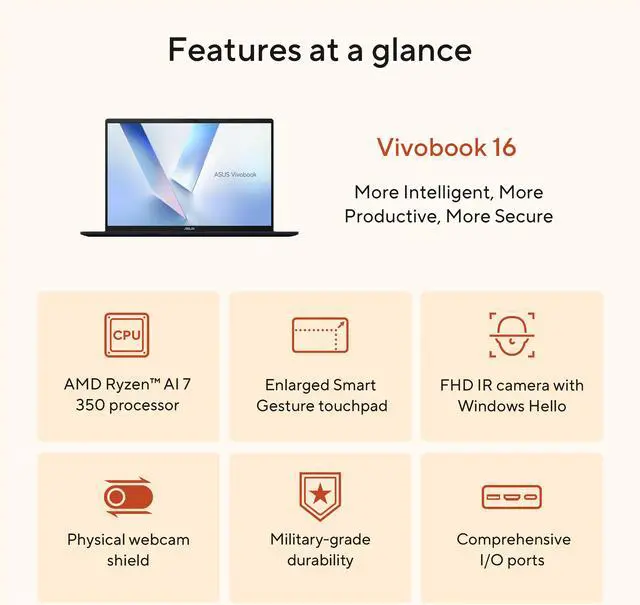
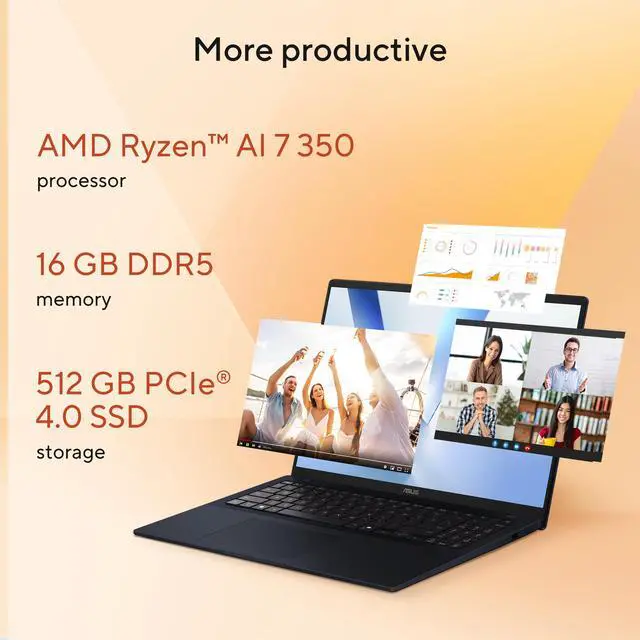
  • Ultrafast AMD Ryzen™ AI 7 350 Processor - Unleash performance with AMD XDNA NPU, designed for the ultimate in AI processing efficiency (up to 50 TOPS). Experience the trusted 8-core, 16-thread AI-ready processor for ultimate gaming and content creation.
  • Integrated AMD Radeon Graphics
  • WiFi 6 and Bluetooth® 5.3
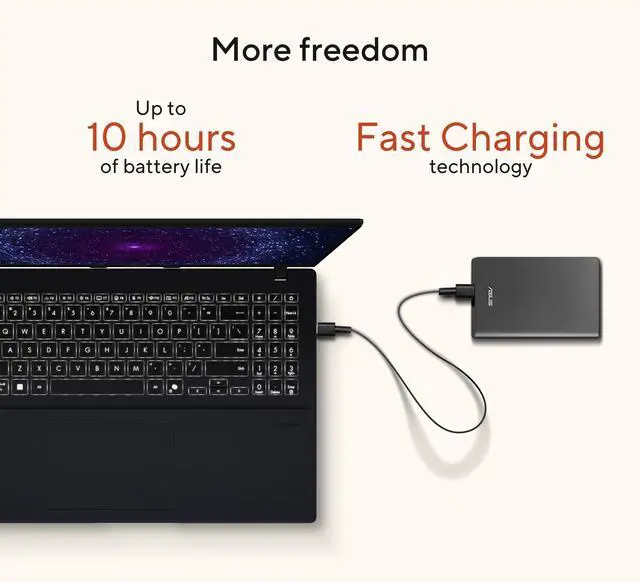
  • Up To 10 Hours Of Battery Life
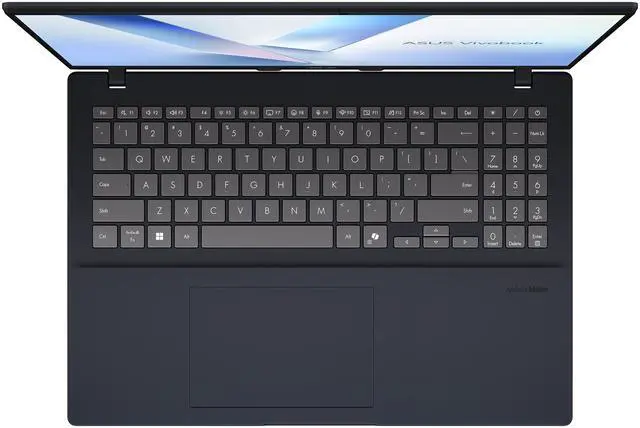
  • Backlit Black Keyboard With Numeric Keypad
Overview
Specs
Reviews (134)
See all Q & A
avatar

Any questions? Our AI mode will help you find out quickly.

Copilot+ PCs. A New AI Era Begins

New AI superpowers. Discover the power of Recall (preview), improved Windows search, and Click to Do (preview) on Copilot+ PCs. Effortlessly locate past content, perform natural searches, and interact with text and images – all while ensuring your data remains private and you stay productive


Stunning 16-inch WUXGA Display

Indulge in stunning visuals in breathtaking 1920 x 1200 resolution (16:10) and a 300-nit sustained brightness with brilliant life-like colors and a smooth 60Hz refresh rate


Ultrafast AMD Ryzen™ AI 7 350 Processor

Unleash performance with AMD XDNA NPU, designed for the ultimate in AI processing efficiency (up to 50 TOPS). Experience the trusted 8-core, 16-thread AI-ready processor for ultimate gaming and content creation. Elevate your productivity with discrete level graphics for gaming and content creation, all with AI technology built right in


Integrated AMD Radeon Graphics

Dedicated AI accelerators built in to optimize AI workloads for maximum game performance, responsive productivity and multitasking and 4k video streaming


Multitask Effortlessly with 16GB Of Memory And 512GB Of Storage

Experience fast performance and speedy multitasking, whether you're gaming, editing, or browsing. Save files quickly and store vast amounts of data. With extensive storage and advanced communication power, PCIe 4.0 SSDs excel in major gaming applications, multiple servers, daily backups, and more


Disclaimer

  • Copilot+ PC experiences vary by device and region and may require updates continuing to roll out through 2025; timing varies. See aka.ms/copilotpluspcs
  • Battery life varies significantly by device and with settings, usage and other factors. See aka.ms/cpclaims
  • Windows can back up files, settings, and apps from PCs running Windows 10 and higher. Restore is available on Windows 11, version 22H2 and higher. Geographic restrictions may apply.
  • Requires Microsoft account. Up to 5 GB of Microsoft Storage is included. Data transfers exceeding 5 GB require an active Microsoft subscription or trial.
  • When you open apps for the first time on your new Windows 11 PC, some will reinstall when you first open them. Other apps may require you to reinstall them manually from the original app provider.

Warranty & Returns

Warranty, Returns, And Additional Information

Warranty

  • Limited Warranty period (parts): 1 year
  • Limited Warranty period (labor): 1 year
  • Read full details

Return Policies

LOADING...
LOADING...

Learn about this product

The ASUS VivoBook 16 M1607KA-NS76 is a 16-inch Copilot+ Windows laptop with an AMD Ryzen AI 7 350, 16GB DDR5, and 512GB PCIe Gen4 SSD, well suited for students, home users, and everyday creators who want a large 16:10 display, modern AI features, and solid multitasking in a general-purpose notebook.

Recommended For

  • Students or remote workers who want a 16-inch screen for split-screen documents, research tabs, spreadsheets, and video calls, without moving up to a heavier premium workstation.
  • Home users replacing an older family laptop who mainly browse, stream, handle schoolwork, and do everyday office tasks, and who value a full-size keyboard with numpad and simple Windows setup.
  • Buyers curious about Copilot+ and local AI features who want a mainstream Windows laptop with an NPU for Recall, improved Windows search, and other on-device AI features, but do not need creator-class graphics.
  • Light coders and multitaskers who want solid everyday CPU performance for browser-heavy work, documents, IDE use, and occasional low-settings gaming, while staying in the thin-and-basic laptop category.

Real-World Use Scenarios

  • Working in large spreadsheets, browser tabs, Teams/Zoom, and Office apps at the same time feels well suited to this laptop; the 16-inch 16:10 screen gives more room for documents, and review data places the Ryzen AI 7 350 around or above many mainstream office-class laptops for everyday productivity.
  • For college work or programming in VS Code, Python, Java, and similar tools, the likely experience is smooth for coding, research, and moderate multitasking; community discussions specifically frame this model as a practical fit for programming and lab-style work rather than a niche creator or gaming machine.
  • For light photo edits, short video exports, and basic content creation, users should expect workable results and faster turnaround than entry-level office laptops, but not workstation-class performance; benchmark coverage shows the CPU is capable while the integrated graphics remain a limiting factor for heavier visual workloads.
  • Using Windows Copilot+ features such as improved search and on-device AI tools is a realistic everyday scenario here; ASUS positions the laptop around Copilot+ use, so the practical benefit is more in productivity and search assistance than in replacing normal apps or workflows.
  • For couch gaming or newer 3D games, the likely outcome is limited: casual, older, or less demanding titles are the better fit, while recent games and higher settings are not this laptop's strong use case because review testing found the integrated Radeon graphics only modest for gaming.
  • For working away from an outlet during a full school or office day, users should plan conservatively: web, video, and document tasks are fine for part of the day, but independent testing points to roughly 7 hours of light-use runtime rather than true all-day battery life.

Spec Summary

AttributeValue
Best ForBusiness and everyday productivity users who want a 16" (1920×1200) Windows 11 laptop with on-device AI (Copilot+) plus a mid-power AMD Ryzen AI processor, integrated Radeon graphics, 16GB DDR5 memory, and a 512GB PCIe SSD
Processor And Core CountAMD Ryzen AI 7 350 (3rd Gen Ryzen 7 series listed), processor count reported as 10, processor speed listed as 2 GHz
GPU And VRAMIntegrated AMD Radeon graphics; graphics description listed as integrated and graphics memory type listed as DDR5 SDRAM
Display Spec16.0-inch LED display, 1920 x 1200 (16:10) native resolution, 60 Hz refresh rate
Memory Configuration16GB DDR5 installed, 2 memory slots; maximum memory listed as 16 GB
Storage And Expansion512GB PCIe Gen4 SSD (NVMe/PCIe G4)
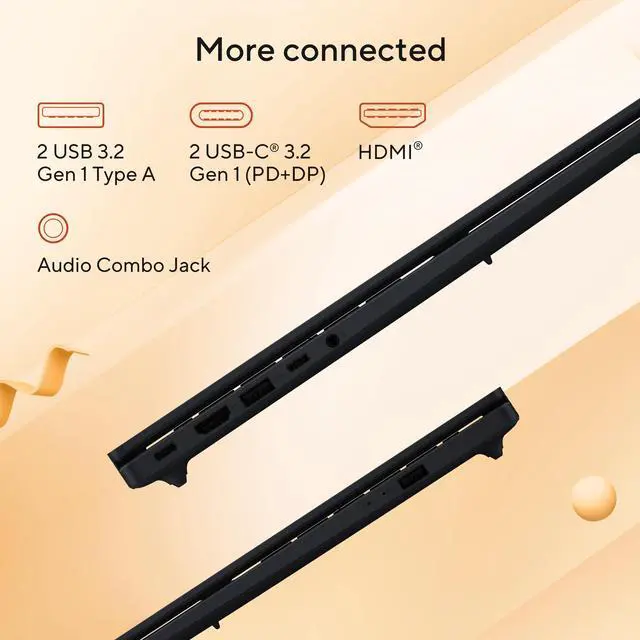
High Speed I O2 × USB 3.2 Gen 1 Type-A; 2 × USB 3.2 Gen 1 Type-C (support display and power delivery; data up to 5 Gbps); 1 × HDMI 2.1; 1 × 3.5mm combo audio jack
External Display And Docking FitSupports external displays via HDMI 2.1 and USB-C with display/power delivery (USB-C data up to 5 Gbps)
Battery And Power42 WHrs, 3-cell Li‑ion battery (3S1P)
Wired And Wireless NetworkingWi‑Fi 6 (802.11ax) wireless and Bluetooth 5.3
Webcam And PrivacyBuilt-in webcam
Keyboard And ControlBacklit keyboard with numeric keypad; touch pad for cursor input
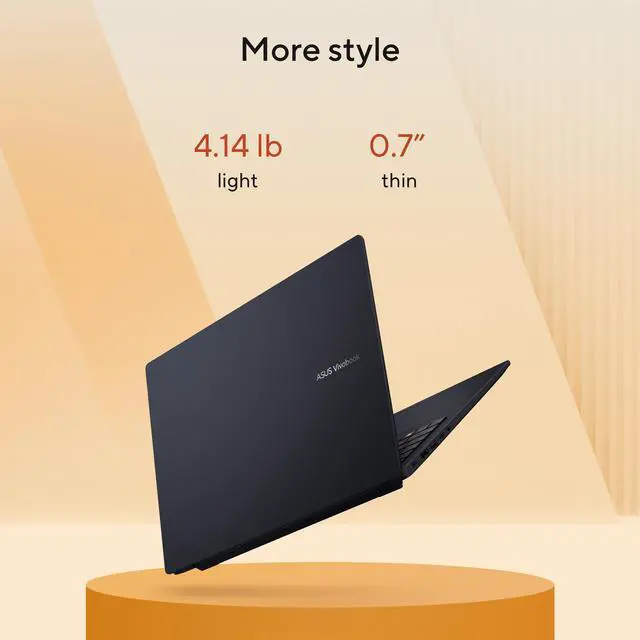
PortabilityItem display weight listed as 4.14 lb; item weight also listed as 6.5 lb; device dimensions listed as 14 L × 0.67 W × 10 TH inches; package dimensions listed as 18.8 L × 12.1 W × 2.5 H inches
Model IdentifiersASUS VivoBook model N82E16834236650 (2025), Windows 11 Home
Special FeaturesCopilot+ PC (AI features) listed as a product feature

Reference Q&A

Q: Should I choose the Asus VivoBook 16 Ryzen AI 7 350 or a similar laptop with Ryzen 7 8845HS?

A: Choose the VivoBook 16 with Ryzen AI 7 350 if you want a current Copilot+ PC platform with a 50 TOPS NPU for Windows AI features and everyday productivity on a large 16-inch display. Choose a comparable Ryzen 7 8845HS laptop if your priority is heavier sustained CPU work or stronger integrated-graphics gaming, because external benchmarks and reviewer comparisons commonly show the older 8845HS/780M combination staying competitive or ahead in those workloads. The trade-off is that the VivoBook 16 is the more AI-feature-forward option, while many 8845HS systems are the more performance-first option.

Q: Is the VivoBook 16 Ryzen AI 7 350 worth it over a Ryzen AI 5 340 version?

A: The Ryzen AI 7 350 version is the better choice if you expect to keep the laptop longer, run heavier multitasking, or rely on the integrated GPU more often. AMD positions the AI 7 350 above the AI 5 340 with 8 cores instead of 6 and Radeon 860M instead of 840M, while both still support Copilot+ with a 50 TOPS NPU. A Ryzen AI 5 340 configuration makes more sense when your workload is mostly web, Office, streaming, and light school or home use, because the overall platform experience stays similar and both chips target the same AI feature set.

Q: How does this VivoBook 16 compare with a higher-end Copilot+ laptop like a Zenbook or OLED model?

A: Choose the VivoBook 16 if you want the practical combination of a large 16-inch screen, numeric keypad, standard port selection, and mainstream pricing. Choose a higher-tier Copilot+ model if display quality, premium build, faster connectivity, and stronger overall performance matter more than screen size alone. Reviewer comparisons around Ryzen AI 7 350 systems show that premium models often pair the platform with better displays, lighter chassis, and in some cases stronger competing Intel graphics, while the VivoBook line stays focused on value and everyday usability.

Q: Is this VivoBook 16 a better pick than the previous-generation VivoBook style laptop for everyday use?

A: Yes, this model is the better fit if you specifically want a newer Windows AI-ready laptop with Copilot+ support, newer Ryzen AI branding, and the current 50 TOPS NPU class. A previous-generation VivoBook can still be the smarter buy when the discount is large and your workload is mostly traditional laptop work such as browsing, documents, media, and light editing. In practical buying terms, the new model is the easier recommendation for users who care about platform longevity and AI features, while the older generation remains valid when value is the main goal.

Q: Is the VivoBook 16 Ryzen AI 7 350 better for portability or for performance-first use?

A: This VivoBook 16 is better viewed as a general-purpose productivity laptop than a performance-first machine. Its 16-inch chassis, 60 Hz WUXGA display, integrated Radeon graphics, and 42 Wh battery make the most sense for home, school, office, and mixed daily use where screen space matters. If you want a more portable travel-first laptop, a 14-inch class model is usually easier to carry. If you want a performance-first system for frequent gaming, rendering, or heavier sustained workloads, a laptop with a stronger integrated GPU tier or discrete graphics is the better fit.

Q: Is this a good laptop for office work, note-taking, web browsing, and video meetings?

A: Yes. This model is well suited to everyday productivity work such as email, documents, spreadsheets, browser-based work, note-taking, and video calls. The 16GB of DDR5 memory is enough for typical multitasking, the 16-inch 1920 x 1200 screen gives more vertical workspace than a standard 1080p panel, and Wi‑Fi 6 plus Bluetooth 5.3 fit normal remote-work use. The main trade-off is that it uses integrated Radeon graphics, so it is better for office and general use than for demanding 3D or high-end gaming workloads.

Q: Is it worth buying as a travel work laptop?

A: It can work well for travel if you want a larger screen, full keyboard, and simple USB-C charging, but it is not the most portability-focused option. Its strengths for travel are the 16-inch display, backlit keyboard with number pad, Wi‑Fi 6, and USB‑C ports that support power delivery and display output. The trade-off is that a 16-inch laptop is usually less compact than a 13- or 14-inch alternative, so frequent flyers may prefer a smaller model.

Q: Who is this laptop best for?

A: This laptop is best for buyers who want a large-screen Windows laptop for general productivity, schoolwork, admin tasks, light content work, and everyday multitasking, while also getting Copilot+ PC features. It is a better fit for users who value screen space and a number pad than for users who need a premium display, dedicated graphics, or a very compact travel machine.

Q: What are the main trade-offs versus a more premium 16-inch Copilot+ laptop?

A: The main trade-off is value versus premium hardware. This VivoBook gives you a large 16-inch screen, Ryzen AI processor, 16GB RAM, 512GB SSD, and Copilot+ positioning at a more mainstream spec level. Compared with pricier 16-inch alternatives, you typically give up features such as a higher-resolution display, OLED panel, touch support, higher brightness, faster refresh rate, more memory, or larger storage. In return, this ASUS is a more practical choice for basic work and everyday use if those premium display and build features are not essential.

Q: Can it be a good buy if I want some upgrade flexibility and easy connectivity?

A: It is a reasonable buy if your priority is practical connectivity, but buyers should not assume major upgrade headroom without model-specific confirmation. This configuration already includes 16GB RAM and a 512GB PCIe SSD, and it offers useful ports: two USB-A, two USB-C with display and power delivery support, HDMI 2.1, and a headphone jack. Retail Q&A on closely related VivoBook 16 models shows that shoppers repeatedly ask about RAM upgrades, SSD replacement, and USB-C charging, which indicates these are real decision factors. For this exact model, the port selection is a clear strength; upgrade limits should still be verified against ASUS support documentation for the exact SKU before purchase.

Q: Is this Asus VivoBook 16 a good buy for everyday work, school, and general productivity?

A: Yes, if your main use is web work, documents, video calls, multitasking, and light creative tasks. The Ryzen AI 7 350, 16GB DDR5, and 512GB SSD are a sensible midrange setup for productivity. The main trade-offs are a basic 60Hz display, integrated graphics, and a smaller 42Wh battery than some competing 16-inch laptops.

Q: Who is this laptop best suited for?

A: It is best suited for students, office users, remote work, and buyers who want a larger 16-inch screen for spreadsheets, documents, and multitasking. It fits people who value screen size and general-use performance more than premium display quality, gaming power, or long unplugged runtime.

Q: Can this VivoBook 16 replace a work or college laptop?

A: For many users, yes. It has the basics expected for a work or school machine: a large 16-inch 1920x1200 display, 16GB RAM, 512GB SSD, Wi‑Fi 6, a backlit keyboard with number pad, USB-C with display and power delivery, and HDMI. It is a practical replacement if your workload is productivity-focused rather than GPU-heavy.

Q: What are the main trade-offs of choosing this model?

A: The biggest trade-offs are portability and premium features. This model gives you a large screen and capable CPU, but the display is standard rather than high-end, graphics are integrated, and the 42Wh battery suggests more modest battery life than laptops with larger batteries. It makes more sense as a desk-to-class or desk-to-office laptop than as a gaming system or premium media laptop.

Q: Is this a good choice if I also want gaming or heavier creative performance?

A: Not really. It can handle light games and general media work, but integrated Radeon graphics and this overall configuration are better matched to everyday computing than demanding gaming, 3D work, or sustained creator workloads. If gaming or heavier GPU tasks matter, a laptop with dedicated graphics is the safer choice.