shipping Holiday Shipping Details & Extended Holiday Returns
Wavlink Triple Display USB C Docking Station With DP & HDMI &VGA, 85W PC Charging, USB 3.0 & 2.0 Ports, SD TF Card Reader, Gigabit Ethernet, Audio For Dell XPS 13/15,Lenovo Yoga,MacBook Pro, etc
  •  
  • $39.99 
  • Save: 33%
  • $27.49
  • Free 30-day Returns
  • Login to Make an Offer
    Price alert
    Sold by Direct from manufacturerAUBEAMTO
    Top Rated
    4.4 (115 seller ratings)

    Shipped by Direct from manufacturerAUBEAMTO

    Shop it at NeweggBusiness.

    Meet Your Seller

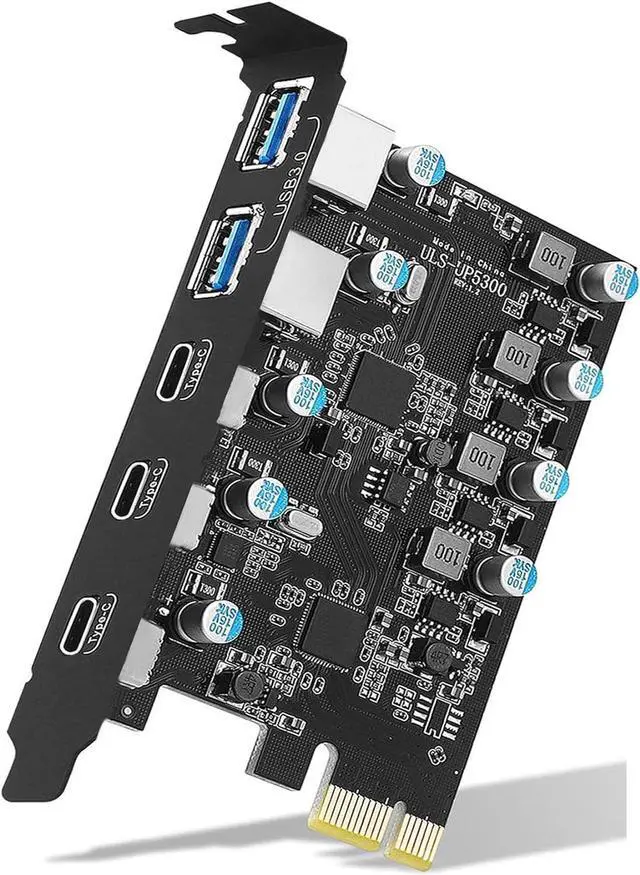
    AUBEAMTO USB PCIE Card 5-Port (3X USB C,2X USB 3.0-A) PCI Express Expansion Card Desktop PC Internal USB hub for Windows 10/8/7 and MAC OS 10.8.2 Above

    Limited time offer, ends 12/30 By AUBEAMTO

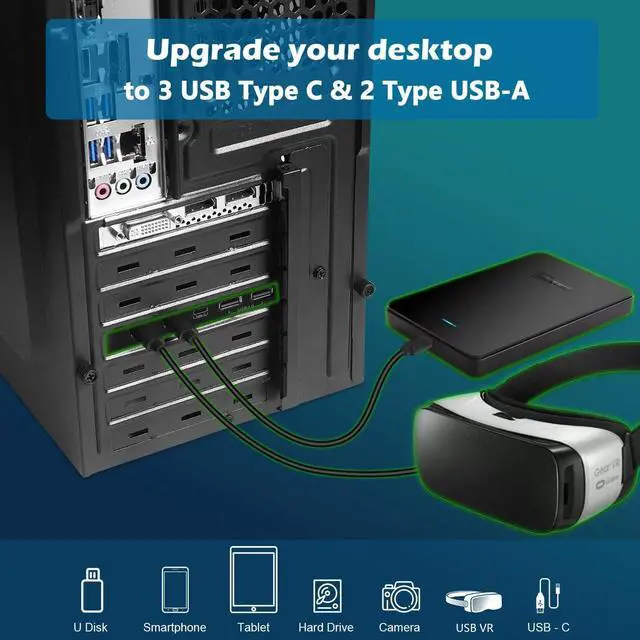
    • 5-Port PCIE USB Card: With 3x USB C ports and 2x USB-A ports extended via PCI Express X4 slots, you can connect keyboards, mouse, external hard drives, CD/DVD drives, USB printers, scanners, game controllers, USB VR, digital cameras, and more. (USB-C port contains only data signal, not video signal.)
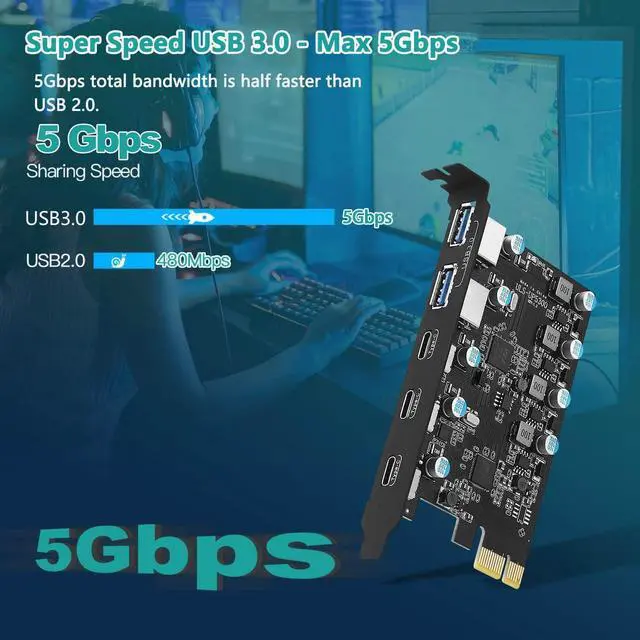
    • Super Speed Transmission Rate: Support up to 5Gbps transfer rate, the overall rate is ten times faster than USB 2.0 version and can transfer copied high-definition video, music, photos, and data files, helping you achieve higher s efficiency. (Note: The actual transfer speed may be limited by the connected device)
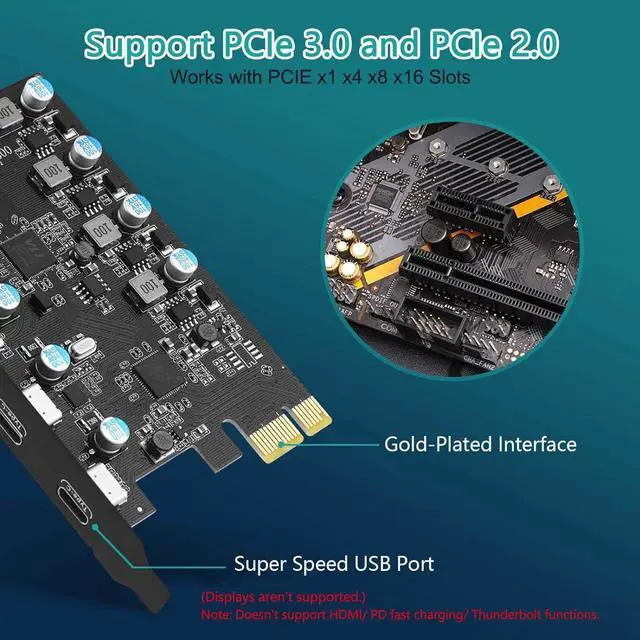
    • Wide Compatibility: Support Windows 10/8/7/XP/Server, Linux and Mac OS 10.8.2(and higher). USB card are PCIe 3.0 and PCIe 2.0 compliant motherboards for PCI Express x4, x8, or x16 slots. Note: Windows 7/XP/Vista/Server, need to install the driver, Windows 10 and Mac OS 10.8.2 or above most don't need the driver.
    +
    +
    Overview
    Specs
    Reviews
    avatar

    Any questions? Our AI beta will help you find out quickly.

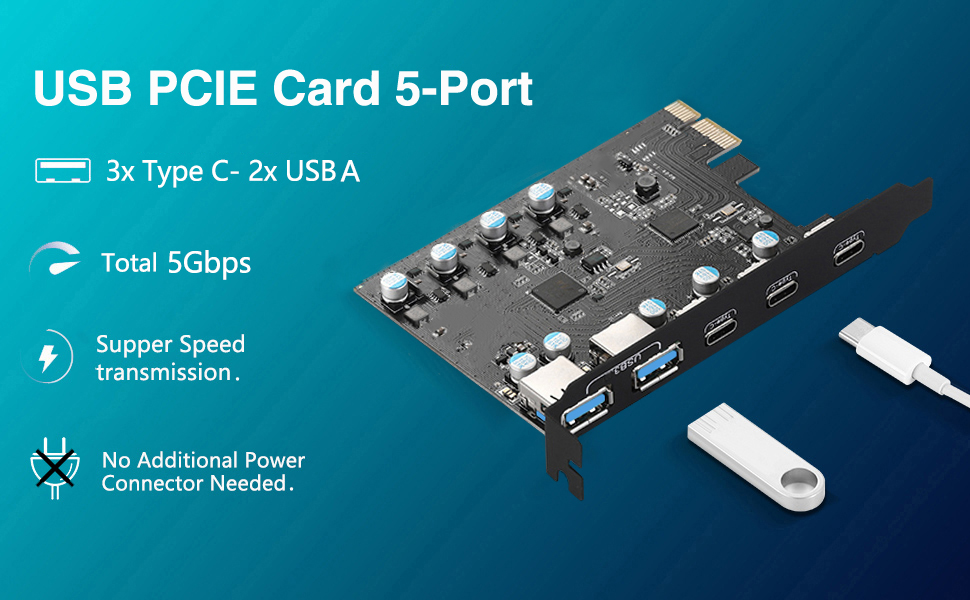
    USB PCIE Card 5-Port

    Product Advantages:

    1. Add 3 USB C or 2 USB A ports to your desktop host via PCI-E slots, with a maximum data transfer speed of 5Gbps bandwidth per port, for you to achieve a fast connection.
    2. This PCIe expansion card is powered from a PCI-E slot and can be easily installed on your computer without additional power cables.
    3. The internal USB card passes from the motherboard through the PCI Express slot - ensuring a stable connection, ensuring a stable connection and increasing data transfer speed. No loss of connection issues like an external USB hub.

    Warm Notes:

    • 1.Operating system requirements are Windows XP/7/8/10, Mac OS 10.8.2 Above.(If your computer is experiencing compatibility issues/not recognizing any drivers, Go-*Online Support.)
    • 2. Older versions of PCIE 1.0 are not supported.
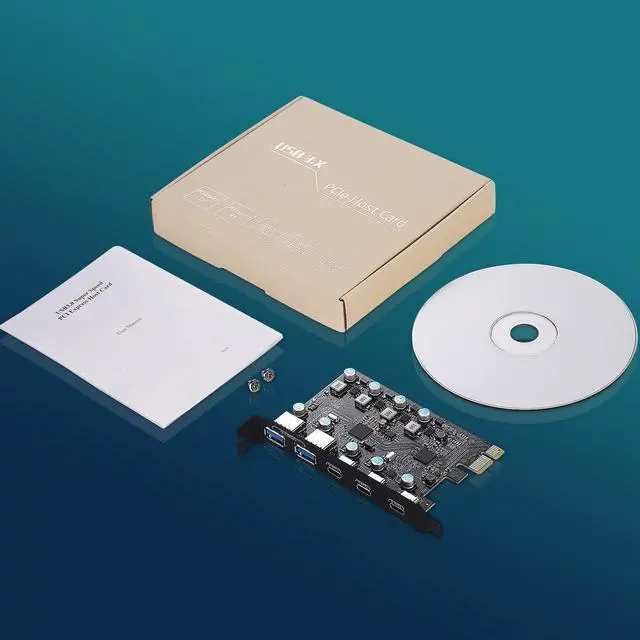
    • 3. Windows 7/XP system needs to install the driver from the included CD.
    • 4. The USB C card only supports data transfer and doesn't support PD fast charging, Thunderbolt protocol and video signal transfer (ALT DP, HDMI, Bluetooth, Displays function conversion).
    • 5. Only used for low-power USB devices to transfer data.
    • 6. Since the internal USB pin board of this card USB interface is a precision part, please do not insert external devices into the USB-A/USB-C interface jack with great force when using it to avoid damage.
    Safe and Stable
    Safe and Stable

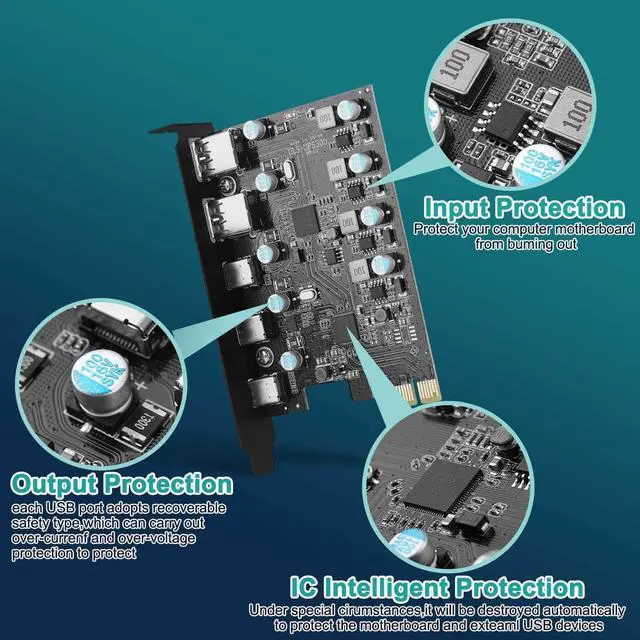
    Each USB port is equipped with an explosion-proof capacitive element on the side, which has an overcurrent voltage regulation function during operation, which is easier to protect your device than other PCIe USB card.

    System Compatible Widely
    System Compatible Widely

    The card is compatible with a variety of mainstream Windows/Mac OS operating systems, no need to install drivers in Win 8/10/Mac OS 10.8.2 or above, plug and play.

    Large Scale Expansion
    Large Scale Expansion

    Provide 2 USB A for PC supporting PCI-E, which can be inserted into keyboard, USB VR, USB printer, etc. In addition, the PCIE card also has three usb c ports. Which can solve the problem that there are no or few usb-c ports in the slot on the back of the pc host.
    Step 1
    Step 1

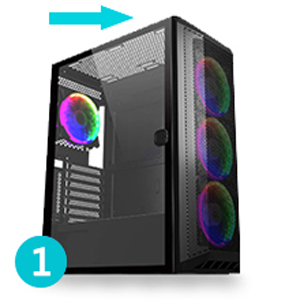
    Power off the computer and unplug the power supply. Then remove the cover from the computer mainframe.
    Step 2
    Step 2

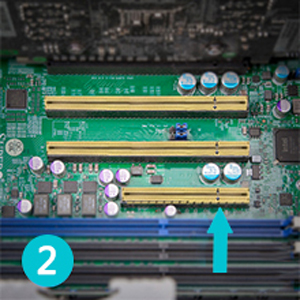
    Find a PCI-E x1 or higher specification slot that fits the card.
    Step 3
    Step 3

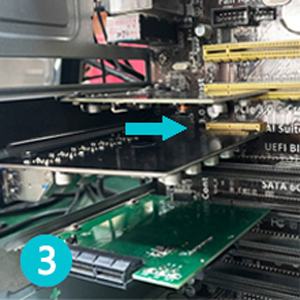
    Insert the pcie usb c card down into the PCIE slot.
    Step 4
    Step 4

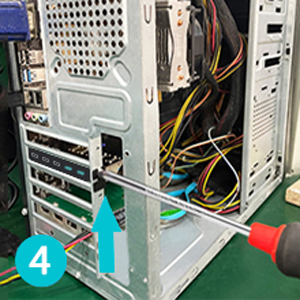
    Tighten the screws on the side of the stand, replace the computer host cover, and insert the plug into the socket.

    Note:

    1. The card is suitable for standard size (about 12CM) computers and doesn't apply to low-profile/mini/half-height PC(didn't come with a half-height bracket).
    2. Do NOT install this USB PCIe card when the computer is on.
    3. The actual transfer speed of the card may be limited by the connected device.
    4. Install the driver after the computer recognizes the card, otherwise the installed driver will be invalid.
    5. It is recommended that you uncheck the option of "Allow the computer to turn off this device to save power" in the "Device Manager" of your PC when using the USB card (perform the same operation for each "USB ROOT HUB").
    6. For repairs, please contact our online support.
    5-Port
    PCIE USB Card: With 3x USB C ports and 2x USB-A ports extended via PCI Express X4 slots, you can connect keyboards, mouse, external hard drives, CD/DVD drives, USB printers, scanners, game controllers, USB VR, digital cameras, and more. (USB-C port contains only data signal, not video signal. )
    Super Speed Transmission Rate: Support up to 5Gbps transfer rate, the overall rate is ten times faster than USB 2.0 version and can transfer copied high-definition video, music, photos, and data files, helping you achieve higher s efficiency. (Note: The actual transfer speed may be limited by the connected device)
    Wide Compatibility: Support Windows 10/8/7/XP/Server, Linux and Mac OS 10.8. 2 (and higher). USB card are PCIe 3.0 and PCIe 2.0 compliant motherboards for PCI Express x4, x8, or x16 slots.
    Note: Windows 7/XP/Vista/Server, need to install the driver, Windows 10 and Mac OS 10.8. 2 or above most don't need the driver.

    Warranty & Returns

    Warranty, Returns, And Additional Information

    Warranty

    • Please contact the Seller directly for warranty information. Warranty information may also be found on the Manufacturer's website.
    • CONTACT

    Return Policies

    • Return for refund within: 30 days
    • Return for replacement within: non-replaceable
    • This item is covered by AUBEAMTO Return Policy

    Manufacturer Contact Info

    LOADING...