
Your Browsing History


Louis L.
Joined on 02/04/08
0
0
product reviews
- 10
15 hours in so far
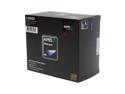
AMD Phenom 9850 Black Edition - Phenom X4 Quad-Core 2.5 GHz Socket AM2+ 125W Processor - HD985ZXAGHBOX
Pros: I knew this would be good but this is INSANELY good so far! It's about 15 hours into the break-in/cycling period so I haven't done any serious tweaks so far. I set my ram back at 1000Mhz, upped the multiplier from dropped the multi to 12x and HT Bus speed to 250. 3Ghz perfectly stable for the past 6 hours on stock 1.30v I'm sure it'll go higher when I get into the tuning more seriously after break-in.
Cons: It didn't come with a $235 rebate? Seriously so far there is absolutely nothing wrong with it that I've found.
Overall Review: ASUS M3A32 WIFI, 2Gigs GEIL Black Dragon/Evoone, 8800GT OC (replaced in the morning with Diamond HD3870. I don't know what the other guy was talking about but this thing runs insanely well with this board. Perhaps your settings need to be tweaked as I haven't even done any real tweaking and I'm at 3Ghz already. 45C under 100% load, 36C idle Xigmatek HDT-S1283 all air cooled.
4/9/2008See more detail
Review Update #2
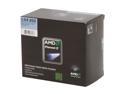
AMD Phenom II X4 955 Black Edition - Phenom II X4 Deneb Quad-Core 3.2 GHz Socket AM3 125W Processor - HDZ955FBGIBOX
Pros: Just another update to my previous reviews (2) of this processor. I have changed the motherboard bios from the 1903 version back to the 1604 version as I found out I was having a few compatibility issues since the 1903 I found out was made for the C3 stepping of this processor not the C2 stepping that I bought (what you're looking at now, C3 is not really in circulation yet). After doing so things have hit an all new level of AMAZING! With the previous bios I was able to knock the voltage down from the stock 3.2Ghz @ 1.344v to a great 3.2Ghz @ 1.200v. Now with the correct bios (1604) I can run with 100% torture tested stabilty at 3.2Ghz @ 1.168v which is simply out of this world outstanding! I'm still using air cooling with the Cooler Master V8 cooler (previous reviews were Xigmatek HDT-S1283 same fan) using a Scythe fan that I have set to extreme silence (very low air flow settings). Load temp during the torture test was only 31C!!!! Idle is roughly 27-28C.
Cons: Still no cons yet, but make certain that you have the correct motherboard bios as it can make all the difference in the world. The bios for the C3 model (version 1903) allowed me to run 3.8Ghz @ 1.424v the correct bios allows me to run 3.8Ghz @ 1.390v with complete torture test stability. I can also actually test at 4Ghz now with this bios unlike the previous bios (still air cooling).
Overall Review: The previous bios also had issue with overclocking some of my ram and would not allow more the 830Mhz out of the ram...the ram has previously seen 1100Mhz so there was a serious issue. Once I went back to the proper bios the ram hit an all new height of 1138Mhz (this is from DDR2 800Mhz ram 2.3v). My second set of ram would top out at 1221Mhz 2.3v using this processor still on the incorrect bios. I have yet to retest that ram to see if I am able to go any further. System details below... Phenom II X4 955 ATi 5770 4Gb system ram 1 Blu-Ray dvd drive 1 CD/DVD burner 6 case fans (all super silent) Cooler Master V8 w/ Scythe fan (super silent) Xigmatek HDT-S1283 (same fan as the cooler master setup) ASUS Xonar D1 sound card WD 160Gb hard drive WD 250Gb hard drive various USB devices
12/18/2009See more detail
Update to previous review
AMD Phenom II X4 955 Black Edition - Phenom II X4 Deneb Quad-Core 3.2 GHz Socket AM3 125W Processor - HDZ955FBGIBOX
Pros: This is an update to the previous review I posted a few days ago about the low voltage abilities of this processor. I have since knocked the voltage down again so that the system is now running 3.2Ghz @ 1.20v passing every torture tests I've thrown at it. That's an amazing achievement dropping from the stock voltage of 1.344v all the way down to 1.20v without any problems. I also decided to see if there is potential to run 4Ghz in the future and was able to boot up fine and run SuperPi 1M test sitting at 4Ghz @ 1.44v super low speed air cooling. It was not 100% stable at that voltage, but the fact that it ran at all and was able to handle some stress is very promising on such low airflow. I also tested the processor at the Phenom II X4 920 stock speed of 2.8Ghz and was able to have it stress tested perfect at 2.8Ghz @ 1.088v which is simply staggering! The previous X4 920 I was running did 2.8Ghz @ 1.216v so that is a massive drop in wattage. :)
Cons: Still no cons for the processor at this time, it's only getting better and better with time it seems. :)
Overall Review: The entire system is using only 116W total as I type this (multiple windows open) which is simply amazing power savings considering I DO NOT use Cool N Quiet or C1E power saving modes at any time. Check some processor reviews at any major review site and look at the idle and load power ratings and you'll see how amazing it is to be able to do this. Phenom II X4 955 ATi 5770 4Gb system ram 1 Blu-Ray dvd drive 1 CD/DVD burner 6 case fans (all super silent) ASUS Xonar D1 sound card WD 160Gb hard drive WD 250Gb hard drive various USB devices (always plugged in) 116W idle/writing this review (multiple windows NO drives in power saving mode) 137W playing Blu-Ray disc movie (TSCC: Season 2 Disc 3) 145W wPrime test (100% cpu test) 174W Linpack torture test (ram and cpu full stress) Hope this review helps someone on the fence about whether it's worth it or not. I recommend it 100%, all load ratings taken with Kill-a-Watt meter and NO system components in power saving modes.
12/3/2009See more detail
So far it's beyond my wildest dreams
AMD Phenom II X4 955 Black Edition - Phenom II X4 Deneb Quad-Core 3.2 GHz Socket AM3 125W Processor - HDZ955FBGIBOX
Pros: I've been running it all day today so far, but this is just a preliminary review as I've noticed there haven't been any recent reviews (and I forgot to review my excellent X4 920 before lol). Anyway so far it's been unbelievable and I'm working on finding the lowest stable voltage to run at stock speed. In that testing so far I'm at 3.2Ghz @ 1.232v for a QUAD CORE PROCESSOR! It's passed multiple stress tests and been running for hours at that voltage and speed. 100% load temps after an hour were only 44C and that's running my 120mm 110cfm fan at an almost passive 450-480rpm out of a possible 2000rpm+ (idle temps 31C @ 417rpm). I did a quick check to see what the stock voltage would do an was able to run SuperPi multiple times at 3.9Ghz @ 1.344v (stock voltage) and able to get 4Ghz but not stable. I knocked it down to 2 cores via the bios to check 4Ghz again and passed SuperPi multiple times so it can definitely happen still same fan speeds. Update again after a month or two
Cons: Absolutely none so far it's been nothing short of absolutely mind blowing. It's not my first Phenom II quad but it's the fastest so far and is already running at INSANELY low voltages stable. My previous quad core processor ran it's stock 2.8Ghz @ 1.21v (Phenom II X4 920) which was also awesome especially for a non black edition processor. That was able to do 372Mhz bus speed before I stopped trying to go higher, not sure what this will do as it's Black Edition (unlocked multiplier) so I won't be trying to up the bus speed much since it's almost uneccesary to do so.
Overall Review: Phenom II X4 955 ASUS M3A32-MVP Deluxe-Wifi (still using the SB600 amazingly well) ATi 5770 (XFX since they ran out of ASUS) ASUS Xonar D1 (amazing) 4Gb ram 2 Harddrives and more... Can't wait to see what this thing can really do once I've had it for a while.
11/30/2009See more detail
Truly superb image quality!
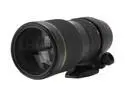
TAMRON SP AF 70-200mm F/2.8 Di LD (IF) Macro Lens for Canon Digital SLR Cameras
Pros: I bought this lens from a local shop after much deliberation between the Nikon and Sigma offerings. All three are great lenses though I'd have to rate the Sigma lowest of the 3 choices for image quality and sharpness though it's still great. This is the first Tamron lens I've ever purchased as I normally go with Nikon or Sigma versions of everything else. I decided to give this a closer look just before I bought the Sigma online...I'm sooo glad I did. The sharpness of this lens is out of this world good and 100% even the the legendary Nikon 70-200 which just floored me even to this day. The bokeh of the lens is utterly gorgeous, and needs to be seen to be believed. The color rendition is fantastic without any processing. Color temperature comes out very nicely close to actual color in nearly any condition. You won't be in need of much post processing with this lens (a big plus to me). Contrast is also excellent across the board. And the manual focus ring....oh my that ring!
Cons: Autofocus ability is best on a pro body camera (D1,2,3 series) as the lens doesn't have any AF-S/HSM type of focus system. Speed is adequate on the above mentioned bodies as we have larger more powerful focus motors than the smaller consumer lenses. On a smaller body the focus will be that of a normal lens so keep that in mind if you wish to shoot very fast moving subjects. This is not a deal breaker for any other type of shooting such as portraits and car photography. The focus ring does not have an autofocus override ability so you cannot fine tune the focus manually if you feel it's off slightly during autofocus. Not a big con at all but some may miss that feature. Autofocus and manual focus work as normal. Filter size is 77mm which means all of your filters will cost more. Not really a con, but be aware for those who've never used a Pro level lens. No aperature ring on the lens as it's made for digital bodies not ful frame. Not a con, but please take notice. :)
Overall Review: More on that focus ring...it's a clutch type design so you push it up and it will lock into place for autofocus. The ring remains able to rotate in this position, but will not affect focus at all. Manual focus using this ring is simply marvelous, the ring is geared so smoothly you may never want to use autofocus again haha. To activate the manual focus you simply pull down on the ring and it will snap into place allowing you to focus manually. The lens is internally focus and zoomed meaning it DOES NOT change length nor rotate the front no matter what focus distance or zoom range you're using. Looking through the lens reveals a beautiful bright viewfinder view. The overall feel of the lens is very well built though the Nikon will feel a little better, but of course there is a large price difference. The lens hood does a great job and balance on a Pro body camera is perfect. Smaller cameras take notice the lens weighs 1150g/~3lbs. It's cut your eye sharp all aperatures.
9/14/2009See more detail
Guess they don't allow links
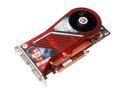
DIAMOND Viper Radeon HD 3870 512MB GDDR4 PCI Express 2.0 x16 CrossFireX Support Graphics Card 3870PE4512SB
Pros: Sorry I suppose they don't allow linking to other sites, but you can find the screenshots of my setup info and proof of the gpu clocks at TechPowerUp forums if you do a quick search on the net. It's listed in the Graphics card section on the top sticky post with "HD 3K series 3dmark06 results" on page 70 halfway down. Sorry about having jump through the hoops but if you need the proof it's right there.
Cons: None
Overall Review: Follow up to my previous review for proof of claims.
4/23/2008See more detail