

Your Browsing History


Gary D.
Joined on 04/04/05
0
0
product reviews
- 12
Great Value for Budget System
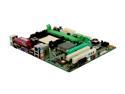
BIOSTAR K8M800 Micro AM2 AM2 VIA K8M800 Micro ATX AMD Motherboard
Pros: Has everything needed for a basic Home, Home Office or Business system. Not everyone is a gamer or multi-tasker, and this is the foundation for a system that can fit the bill. Especially good if you are rebuilding a system with older parts and want to make use of those AGP video cards and PATA drives.
Cons: 2 DIMM slots, 2 SATA slots, 2 PCI slots; Limited upgradability and CPU compatibility, so be sure you know what you are getting into here. Documentation for connecting case cables is good enough, but not great. It took a little studying to be sure, but it fired up and and ran the first time.
Overall Review: The board is pretty small. The shipping box surprised me; I thought the mobo had been forgotten. However, everything works great, I am really please with the combo deal I got on this and the AMD Athlon X2 BE-2400 CPU.
9/24/2008See more detail
Dead as a doornail
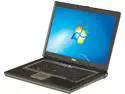
DELL Latitude 15.4" 4GB Memory Windows 7 Home Premium D830
Pros: Nice looking unit for its age (5 years, according to Service Tag info). Appeared to have a replacement HDD (2012 date). Refurbished Win7 HP COA sticker and install disc included.
Cons: Did not POST. No signs of life other than a hiccup by the optical drive and three LEDs (maybe to indicate an error code). Based on lack of fan activity, no CPU and therefore a dead mobo.
Overall Review: Now I have to wait for RMA to arrive back and be tested before getting another (if available). This is a long turnaround and I have a customer who will need to be patient!
6/25/2013See more detail
Great system for the money
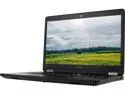
DELL Latitude 14.0" Intel Core i3-6100U 8GB Memory 240GB SSD Windows 10 Pro 64-bit E5470
Pros: Modern, up to date Nicely packaged Great Documentation
Overall Review: This is a much better system overall and for the price than Dell now sells on their refurb site. I have purchased many of those over the years, but with prices the way they are now, I am looking for great value. I found it here from NewEgg and the system by "Joy"
11/6/2020See more detail
Don't Bother
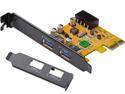
ORICO PFU3-2P Lightning 2 - Port MAC PCI - Express to USB3.0 Controller Adapter Card for MAC & Windows Mini PCI - E USB3.0 Host Card
Pros: Came with a SATA to Molex connector (not indicated). Also a low profile bracket.
Cons: Came with a SATA to Molex connector (I ordered one separately because it was not indicated; a waste of money). Does not work. Worked once in a PCI-e x16 slot when it (finally) detected and installed the Root Hub, but otherwise showed "Device would not start" error when installing the latest driver. Tried installing with a USB 3.0 ext. HDD attached, and that got the Root Hub installed, but the drive was not detected. Moved back to the PCI-e x1 and got the same driver error.
Overall Review: Time to RMA this piece of trash and get another brand. This was all in a Dell OptiPlex 780 system, so beware.
8/12/2015See more detail
Legacy only...for spare parts
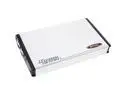
BYTECC ME-940F Aluminum 2.5" IDE 1394 External Enclosure
Pros: Made use of my IEEE 1394 port on my older Dell Laptop. I can use an old 2.5" IDE drive to make a System Recovery backup and drive image. Works great on a Mac with no additional power required beyond the FireWire cable.
Cons: IDE interface: do you have an old laptop hard drive laying around that would be good for a backup? Comes with a PS/2-style interface for the power adapter; does not work with PS/2-to-USB adapter.
Overall Review: I tried two other ways to connect this via USB. Either would not power up, or freaked out with too much v/mA. Once I connected the PS/2 adapter to my unused connector on a desktop, it finally powered up properly. Then I connect the full-size 1394 on the drive to the mini-1394 on my Dell laptop, and it saw the drive. I am running a backup and then putting it away, so it is not a terrible inconvenience. If you have an older drive and want to connect it to a Mac for Time Machine, etc., it is a MUCH BETTER DEAL!
4/20/2013See more detail
Works like a charm
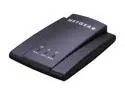
NETGEAR WNCE2001-100NAR Universal Wireless Internet Adapter For Smart TV & Blu-ray IEEE 802.11b/g/n Ethernet Port Up to 300Mbps Wireless Data Rates WPA2 Manufacturer Recertified
Pros: Powered up, connected to a laptop and the web interface came right up. Configured it in a few minutes. The included USB power cable let me plug it right into the back of my TV. Connected my older ROKU box to it and am now streaming Netflix over WiFi with better than expected video quality. It also came with a standard AC adapter too, so very versatile.
Cons: None, really. The device is kind of small, but not small enough to easily hide. Not heavy enough to sit still with both cables connected.
2/28/2013See more detail