

Your Browsing History


Jeffery F.
Joined on 08/17/01
0
0
product reviews
- 9
I love it .. very powerful.
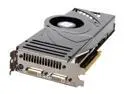
MSI GeForce 8800 Ultra 768MB GDDR3 PCI Express x16 SLI Support Graphics Card NX8800Ultra-T2D768E-HD-OC
Pros: I started with two 8800 GTS in SLI and went to this one video card since my particular application couldn't take advantage of SLI. For interest sake, I ran 3dMark06 on one 8800 GTS, two 8800 GTS in SLI and this card. My results were 9422, 14918 and 13667 respectively. This implies that the advantage of the NX8800Ultra over one GTS card is on the order of 45% but also has a 56% increase in price. If you divide each one of the 3dmark06 scores by the price of each video set up, you can get an idea of the value of each card (the higher the value the more bang for the buck). In this case my values were 25.5 for one GTS, 20.5 for two GTS in sli and 23.0 for one NX8800 Ultra. In short, the one GTS has the best value but if you want top end performance that all applications can take advantage of, the NX8800Ultra is the way to go hands down.
Cons: The only thing I would want from this card is a lifetime warrantee instead of 3 years. The manufacturer is pushing this card fairly hard and it could possibly sorten its life. I didn't subtract any eggs for this.
Overall Review: On default settings the card idles at 64c and at full load will go up to 84c (fan hovers around 50% speed at this temp). Using a third party tool to max the fan speed to 100%, the card will idle at 50c and will stay at 74c under full load. When upping the fan speed, the increase in sound is very noticeable but since I wear headphones this does not bother me. Imho, small price to pay for extending the life of the card.
9/20/2007See more detail
Nice board
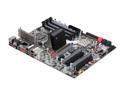
EVGA E758-TR 3-Way SLI (x16/x16/x8) LGA 1366 Intel X58 ATX Intel Motherboard
Pros: The board has many options to allow the user to get the most out of overclocking his memory and cpu.
Cons: The first board I got was bad, it did work but any bclock over 180 Mhz was simply unstable and the board would not boot up with one or two sticks of ram in it. After the new board arrived I was able to easily push it up over 200 Mhz. I deducted one egg for this.
Overall Review: Overclocking isn't as simple as it used to be. Before you attempt to overclock this board, I would highly suggest you go to the EVGA forums and read over the different guides they have posted there so that you understand what you are doing. The board allows you to tweak several multipliers and voltages and if you don't understand what you are doing you could fry your board.
4/14/2009See more detail
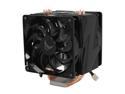
Vigor Monsoon III LT Dual 120mm Fan CPU Cooler Socket 1366 Ready
Pros: It is a very nice looking, functions well and is fairly quiet.
Cons: The work required to mount this is rather cumbersome. You must have the motherboard unattached to your case in order to mount it since the heatsink is directly connected to the backplate ... which makes it a hassle to do maintencence of any kind. If you want to clean it, you have to remove your motherboard. If you want to reapply your thermal paste, you have to remove your motherboard.
Overall Review: It would not have been to difficult for the designers to create a mounting mechanism that would allow you to remove the heatsink from the board without having to remove the backplate and still be able to apply the pressure you need for proper cooling.
3/21/2009See more detail
Quiet
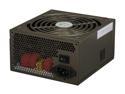
Thermaltake W0131RU 850W ATX12V / EPS12V SLI Certified 80 PLUS Certified Modular Active PFC Power Supply
Pros: I can not hear the thing over my CPU fan and that is very quiet. The fact that it has modular cables is very nice since it keeps the inside of my case very clean looking.
Cons: None yet.
3/21/2009See more detail
Good quality monitor
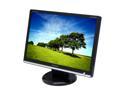
SAMSUNG 22" WSXGA+ LCD Monitor 2 ms (GTG) D-Sub, DVI-D 226BW
Pros: Large beautiful screen, good looking housing, no dead pixels, NO ghosting what so ever. Once the monitor is calibrated, it has quite beautiful picture.
Cons: The downside to this monitor is that the color is not calibrated out of the box. It is easy enough to configure if you have a nvidia video card since color correction software is part of the software installed. That being said, I find it annoying that the monitor color defaults are so out of whack.
Overall Review: I never knew that I was so picky about my monitor color. If you have a very picky eye (and I mean very picky) you may want to go with another monitor. If you are a gamer, like myself, and you like a large, well priced, no ghosting, good quality picture monitor then you can safely pick one of these up.
10/2/2007See more detail
Nice Drives.
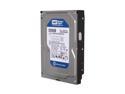
Western Digital Blue WD3200AAKS 320GB 7200 RPM 16MB Cache SATA 3.0Gb/s 3.5" Internal Hard Drive Bare Drive
Pros: Very nice drive, very quiet and an averages about 78 MB/Sec transfer speeds.
Cons: I purchased 4 of these drives with the 3ware 9650SE-4LPML raid controller and found that no matter how I jumpered the drives or configured the raid array, I could not get the transfer rates above 100 MB/Sec. After contacting WD they informed me that this particular raid controller does have issues with these drives and is due to a firmware algorithm. WD unfortunately did not have this information posted on their site nor did they have a firmware fix for this issue
9/25/2007See more detail