
Your Browsing History


Alan K.
Joined on 10/06/04
0
0
product reviews
- 10
does as it's told
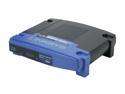
LINKSYS BEFSR41 EtherFast Cable/DSL Router with 4-Port Switch 1 x 10/100Mbps WAN Ports 4 x 10/100Mbps LAN Ports
Pros: Install was a breeze. I plugged all the cables in the right spots, and would you believe it? It does as it's told. It routes traffic like a middle aged robocop.
Cons: I don't have to spank it once in a while like the kids because, unlike my children, it does as it's told.
Overall Review: Really nice little addition to my house's network since my local ISP went above 10MBps.
8/12/2008See more detail
better used a boat anchor
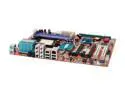
ABIT AT8 32X 939 ATI CrossFire Radeon Xpress 3200 ATX AMD Motherboard
Pros: none
Cons: the board slowly broke in more waqys than i can count. It wont even boot now. And yes, I checked every piece of hardware with a different pc. This is just junk.
Overall Review: anime is cool
10/16/2006See more detail
good mount
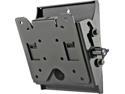
Peerless ST630P 10"-29" Tilt TV Wall Mount LED & LCD HDTV up to VESA 100x100mm max load 80 lbs., Compatible with Samsung, Vizio, Sony, Panasonic, LG, and Toshiba TV
Pros: Solid!
Cons: The design is two parts. One side you screw into the stud on the wall, the other is the VESA standard part you attach to the screen. Then you "hang" the VESA part on the wall part. Just like many other wall mounts. The problem is that it is not the most stable of things unless you screw the two parts together, which it has a screw for. Getting at that screw once the screen is hung can be a chore if you are hanging a 24" or bigger.
Overall Review: I'm using this for my 26" and after getting it all done and screw@d (thanks Newegg inappropriate word filter) together, it is rock solid. Pay little attention to the 24" max screen size note in the description. This thing is made from steel. I bet you could hang a 40"+ with it. If you can get that little screw put in...
7/27/2009See more detail
Big Bad Voodoo Daddy
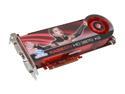
SAPPHIRE Radeon HD 3870 X2 1GB (512MB x 2) GDDR3 PCI Express x16 CrossFireX Support Graphics Card 100221SR
Pros: Blazing fast at everything you can throw at it. I have yet to find a game that this puppy cant handle at high end speeds and settings. I bought it at newegg, so speed of purchase and delivery rocked.
Cons: The sheer size and power requirements of it. (Read below) First, let me say this. I have built hundreds of systems over the years. Just never one with a brick for a video card. I bought this card to upgrade from my old ATI x1550. When it arrived and I saw just how big and heavy video cards are becoming, I just started laughing. This thing is huge. Anyways, at the time I was running an ECS MicroATX board for my Athlonx2 5400. I couldn't use this card with my current rig for 3 important reasons. 1. Case was too small. Yup, not enough room in there. I had a mid tower, but the 3.5 internal drive housing was in the way. SO it had to come out for the video card to fit. 2. My SB SATA ports on the mobo were located directly behind the PCIe port. So I couldn't use any SATA drives if the video card was plugged in. 3. my PSU didn't have 6 pin AND 8 pin PCIe power connectors. Only 1x 6 pin, so I couldn't power it.
Overall Review: I bought some new stuff (also on Newegg) to build a new box around this card, and it really rocks. AMD Phenom, new case, new PSU, new mobo, normal trimmings. New box screams along and I love it. Plus the old box still runs good and makes a great spare. Things to check out before you buy one of these: You have the room! Take some book that is about 12" tall and 2" thick (Like a big bible or some old encyclopedia volumes) and make sure it would fit as your new video card. (Room in case, not wires would be pinched, nothing preventing it or anything else from connecting) Make sure your PSU can push it. The manufacturer's sticker says minimum 550 watts. Probably pretty close. I'm now running a 650 watt PSU. Also make sure your PSU has BOTH 6 pin and 8 pin PCIe power cables.
4/30/2008See more detail
it's a linksys
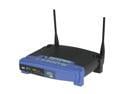
Linksys WRT54G Wireless-G Broadband Router IEEE 802.3/3u, IEEE 802.11b/g
Pros: its a linksys
Cons: there would be some if it were a d-link. but since I avoid d-link like the plague....
Overall Review: the DMCA is wrong.
9/30/2006See more detail
Elitegroup rocks
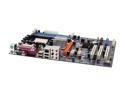
ECS RX480-A (1.0) 939 ATI Radeon Xpress 200P ATX AMD Motherboard
Pros: Fast and stable. plus it has the ATI chipset on the northbridge.
Cons: raid controller is turned off by default, so you have to dig in the bios for the south bridge settings and turn it on so you can get into the raid controller settings. Once there, it rocks too.
9/30/2006See more detail