

Your Browsing History


Kevin R.
Joined on 01/05/03
0
0
product reviews
- 3
A lot to like, but not perfect
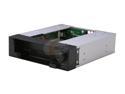
Icy Dock MB971SP-B | 5.25 Inch Hot Swap Drive Caddy / Docking for 2.5 Inch & 3.5 Inch SATA Hard Drive/SSD | DuoSwap
Pros: * Independent 2.5/3.5 drive bays and power switches. I love the flexibility to use either/both. * Good build quality (metal with hard plastic faceplate). * Smooth drive insertion (if you hold it level) with satisfying click when it locks. * Fairly smooth ejection of 3.5in drives.
Cons: * Eject button for 2.5in drives seemed too stiff to me---but press it too hard and the drive looks in danger of sailing into mid-air! I haven't had one fall on the floor yet, but it makes me nervous. * The 2.5in drive connector may be power constrained---my VelociRaptor wouldn't work in it, yet it worked fine in the 3.5in slot. My regular notebook drive worked perfectly in the 2.5in bay.
Overall Review: There was a sticker on the box stating it's not compatible with 7mm notebook drives. Mine is a normal 9mm height and fit just fine. There's a hinged door on the front and if you only use the 2.5in bay, only the lower flap opens. That flap is 15mm high, which is also precisely the height of a bare VelociRaptor drive (removed from its 3.5in IcePack assembly). So I was surprised mine didn't work in that slot, even though it locked to the SATA backplane perfectly. Sounded to me like it wasn't getting enough power to spin up properly. Be aware there's no active cooling on this unit. Put it in a cramped case with little airflow and a hot 3.5in drive and you'll probably have thermal issues, especially if you use both bays at the same time---then the 2.5in drive heats the 3.5in one above it. That said, the passive cooling is a pro for me since my case IS well ventilated, and I'd rather NOT have the extra noise/bulk/expense of an integrated fan.
4/22/2012See more detail
Success on X79!
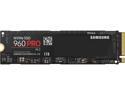
SAMSUNG 960 PRO M.2 1TB NVMe PCI-Express 3.0 x4 Internal Solid State Drive (SSD) MZ-V6P1T0BW
Pros: - speedy as all heck, of course (can nearly saturate the PCIe 3.0 x4 link for large transfers!) - 2x endurance rating compared to EVO - 5 yr warranty
Cons: - like other NVMe drives, QD1 4K transfer performance only marginally better than a SATA SSD
Overall Review: Installed this as my boot drive on an ASUS X79-Deluxe motherboard (latest firmware added NVMe support), using an M.2 to PCIe x4 adapter card. Working perfectly for me dual-booting Windows 10 and Linux in UEFI mode (didn't try legacy BIOS mode). Several times faster throughput than the SATA SSDs it replaced. Never going back! I have the 1TB model (it is actually 1024 GB, as opposed to 1000 GB for the EVO, as MLC flash needs less reserve for wear levelling than TLC flash).
1/29/2017See more detail
Works for me, with headroom to spare
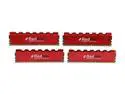
Mushkin Enhanced Redline 32GB (4 x 8GB) DDR3 1866 (PC3 14900) Desktop Memory Model 994104
Pros: Working as advertised for me in multiple systems. Pretty good value for the performance. Manufacturing quality seems good to me.
Cons: Haven't encountered any.
Overall Review: I've had this kit running in a Haswell system and now an Ivy Bridge-E box (both ASUS motherboards), no problems using the XMP profile with either. The kit survived many hours of Memtest86 and ran rock solid at 1866 CAS8 as well as 2000 CAS9---both at stock voltage, 1.5V (YMMV). I've bought several other Mushkin kits for various builds in the last year and they're all working great so far.
9/25/2013See more detail