




 here!
here!
I’m your shopping assistant for PC builds, upgrades, and everything tech.
Got questions? Ask away!
Start a conversation
here!
I’m your shopping assistant for PC builds, upgrades, and everything tech.
Got questions? Ask away!
Start a conversation

Joined on 07/03/18
Solid drive, no issues in 8 months
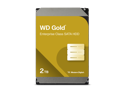
Pros: -Takes maybe 6 seconds to spin up when it's been idle, great read/write speed (~100mb/s extracting a giant zip archive from a separate SSD) -Makes the dying cow noise when your PC shuts off which I find amusing
Cons: -Not extremely loud as some people say, however if you're doing hardcore reading/writing you can't ignore it. But aside from specifically operating on large/many files your PC is generally not making the drive work 24/7 so it'll be tiny muffled ticks that almost blend in with your case fans. I personally am not bothered at all by any of the sound this drive makes.
Overall Review: My case is on a wood base which rests on a carpet, I imagine that absorbs/muffles a lot of the vibration and ticking. If your case was resting on a non-carpeted floor or desk, hardcore file operations would probably be louder.
Solid & Reliable UPS
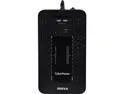
Pros: - Works as advertised, supports my mid-range PC with dual monitor setup long enough to save, close my work & shutdown when outages/fluctuations occur - power supplied to my devices plugged in remains consistent & entirely uninterrupted - Has lived through over a dozen power flickers & full on outages in my small town which is notorious for frying household appliances with our terrible power company (in southern Ontario, Canada) - Alarm when wall power is lost and UPS has kicked on can be turned off/on - Alarm, when on, is not excessively loud - the word alarm makes you think it will be screaming at you but it's comparable to a microwave button beep, probably a little bit quieter - When alarm is turned off, it still makes a very audible click when kicking on due to external power being cut off, so unless you have closed headphones or are blasting music you'll probably know the power went out if you didn't have any other indicator (like you had your lights off in your room mid-day or something) and can begin shutting your stuff off
Overall Review: Would recommend. Make sure you check it's dimensions before you try to replace one of your standard thin power bars that you have in a tight space because this thing is quite a bit larger. It's also heavy (relative to regular power bars) and you will not be able to have it dangling from the plug (it also informs you of this in the manual, it must be oriented flat with plugs facing upward or vertically from the nail hole mount on it's bottom side for safety).
Really good budget/first time tablet
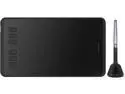
Pros: -Easy setup on Windows 10 -Works with Krita which is what I use (yay free open-source software) -Works left handed, you can rotate it any way in the config program -Smooth lines, pretty good (and configurable) pressure sensitivity curves -Battery-less pen is very convenient and you never have to pause working -The pen holder came stocked with pen nibs like you see in the pictures, but the box itself had even more in it, surprisingly -It came with one of those soft black ambidextrous gloves despite the pictures here not showing it, it's super smooth on the tablet and keeps the surface clean, would recommend -I work on a 144hz monitor - latency from moving my pen to the cursor moving on screen is very low and super smooth.
Cons: -It could be a Krita issue (which I kinda doubt, though), but very occasionally if you hold a pen button down while the pen is out of range of the tablet, then move it in range while still holding it, the button will be "stuck" and won't function properly - however this is fixed by just by closing the Huion Tablet program on your taskbar and opening it again. -This is absolutely not a con because it wasn't even advertised as being included but it's not a positive thing - if you have large hands, the glove will probably be a little tight.
Overall Review: Got it about 10 months ago - it's a good tablet for a first time user (me) or someone on a budget (also me). Infinitely better than working with a mouse and good to learn with. Performs surprisingly well regarding latency, sensitivity and precision.


