




 here!
here!
I’m your shopping assistant for PC builds, upgrades, and everything tech.
Got questions? Ask away!
Start a conversation
here!
I’m your shopping assistant for PC builds, upgrades, and everything tech.
Got questions? Ask away!
Start a conversation

Joined on 07/18/01
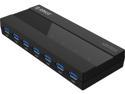
Pros: Lots of available ports, fairly small form factor, doesn't take up an unnecessary amount of space. Ports are well spaced, each with a blue LED indicator.
Cons: Power cord's transformer is a bit bulky, USB3.0 cable is a bit short.
Overall Review: Never heard of this brand before, long term reliability remains to be seen, but so far so good.
Agree with the previous review
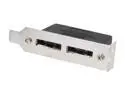
Pros: It's a fairly simple device that does what's advertised.
Cons: Like the previous reviewer said, the bracket is bent in the WRONG direction. Totally worthless as is. I put it in a bench vice and bent the stupid thing the right way. It kept falling out of my SFF dell optiplex with the bracket being built wrong.
Killer Drives
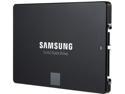
Pros: I have 5 of these drives. 2 in a Core i7-5820k desktop in raid 0 (getting over 1100mb/s read and writes, and 75k+ iops), 2 in a windows storage spaces tiered pool on a Dell R610 server, and one in a Core i5 mobile workstation. All 5 of them have been rock solid and reliable. They are fast and take anything you throw at them.
Cons: If I had to list any, they are a little pricy yet compared to magnetic storage, and they tend to slow down if you fill them up too much. That's technically a con of any SSD though, so your YMMV.
Overall Review: I'm not sure if Server 2012R2 will support trim in a Storage Spaces tiered storage pool. I have two of these and two 10k SAS drives in a pool. I'll have to monitor performance and possibly zero the SSD's in the future if performance degrades.
Questionable...

Pros: Looks nice, 32gb, it works at 2133.
Cons: It doesn't work at 2400 w/ XMP enabled. System refuses to boot. Similar issues to the other reviewers. It's fine at 2133, fails to boot with XMP enabled at 2400. Fails to boot when manually configured to the appropriate 2400 settings as well. This ram is on the approved list for the board. Fails to boot when any memory setting is anything other than Auto and XMP disabled. I've messed around with countless settings for hours with no luck. This about my 20th build, so I'm awfully familiar with BIOS settings and how to troubleshoot components. Intel i7 5820k Gigabyte X99-SLI EVGA 970GTX FTW 500gb Samsung EVO 850 SSD x2 2TB Hitachi Ultrastar x2 ASUS BD-RW ASUS DVD-RW Seasonic Platinum 860Watt PSU Corsair H100i Water Cooling
Overall Review: Board has been updated to the latest BIOS and cmos reset. "Grey" ram slots populated per manual for running 4 of 8 slots. DD4_1_1A, DD4_3_1B, DDR4_7_1D, and DDR4_5_1C. I've moved slots around, same results. Only thing left to do is try one at a time and see if it will boot w/ XMP enabled. Most likely going to RMA, shouldn't have to jack with it like this, it should just work.
Junk x2
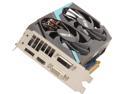
Pros: Fast - when it worked
Cons: Unstable, crashes, bsod's, black screens, etc. RMA'd it, and the replacement is just as bad, if not worse. 5 minutes into a game it hard locks or justs shuts down the PC. Put my 465gtx back in and its rock solid for hours on end. Avoid.
Overall Review: Don't waste your time with sapphire, lots of web info about junk cards, inferior components, and wasting your time RMA'ing just to get a worse card back.
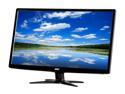
Pros: Large clear screens, ordered two and neither have any dead pixels. Blue power LED's match my other devices. Monitor has an ECO mode setting that saves energy and still provides good image quality and brightness.
Cons: I can't really say these are cons, at least not at this price point: -Only VGA and DVI Input. -Both bezels on my pair were scratched out of the box -Inputs are on the back and stick straight out, if you have heavy DVI cables, they will stress the port since they stick straight out and you can't get these close to the wall. -OEM stand is cheap and has little adjustment capability, I have them mounted on fully adjustable aftermarket stands.
Overall Review: Comes with all cables needed, handy if you're short on DVI cables, but I have about 30 VGA cables now. Wish they were 1920x1200 and not 1920x1080.


