




 here!
here!
I’m your shopping assistant for PC builds, upgrades, and everything tech.
Got questions? Ask away!
Start a conversation
here!
I’m your shopping assistant for PC builds, upgrades, and everything tech.
Got questions? Ask away!
Start a conversation

Joined on 05/04/06
Exellence Board For Pros
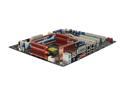
Pros: We used this Mobo to build a brand new system from scratch for a customer. Took us about 4 hours to assimulate the hadrware parts carefully and neatly. First time started with no problems. We entered the BIOS to select the primary boot for the CD ROM drive to install Windows Vista Ultimate (System Builder Version 64Bit). The OS installed without a flaw. Not one error, glitch, or malfunction. The start was clean. The problems that we find mostly is that people are puting "non-QVL" Memory on this Mobo and not properly grounding the Mobo to the ATX case, and perhaps a poor Power Supply. Please keep in mind not to use the washers with the screws that bolt the Mobo to the ATX case; Those washers limit the ground contact. Use only the Qaulified-Venders-List (QVL) Memory recommended by Asus. As long as the memory TYPE matches you can use any size. The TYPE is usually indicated by what follows after the "-" mark of the memory model.
Cons: Ummm...basically non. I am adding here to let everyone know that not to put this Mobo into a cheap case that does not have atleast a 120mm fron and rear fan and a 9mm or 12mm side fan to asure proper ventilation. This board does produce alot of heat, but what can you expect coming from a High-End Mobo. Do ou self a favor, dont be cheap, get your sefl a good air flow ATX case.
Overall Review: This is what we put together: Striker Extreme Mobo of course, Asus 8800GTX Vedio Card, 4 Corsair XMS2 TWIN2X2048-6400C4 DDR2 800 Memory, BFG 1000Watt Power Supply Quad SLI/PCI Express Support, Western Digital RaptorX 10,000 RPM, 2 Pioneer CD/DVD Rom drives, Windows Vista Ultimate 64bit (System Builder Version)
It Works

Pros: Applied this to my RTX VC RAM, MOSFET and VRMs with waterblock and was able to over clock the RAM by 1500 MHz stable. Single card performance on a MSI RTX 2070 Super OC scored 16717 ranking 38 as of today in the world on stock bios in 3DMark Time Spy.
Cons: It expensive
Overall Review: Planning on buying this again to replace the pads for my chipset, MOSFET, and VRMs on my X570 Aqua
MO POWA !
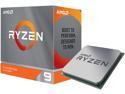
Pros: 16 cores / 32 thread upgrade from 8 cores / 8 thread FX-9590 Overclocks to 4.4Ghz - 4.5Ghz on a good watercooling setup FCLK overclocks well with good Mobo and RAM
Cons: Out the box voltage is crazy high on Auto.
Overall Review: CPU-Z ST 555, MT 12128 Cinebench R20 score: 10552 Cinebech R15 score: 4625 3DMark CPU score: 16482 @4.4Ghz / 3800Mhz DDR Build: Asrock X570 Aqua, Ryzen 3950x, G.Skill Royal Trident Z CL14 (3800 OC), EKWB 2 x 280 Rad, EKWB plumbing, EKWB dual D5 pumps, Dual Corsair SF750 PSU, MSI RTX 2070 Super Ventus OC with Bykski waterblock.
My Precious !
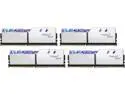
Pros: Shinny Awesome RGB Overclocks to 3800 with same timings Ryzen 3950x loves this RAM All four sticks booted
Overall Review: Worth the money for an AMD Ryzen Gen 3 build
Taking it to another level
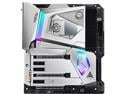
Pros: Booted to post screen with all four RAM banks filled on first power up Full monoblock that cools the VRMs, CPU, and the X570 chipset. Individual water paths that do not join until exit. Really good engineering here Watercooling simplified Waterpump profiles Auto Fan Tuning BIOS flash back is a Mobo savior
Cons: BIOS only reports RPM for one pump while running dual pumps connected to separate headers configured as PMW / Waterpump. It was important to see separate RPMs so it would be easy to detect if a pump has stopped working. Im running the latest beta BIOS 1.71
Overall Review: Paired with the 3950x, and G.Skill Royals, was able to achieve 4.4Ghz stable. CineR15 score 4570, and CineR20 score 10496, 3DMark . Best Mobo I have ever had.
Good for the office
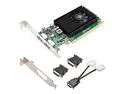
Pros: This is one of those things for an office worker who needs dual monitors for MS Office based programs (extensive excel), running reports, recons, and so on. Nothing special. Works great in small factor or ATX case as it comes with PCI slot adapter.
Overall Review: Bought this back in Feb 2019 and no issues reported from our office worker.


