




 here!
I’m your shopping assistant for PC builds, upgrades, and everything tech.
Got questions? Ask away!
Start a conversation
here!
I’m your shopping assistant for PC builds, upgrades, and everything tech.
Got questions? Ask away!
Start a conversation

Joined on 01/11/05
I build computers for friends and family. Sometimes I build brand new PC's and other times I build with used parts.
Fun CPU but not easy to set up.
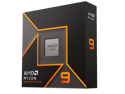
Pros: Luckily I like spending time tweaking my CPU. My benchmark scores and framerates really did not go up until I dialed in a good Core Offset, tuned the memory beyond EXPO's auto settings, turned off Core Isolation in Windows, downloaded Win 11 update KB5041587. I have not tried Win11 24H2 yet, and I am not running this with any version of Linux. Compared to my 7950x, I have way more throw with the Core offset. I can dial in a Core Offset beyond -25 with the 9950x, whereas my 7950x gets fussy when I try a CO beyond -5. The 9950x also doesn't run as hot.
Cons: I really don't like that AMD is using a far lower binned CPU for the 2nd CCD. My son also has a 9950x on a Strix X670E-E board and the Silicon predictor score for the first CCD is around 125 average and the 2nd CCD is around 115 average for each core. At stock you'll see the cores on the first CCD run at around 5.1GHz when running a multi-core workload, but the cores on the 2nd CCD run at around 4.7GHz to 4.8GHz. I did not have the same issue with my 5950x. I almost knocked a star off this CPU because of this issue. A BIOS update with AGESA 1202 is supposed to reduce CCD to CCD latency. With all of the teething issues Zen 5 has had so far, I have no idea why AMD released their Zen 5 processors before they were ready. These single or double core boost speeds are useless. I don't know why AMD and Intel insist on giving these processors a +300MHz single core boost. This really accomplishes nothing except the CPU having to gobble voltage to boost the clocks that high. This doesn't help one bit with modern games and multi-threaded programs.
Overall Review: This kind of reminds me of Intel's jump from Sandy Bridge to Ivy Bridge, but in some cases the 9950x flat out overwhelms the 14900k and 7950x, but in other cases an undervolted 14900k with well-tuned RAM can squeak out a win over a tuned 9950x. The beefed up AVX-512 capabilities should help people that really need it.
Junk and more junk. Should have been called Crouching Tiger Hidden Junk.
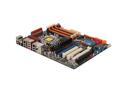
Pros: Nice heatsink that covers the x58 chipset and VRM/MOSFET. I really wish modern board makers would still use the copper fins instead of these beauty blocks. Functionality over Form I never had any problems with the Marvell controllers but I never tried using them either. I actually like the Legacy IDE cable and that was very convenient. I was able to hook up a bunch of legacy devices into this board. Most x58 boards had this stuff. The reason I picked this board is because EVGA didn't properly list the specs of their x58 3way SLI board.
Cons: The board ended up failing right after the warranty period expired. Don't know why or how. It stated with random system shutdowns then eventually the system would not work at all. I put the q-code reader in the debug port and it reads F.F.. I tried three different 1366 processors, different power supply, different RAM, tried to boot up with the board on a table......Nothing. Dead. This board wanted nothing to do with overclocking my old Core i7-920 C0 stepping CPU. Even the most modest overclocks would cause the system to crash and I constantly got the "Overclocking failed" screen. It overclocked the Core i7-930 D0 stepping chip just fine but it wouldn't touch my C0 stepping chip. I tried BIOS updates and all sorts of tweaks to get it to work. Later on I bought a revised EVGA x58 3-way SLi board and I had no issues giving that Core i7-920 C0 stepping chip a modest overclock. In fact, when it came to the 930, the EVGA board did a better job of overclocking that CPU. I didn't burn the board up because when I had the 930 in it, I only overclocked it to 4.1ghz, reasonable voltage, and for a very short period of time (3 weeks). Then I came across another P6T Deluxe v2 board and it was no better. Another pile of junk. I ran two RX 480 cards in X-Fire with a Xeon x5690 CPU, and a Bug Chip towards the bottom of the board fried. The board still worked for a while longer but it died. The previous owner never overclocked and used the stock cooler. The Driver DVD came with bloatware and other useless software. It looked like my HP Pavilion after I loaded everything. The PC ran like trash at first but I bought a couple of those old Samsung F3 drives and put them in Raid 0.
Overall Review: Worst f'in board ever. This is the worst board I have ever bought. Excuse me, I'm going to drown my sorrows in a Pepsi.
Update the BIOS ASAP
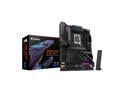
Pros: Happy it comes with a digital BIOS Q-Code display along with pins for a beep speaker. Gigabyte appears to be using a new and updated BIOS interface, which is different from the Z370 and Z390 Aorus motherboards that I have.
Cons: IDK, it seems like this board is a pretty good value.
Overall Review: The board came with BIOS version F7 which isn't even listed on the product support page for download. It's that old. BIOS version F8 is the oldest BIOS version listed. You'll want to download and run BIOS version F17b for the best performance. Overall, the board is running great so far. I've been on a long string of having good luck with motherboards. Can't really say much else. I'm running two sticks of G.Skill DDR5-6400, cl32, 64GB total RAM that came off a Raptor Lake system. No problems with XMP.
Surprisingly good for a non-premium model
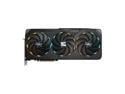
Pros: Temps don't hit the 80's on anything. The temps are pretty good for the card. Although, if the airflow in the case is terrible, this card probably won't be able to cope. I changed the fan orentation in my case which helped even more. Before I changed the fans, both the Core and VRAM temps were within a good range and they were lower than what I saw in reviews for this particular card. Seems to have a decent amount of undervolting headroom. I 100% recommend undervolting this, but mainly for preserving the card. All of the ROPs are there and present. I am happy with the GPU brace that Gigabyte included.
Cons: Nvidia deleted the Hot Spot sensor. Deletion of 32-bit CUDA on Blackwell, so no enabling of PhysX on older games. If you want CUDA then you'll have to do it the old fashion way of installing a second card, which I'd rather not do because the 5090 needs all the airflow it can get. IMO, before the 5090 was announced, I expected it to come with two 12v-2x6 ports instead of one. These cards do need a brace unless the card is vertically mount the card. I have seen what happens to cards that are a bit lighter than this w/o a brace. The PCIe interface gets twisted which puts pressure on the VRAM and Core, and this can caused ripped solder pads. I wonder how long this block of a Graphics card would last without one?
Overall Review: Usually I get premium cards like the Aorus Master edition because they have better coolers and I don't aggressily undervolt unless the temps are terrible. It looks like AIBs have fixed the mistakes they made with 30-series cards, and that being the G6x VRAM temps running hotter due to AIBs using terrible pads. The only good thing about non-premium cards is they don't take the power limits to the moon. One thing I did is I took precautionary measures and replaced the EVGA 1600w T2 PSU that I have been using for almost 8 years. I went for the Corsair HX1500i that comes with the newer ATX 3.1 12v-2x6 cable. My only boo-boo is I had to change the orentation of my M.2 drives due to one of them sharing lanes with the primary 16x lanes that come off the CPU. Accoring to reviews though, the card only takes a minimal performance loss in a PCIe 4.0 x16 or PCIe 5.0 x8 slot. I got this to replace a Red Devil 7900xtx. The Gigabyte 5090 Gaming OC card is only a little bit bigger than the 7900xtx Red Devil. More like, I'm moving the 7900xtx to another system to replace a 3080ti. In some games you can see the difference in the framerate, but not all of the time. Depends on the game. System Specs 27" 4k 165Hz monitor Ryzen 9 9950x Custom loop for the CPU 64GB DDR5-6000 cl30 Asus Strix X670E-E Strix motherboard Thermaltake Core W200 dual chamber case Corsair HX1500i assortment of M.2, 3.5" HDD and 2.5" SATA SSD drives.
It has all the ROPs and temps are decent
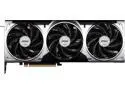
Pros: All 96 ROPs reported. The price was not bad and I did not have to overpay for this card at least. The temps are alright. In a Thermaltake Tower 300 case the temps are hitting 72c to 78c on the GPU core and the Memory temps hover around the lower 70's. The GPU fans kick up to 60% to 85%. I used HWInfo64 and GPU-Z to verify temps. One of the reasons I went for this card is because it comes with 16GB of VRAM.
Cons: The deletion of the Hotspot sensor is weird and Nvidia walking away from PhysX doesn't make a lot of sense because some games still use it. I remember years ago when Nvidia touted PhysX as one of the reasons to buy their cards over ATI/AMD at that time. Remember the GTX 275 Co-Op edition that was bundled with a GTS 250/9800 GTX+ GPU being dedicated to PhysX? IMO, GPU core temps could be a bit better but Memory temps are fairly decent.
Overall Review: I put this in a build for a friend of the family that wants to get into PC gaming and streaming. She streams console games but now she wants to take it to the next level and do it on a PC. Nvidia cards are a pretty good choice for this because of the NVENC encoder. I was lucky and I was able to snag this card at around 6:01am on launch day. I'm not sure what happened here because I was using Newegg's App with Wifi that was less than stellar. Overall, I'm happy to have found this card for her and I think it will do nicely. She tried to get a 4070ti Super that was the same price, but that order was canceled. Here's the build Ryzen 9 9900x Asus TUF B850M-Plus Wifi 64GB DDR5-6000 G.Skill RAM Arctic Liquid Freezer III 360mm ARGB edition Corsair 850w RM850X 2TB WD Black SN850X MSI Ventus RTX 5070ti Windows 11 Pro
Check Compatibility with other hardware

Pros: It works and functions, No random blue screens or slow boots for no reason other than memory training. Getting a working motherboard is half battle when it comes to buying a motherboard. The Asus BIOS/UEFI is always a gem and fun to work with. The SP score feature Asus has been using for these last few years is always a fun. SlimSAS slot is useful
Cons: The semi-chunky Gen 5 NVMe heatsink is not really needed or wanted. If I'm going to use a hot Gen 5 drive, then I'm going to use a more aggressive and better fitting M.2 drive heatsink. ASRock includes a somewhat decent heatsink with their X670E Taichi board. The other issue I have is the heatsink intrudes on the hose routing for the Arctic Liquid Freezer III block. Yes, this is more of a design issue with Arctic's block. I suppose that if I want to use the Gen 5 slot then I'll have to pony up and build a custom loop. No Wifi 7 drivers for Windows 10. I am dual booting both 10 and 11, while using the built in Wifi that comes with the motherboard. Now I'll have to figure something else out if I want to use Windows 10. No BIOS beep speaker headers. I used both this and the dual digit Q-Code for troubleshooting. I'm not quite sure why Asus is still using the standard ATX sizing for the Hero series. I'd rather have this board be an eATX board and come with the missing Beep Speaker header and dual BIOS with switch. With the backplate. Why is it not a bit larger around the RAM slots and why not use a thermal pad between the RAM slots and backplate? I miss getting a detailed manual with these motherboards.
Overall Review: Useful if you're actually an overclocker or want to tune the RAM. This motherboard is super heavy. I've had other HEDT and premium motherboards and this is the heaviest board I've ever seen. Some care will need to be taken to when mounting the motherboard. Not suitable if you're using an 8000-series G-series APU due to some M.2 slots being disabled with these. I'm sure this board is only appealing to hardcore APU users that want to do some massive tweaking and tuning to the RAM.
Never a problem with Superflower
I have ordered a small number of items from SF over these last few years and they dont disappoint
2nd unit Ive bought from Super Flower
I will end up buying another unit from SF sometime in the future. They have some of the best Power Supply Units on the market. Shipping was quick A+


