

Your Browsing History


Oliver S.
Joined on 01/08/03
0
0
product reviews
- 7
Not compatible with 3700+
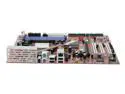
ABIT AN8-ULTRA 939 NVIDIA nForce4 Ultra ATX AMD Motherboard
Comments: I just bought this board along with an Athlon 64 3700+ only to be presented with an error telling me: "Now System is in Safe Mode" and "Please re-setting CPU Frequency in the CMOS setup", which I've tried to no avail. I've flashed to the most recent bios which is when I noticed on the Abit site that then 3700 is not listed as a supported CPU.
10/18/2005See more detail
Quirks galore
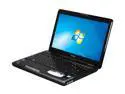
TOSHIBA Satellite 15.6" Intel Core i3-330M 4GB Memory DDR3 1066 Windows 7 Home Premium 64-bit L505-GS5035
Pros: - Fast, - Great keyboard, - Comes with interesting software including face-recognition login, - Light enough, - Round connector for the power so you won't be breaking the connector, - Looks great,
Cons: - Doesn't like to run Linux (if you try, you will need to use acpi=off at boot), - Comes with a lot of bloatware :(, - Recovery media isn't supplied, you have to create your own (and then be smart enough to recover the 10Gb disk space the source files use) - Mouse-pad blends in to the palm-rest making it annoying to use - Gets really, really hot, - Power-pack gets even hotter,
Overall Review: Battery Life: What gives? This is not a top-end 8-core i7 and the graphics card is nothing special. With max power saving you'll be lucky to squeeze 2 hours out of the battery. To get more, you have to carefully go through and strip down the bloatware :(
6/18/2010See more detail
Prop came off during flight
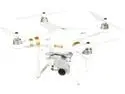
DJI Phantom 3 Pro Quadcopter Drone with 4K Camera and Remote Controller, White, CP.PT.000181
Pros: Fantastic camera and stabilization, great controller software, excellently packaged,
Cons: Price, and the fact that a prop can come off in flight while the craft is hovering. This was only the 3rd time I was flying the craft, I'd thoroughly inspected it and attached the props according to the instructions. It had been in the air less than 3 minutes, was hovering at about 160ft while I was responding to a prompt on the controller, and then it was falling out of the sky with a prop missing.
Overall Review: The props are supposed to be self-tightening to prevent them coming off during flight. We thought maybe something had hit the prop, but we managed to find the missing prop about 30 yards from the aircraft, and it didn't have a mark on it.
12/11/2015See more detail
This case demands blood
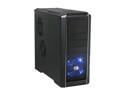
Cooler Master RC-690-KKN1-GP Black SECC/ ABS ATX Mid Tower Computer Case
Pros: Looks good, nice placement of the USB/Firewire/Audio ports , especially given that the thing is going to be sitting on the floor. Cable guides throughout the interior on the shield.
Cons: On all four of these cases at work the reset or power buttons broke off and you have to reach a finger inside the little switch housing to operate now. Also the audio/USB connectors aren't well supported and become flaky. Motherboards and PSUs expect the PSU to be above the motherboard near the CPU which makes cabling up the power supply hell. The drive bay guides for the lower bays face towards the left side of the case with the connectors at the opposite side, against the shield, which makes inserting and cabling up drives a pain. The cable guides get in the way: there is on right where your GeForce monstrosity is going to want to sit.
Overall Review: I've taken more cuts and gashes installing/removing hardware in this case than any other.
5/22/2009See more detail
Worlds most annoying mouse
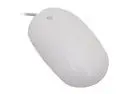
APPLE - Mighty Mouse
Pros: Looks cool on your desktop.
Cons: It's still a one button mouse: like the old Mac mouse, you click the casing, a tilt switch tells whether you click it left or right. This means: 1. You can't click both buttons at once, 2. The clickable part of the mouse extends all the way to the foot, meaning any kind of uneven surface will prevent clicking, 3. It's still using the bad old "spider-attack" press movement to click. The "3rd buttons" are on the sides and sensitive to the SLIGHTEST pressure, exactly where you will hold the mouse with your thumbs if you normally work with any other kind of mouse, meaning you will press them //every// time you grip the mouse - e.g. to push it or click & hold a button.
Overall Review: Comes with the new iMacs with the new PC-friendly keyboard. A terrible decision for bringing in PC converts because the default responses to various mouse actions under OS X 10.5.3 for Expose and Spaces make it really hard to learn the mouse - windows continually move out of your way as you inadvertantly squeeze button 3. I know a few people who have returned iMacs as a result, I was lucky that I've had enough OS X exposure to know what was happening.
6/27/2008See more detail
Match your hardware real careful
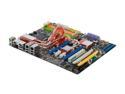
MSI P7N Diamond LGA 775 NVIDIA nForce 780i SLI ATX Intel Motherboard with SoundBlaster X-Fi Extreme Audio
Pros: Excellently bundled, feature rich, generally cool board.
Cons: Didn't like any of my hardware: DDR2 1200 gets run at 800, DDR2 800 gets run at 667, DDR2 1066 gets run at 800. Didn't like my GeForce 8800GT. Didn't like my QC6600. I'm gonna RMA it.
2/14/2008See more detail