

Your Browsing History


Jacob H.
Joined on 05/09/04
1
0
product reviews
- 8
Fast card
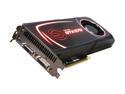
EVGA SuperClocked 012-P3-1572-AR GeForce GTX 570 (Fermi) 1280MB 320-bit GDDR5 PCI Express 2.0 x16 HDCP Ready SLI Support Video Card
Pros: Installed easily, latest beta Nvidia drivers installed flawlessly, no problems at all. I bought this card to play Battlefield 3 and it does not disappoint. I'm able to play BF on ultra @ 1900x1200 (FXAA on High) and even combining FXAA with AA and get 40 to 60 FPS on **64 player maps, Large Conquest mode.** You really do not need a GTX 580 or 590 for BF3 at this resolution. There will likely be more performance gains from drivers too. I couldn't tell much of a difference when I turned on the aging tech that is Anti-aliasing at such a high resolution. You could turn it off to get higher FPS. I downloaded EVGA precision and played for an hour or two and the card was at about 75C with the Auto-Fan setting going around 52% fan speed. Very nice! This card will last you a long time. I might SLI this some day in the future.
Cons: It won't get a beer for you.
Overall Review: Intel 2500k Asus P8Z68-V (Gen3) 8GB Corsair Vengeance DDR3 1600 Coolermaster 922 HAF Midtower Corsair 750 Watt modular PSU
11/15/2011See more detail
Becomes a low grade adhesive
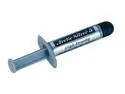
Arctic Silver 5 High-Density Polysynthetic Silver Thermal Compound AS5-3.5G
Pros: Great thermal transfering properties for your heatsink and cpu.
Cons: A warning: After this is in your cpu for a while, it sticks to your processor and heatsink quite securely. Before I knew this, I removed an old heatsink and fan from my system to replace it with a new heatsink/fan. It stuck the cpu and heatsink so securely that when I pulled off my heatsink, it ripped my cpu out of the socket even though the locking arm was still down and secure. (!!) You should try and rotate/twist the heatsink after you've unlatched it so it breaks the "grip" of the artic silver before removing the heatsink. Just a fair warning to all.
8/19/2006See more detail
Good CPU cooler
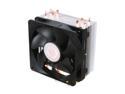
Cooler Master Hyper 212 Plus - CPU Cooler with 4 Direct Contact Heatpipes
Pros: Keeps my 2500k very cool and will allow for overclocking headroom when I actually need it.
Cons: It's fairly big (wide and tall). Not too much of an issue just look at the measurements to make sure it will work for you. Mid-towers and ATX motherboards should be fine.
Overall Review: It is fairly large I will be honest with you. I have a Coolermaster 922 HAF case that has the 200mm fan on the top so I chose to mount this heatsink so the fan would pull air through the heatsink and have the warm air get sucked out the top. It does over hang slightly the first channel of RAM slots on my ASUS P8Z68-V(Gen3) motherboard so it might be tricky installing RAM in that slot without taking the heatsink off first but I'm not exactly sure. I installed my two sticks of 4 GB DDR3 RAM in the other slots anyway, which are the recommended slots.
11/15/2011See more detail
Good ram
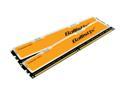
Crucial Ballistix 2GB (2 x 1GB) DDR2 1066 (PC2 8500) Dual Channel Kit Desktop Memory Model BL2KIT12864AA1065
Pros: Installed without issue. Set voltage to 2.2v and has been running at 1066 5-5-5-15 for a month without any problems.
Cons: The SPD settings sets this to 5-5-5-18 instead of 15 for some reason.
Overall Review: Manually set my timings.
11/2/2007See more detail
Fast
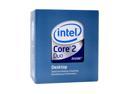
Intel Core 2 Duo E6750 - Core 2 Duo Dual-Core 2.66 GHz LGA 775 65W Processor - BX80557E6750
Pros: Very fast CPU. The installation was a bit nerve wracking given how easily this type of socket has pins that can be damaged if you are careless.
Cons: The stock heatsink fan is fine, just the push-pins that go into your motherboard to hold the heatsink on may give you some problems until you figure out how to orientate them so they "click."
Overall Review: The stock thermal paste is almost worthless..especially with how it's applied. I had to remove the heatsink once because of poor surface to surface "mating." Wiped the stock thermal paste off, applied a thin layer of Artic Silver and smoothed it on the heatsink with an old credit card. MUCH better.
11/2/2007See more detail
Good drive
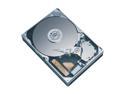
Western Digital Caviar SE16 WD2500KS 250GB 7200 RPM 16MB Cache SATA 3.0Gb/s 3.5" Hard Drive Bare Drive
Pros: Nothing unexpected about installation. Was a breeze. Installed windows xp pro just fine, seems quite fast.
Cons: Hasn't died or given me any problems.
11/2/2007See more detail