




 here!
here!
I’m your shopping assistant for PC builds, upgrades, and everything tech.
Got questions? Ask away!
Start a conversation
here!
I’m your shopping assistant for PC builds, upgrades, and everything tech.
Got questions? Ask away!
Start a conversation

Joined on 05/30/05
USB Settings
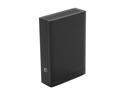
Pros: Reliable, runs Cool, fast on USB 3.0, great value
Cons: Have no Cons yet
Overall Review: Two issues to make the drive reliable: If your drive seems to disappear at times: 1) Turn off USB support in the BIOS, let Windows handle it, 2) Run Seagate Manager, then for any Seagate Drive, choose Settings, Power settings, Never turn off drive.
Sorry - but problems with Seagate eSATA drive
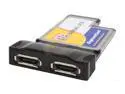
Pros: I apologize for the numerous postings, but when devices behave haphazardly, it results in glee followed by remorse, etc. At this point, the combination I have doesn't work reliably, and i think I know why. It SEEMS to work, although data flow control seems to be missing on either this device, or on the Seagate FreeAgent Pro eSATA port. Small files seem to transfer quickly, but large files result in 1 second interval clicking and total system lockup.
Cons: Cannot call and speak with anyone at PPI and the product I got is presumably newer (same product number) requiring different drivers. Therefore, I have no way of verifying whether the newer chipset and driver is the problem, or the Seagate drive
Overall Review: I contacted both companies, got new drivers from PPI, and new firmware for the Seagate drive (neither posted on their websites, it requires tech support level 2 apparently, or higher). The driver is essential for this newer card as previously reported, the firmware for the drive changes the behavior somewhat, but does NOT fix the flow control, or buffer overrun problem. At this time, I would not recommend buying this card, or the Seagate drive until they report fixes on their websites. As it is, it's just not reliable as an eSATA solution.
Very Helpful - Medium and Large sizes

Pros: Great way to add both air bubble action to a tank as well as picking up debris and filtering the water.
Cons: Helps a LOT to add a weight inside the filter to keep it on bottom of tank. I use lead sinkers and they keep the filter in place just fine.
Overall Review: Use these at various times to help clean up tanks, provide air bubble action. They work well. I use Large and Medium Lee's Filters as well as Fluval large capacity filter in my 55 and 75 gallon tanks.
Won't Boot on MacBook OSX 10.8.2
Pros: On my MacBook (Newegg says it's supported by Apple OS) it works as a data drive, but not as a Boot drive.
Cons: Doesn't appear as a bootable drive using the Option key during power up on MacBook Pro 2012 model (not retina). A USB 2.0 case (older model) allows booting to the drive in question, but installing the drive in this USB 3.0 case, no longer allows system to boot to it.
Overall Review: Aside from the boot issue, it works, about 75% as fast as the internal drive, but I need to boot to the external drive. Maybe someone else has a solution. I looked for one, but no luck.
Fast Sat Access, Can Customize, great unit, clever device
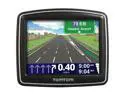
Pros: Fast Acquisition of Sats, Small, Loud and easy to understand voice guidance. Can create your own voices, overlays, POIs http://create.tomtom.com/manuals/create-your-own-content/ Be sure to use the MENU items to get free map update, TOOLS then LATEST MAP GUARANTEE. It downloads the Map to your hard drive and then copies it to device.
Cons: I locked up the unit with a map update, but Tech support was VERY helpful, and easy to understand. It took very little time to completely reformat the device and install everything (program, voices, maps, etc.). The webpage had the instructions, but I wanted some human to verify, and the folks were cordial, helpful, and they listened, not just asking a bunch of questions. This isn't really a CON, it was my mistake and they helped me reload the software and maps.
Overall Review: This is a very nice unit. I have a Magellan Roadmate 760, it's very nice, but older technology, a little slower on the satellite acquisition. This unit is small, fast, and can run on the built-in battery for a few hours before needing recharge.
Excellent, Quiet, Reliable
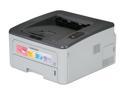
Pros: High quality results, can leave on forever, comes to life with print jobs pending. Duplex printing works great, no paper curl. Network setup is easy, especially if you know how to find the device on your own (ipscan for example). Supports DOS printing, Adobe PostScript, PCL (HP Page Control Language). Has several settings for print quality, duplex on/off, duplex along top edge, or side, default to 600 dpi, toner saver on/off, and more.
Cons: So far, none, and I've had one for a year. I just bought another today, March 20, 2010 from Newegg.
Overall Review: Nettwork printing is excellent for multiple computers. I run Ubuntu 9 Linux on one system, XP on another, and Windows 7 as well. With a little cleverness, you can even allow your friends to print from a completely different network, into your router and to your printer. That works great too.


