




 here!
here!
I’m your shopping assistant for PC builds, upgrades, and everything tech.
Got questions? Ask away!
Start a conversation
here!
I’m your shopping assistant for PC builds, upgrades, and everything tech.
Got questions? Ask away!
Start a conversation

Joined on 01/14/02
Good but Loose
Pros: Great value. Goes deep. Cool LCD menu.
Cons: Not as well-defined as my DefTech 10" The low-level inputs are R-L. There's no need for a dedicated LFE, but I am somewhat accustomed to it.
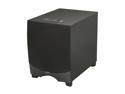
Overall Review: My Klipsch RW-12d did arrive without shipping damage. There was a small cosmetic manufacturing defect in the wood case, but not one you'd notice without looking very closely. And the sub can move some air. OTOH, my old DefTech ProSub 100 (10") is tighter and packs a punch also. Yeah, the ProSub was more than twice as pricey, and that was eight or so years ago, but I was expecting a bit more perceived accuracy from this puppy. The RW-12d has more output and depth, but is a bit sloppier. So I'd say the Klipsch RW-12d is a great value, but only bends the value-curve; it doesn't really break or shatter it.
Worse Than I Thought
Pros: Very long battery life
Cons: They misrepresent (and admit misrepresenting) the product input frequency. It's completely incompatible with mechanically-governed generators, even under conditions other UPSes are good with. Their support team all takes long breaks so during business hours can be impossible to reach.
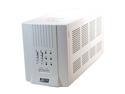
Overall Review: If you need a UPS but no generator support, this is a fine, but expensive, unit. If you need it to work on a generator, avoid this company entirely.
Terrible Networking
Pros: Fast Great Print Quality Quiet Good Sheet Feeder for Copying
Cons: A bit finicky to set up No duplex printing (single sided only) Sheet feeder not duplex either (not really an issue at this price) Worst internal NIC ever! No manual envelope feed.
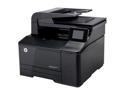
Overall Review: I bought the HP 200 MFP to replace an inkjet MFP whose cartridges would dry out too quickly. And this is a pretty nice printer. Good quality, lots of features, can save to network shares, has WiFi and a 10/100 NIC. But... There's something wrong with the NIC. On power-up, it doesn't recognize being plugged in. Reconfiguring it so it has to reinitialize the NIC usually works, or sometimes unplugging/replugging it, but not reliably. The switch isn't the problem, tried a bunch of cables, other devices are fine. Don't know if it's a finicky or a defective NIC, but it's just not right. And that NIC socket? It's recessed behind the printer. Which would be perfect if it actually worked. Using WiFi would probably circumvent this. The other issues are mostly missing features - no duplex loaded (for copying/scanning), which isn't a big deal at this price, but also no duplex printing. Seriously? I mean, my 8-year-old inkjet (Canon Pixma MP800) has that. No manual feed/paper bypass. Seriously? Even my original HP LaserJet IIp had that! But at least you know those up front. Strange trade-offs they made, but not deal breakers.
Great Tiny Case
Pros: Very small and sleek Easy (mostly) to install in 300W PSU is higher than others in class Looks great Fans are very quiet
Cons: Reset button not working No documentation - not even a slip of paper No cable management or tie down support No 2.5" drive support
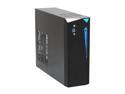
Overall Review: Installation was quick and painless. I put in an Intel BOXDH77DF with an i7-3770, 16GB Kingston HyperX DDR3, a Samsung 240GB SSD, WD 1TB Green HD (low power/noise), and Lite On iHBS312 BluRay burner (very shallow.) The case comes with a power cord and a package consisting of screws for the motherboard, four stick-on rubber feet and a stand for positioning the case vertically. That's it. Not a spec of paper. Which isn't really a problem; everything in the case is either obvious or clearly labelled. But it is unusual. The only challenges are that... 1. The 3.5" drives have to be installed with the drive bay out, but the external cannot be installed until it's back in. (You can't screw the bay down with the external in place.) 2. The bay can hold one normal 3.5" drive and one very slim one. For a 2.5" (SSD), you need an adapter. But the 2.5" to 3.5" adapters I had on-hand were too thick for the narrow space. 3. Obviously cable management is crucial with such a tiny case. That could have been thought out a bit better. 4. As mentioned above, the Reset button isn't working. Everything else seems to though.
Fast
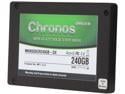
Pros: Works well, very fast.
Cons: My configuration confuses MS Office
Overall Review: I purchased this and the Seagate GoFlex sata ThunderBolt sled to add storage to my ("late 2011") MacBook Air, which has a ThunderBolt and USB 2.0 but not 3.0. Configuration was very easy. The drive, even through the sled, is much faster according to the BlackMagic speed test, than the internal SSD. The only problem - not Mushkin's fault - is that MS Office sees this drive appearing or vanishing as a computer change and requires the product key each time.
Great but Fragile
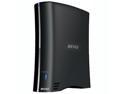
Pros: Fast, works well, powerful interface.
Cons: Fragile; didn't survive move due to a button.
Overall Review: This is reasonably easy to set up, but requires the NasNavi software initially. But the "Function" button (sw2 on the internal board), which protrudes, is connected via a solid piece of plastic from the front panel to the circuit board. This snapped off when the drive was put against other items during a move. That renders the entire unit inoperable. If you're just going to set it and forget it, this is a great choice, but if it's going to get moved around, maybe something else.


