




 here!
here!
I’m your shopping assistant for PC builds, upgrades, and everything tech.
Got questions? Ask away!
Start a conversation
here!
I’m your shopping assistant for PC builds, upgrades, and everything tech.
Got questions? Ask away!
Start a conversation

Joined on 07/07/02
Really excellent reliability/DOA record
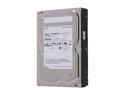
Pros: About 20 Spinpoint drives, zero DOAs so far Low power Surprisingly fast Very good pricing
Cons: Not even faster?
Overall Review: I own 8-10 of these drives, and dozen or more of the Samsung HD103 1TB models, and haven't had a single failure in any of them yet. Most are relatively new still (1-2 months), but I put all my drives through a couple of days of continuous read/write tests with Diglloyd Tools, and haven't had a single failure. A number of the 1TB models have been in continuous use for a year now, with no trouble. While these are only 5,400 rpm drives, I've been pleasantly surprised by their speed; I get 65-70 MB/sec writes and 75-80MB reads in an external FireWire 800 dock connected to an aging Mac G5 tower. (The system I use to do the burn-in tests on.) All in all, I'm really sold on Samsung drives, I think they're the only brand I haven't had a problem with yet.
NOTE - USB 1.1!
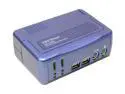
Pros: All-in-one switch-everything capability is a nice feature
Cons: USB ports must be switched separately from keyboard/monitor USB hub in unit is only v1.1, you lose the computers' v2.0 speed!
Overall Review: What attracted me to this unit was that it switched all the connections to the computers attached, including sound and USB ports. I was greatly disappointed though, when I plugged the unit in and discovered that USB transfers to/from my memory card reader were glacially slow. Sure enough, the unit's internal USB hub is only v1.1, so you lose the speed advantage of v2.0 ports in your computers. (I ended up buying a second card reader, so each computer could have one attached at full usb 2.0 high-speed all the time, but that's a hassle I'd hoped to avoid.
Great 2TB drive
Pros: Surprisingly fast, runs pretty cool, seem rock-solid so far
Cons: Not even faster?
Overall Review: I've got three of these drives so far, have had the oldest for a few months, not a hint of a problem. I run an extended burn-in on all my drives, giving them several days of continuous read/write testing with Diglloyd Tools (Google it; very handy for Mac users). Never so much as a hiccup with these Spinpoints. (I also own 3 Spinpoint 1 TB drives, and they've been rock-solid as well.)
Wish I'd known about lack of overclock...
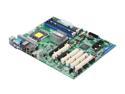
Pros: Great quality, loads of PCI ports, loads of USB, loads of SATA, onboard video
Cons: I may just be missing it, but no ability to set RAM frequency?
Overall Review: An overclock isn't 100% necessary for my application, but it would have been nice. The BIOS on this board will let you set the CPU multiplier ratio if the processor allows for it (my Core2 Quad 6600 doesn't), but I can't find anyplace where you can get in to set the basic RAM frequency. - With good RAM, I should be able to jack up the frequency somewhat and have the whole machine run faster - But can't find any freq control in the BIOS. :-(
SMART failure after ~ 9 months of use

Pros: Big, fast
Cons: Threw write errors, indicated SMART failure after ~ 9 months
Overall Review: I bought two of these back in Jan 07, one "live" one to have as a random 500GB spare. I just had to use the spare today, the live one threw some write errors, the bay indicated a SMART failure. I have about two dozen drives in use, 9 months is the shortest time I can remember any surviving, other than a DOA once. Poor reliability, in my book.


