


Your Browsing History


Kevin S.
Joined on 04/09/16
0
0
product reviews
- 3
Great Product
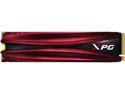
XPG GAMMIX Gaming SSD S11 Pro Series: 512GB Internal PCIe Gen3x4 M.2 2280 (NVMe)
Pros: I'm happy with the benchmark results, as its hard to get the maximum read/write speed on any drive. Benchmark results: Sequential: Read 2,718 / Write 1,890 Deep Queue 4K: DQ Read 585 / DQ Write 921 Stays cool under stress tests
Overall Review: Faster than any other SSD I've ever had in the past. I would definitely buy this again. Benchmark ran on Z390 chipset with an i5-9600k @ 5ghz, not sure if that impacts read/write speeds.
1/15/2020See more detail
Powerful and Quiet!
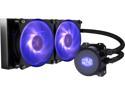
Cooler Master MasterLiquid ML240L RGB Close-Loop CPU Liquid Cooler, 240mm Radiator, Dual Chamber RGB Pump, Dual MF120R RGB Fans, RGB Lighting for AMD Ryzen/Intel LGA1200/1151
Pros: Great product, easy to install. -Very quiet, I have even forced the fan speed up through my BIOS to a comfortable level, as it runs smoothly -Keeps an i5-9600k overclocked to 5Ghz below 65'c in torture test (ran for 30 mins on three different days)
Cons: Instruction manual didn't make it clear which way to install the fans, but not really a con as its easy to recognize front vs back of fans.
Overall Review: Looking forward to using this in future builds as well! Note: If your Motherboard has a RGB connector you can just connect directly to that rather than using the supplied controller. I Didn't realize this at first and used the supplied controller for a bit. - Arrow is indicating the power pin I believe
2/2/2020See more detail
Great DIY Motherboard
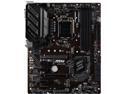
MSI PRO Z390-A PRO LGA 1151 (300 Series) Intel Z390 ATX Intel Motherboard
Pros: MSI made a nice budget Z390 motherboard here. This was my first DIY build, and I'm about to do a couple more as well. -Great user manual (available online, mine wasn't shipped with one, but online was better as its a searchable PDF) -M.2 spacing screw included, make sure you move it to the appropriate slot if needed. I didn't realize this at first as I used a 2240 size and I believe its pre-installed in the 2280 slot. -User friendly BIOS -Easy to overclock CPU, follow instructions available on MSI's website for overclocking 9th gen Intel processor, the guide for an i9-9900k or i7-9700k works as it is the same instructions) -Runs an i5-9600k @ 5Ghz with no issues (mine's running at 1.348 volts, but this will vary) -Reinforced PCI slot was nice to see for this price -All drivers are available online, was able to completely setup without using supplied driver CD
Overall Review: Note: -Ensure XMP memory setting is turned on, it will significantly increase your memory speed -If overclocking ensure you have adequate cooling, I'm using a 240mm liquid cooler with two 120mm fans on it, and i've never seen the cpu go above 65'c in a stress test, so a quality 120mm liquid cooler would most likely suffice)
2/2/2020See more detail