




 here!
here!
I’m your shopping assistant for PC builds, upgrades, and everything tech.
Got questions? Ask away!
Start a conversation
here!
I’m your shopping assistant for PC builds, upgrades, and everything tech.
Got questions? Ask away!
Start a conversation

Joined on 01/14/13
Big and thick
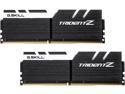
Pros: Massive heat sink, I guarantee it will not bend like the old sticks. Cool and Fast No problem fit when using Corsair Hydro 115i on your CPU
Cons: If you are going to use a CPU fan, it might get in the way.
Overall Review: The large size might give you a false impression it is seated all the way in the motherboard. Just be sure you hear the click when seating.
Buyer beware if you are replacing fans on a Cool Master case
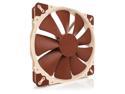
Pros: It is an excellent fan if your case is compatible.
Cons: I wanted a 4 pin 200mm fan that my mother board would control so I picked the best, Noctua. Cool Master does not make a 4 pin for this size. Don't buy if you are replacing the 200mm fans for the Cool Master H500P Mesh, i discovered that the holes will not align unless you do major alterations by drilling.
Overall Review: You have to go to the Noctua web site to see if the fans are compatible for a certain case. I did install the rear fan with a 4 pin Noctua 140mm in the case with no trouble.
Good Price, Runs Cool
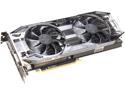
Pros: -I like the price, I did not want a card that lights up or 3 fans and pay another $100+ for it. -Clear front housing but tough and light. I had not had one like this before, but I remember my old ones were difficult to see if the heat radiators were clogged with dust or not. Not so on this card. -Runs Cool-- The review below was right about Battlefield V. Play all night and it will not go above 60C. Only one 8 prong power plug needed.
Cons: No LED lights, I don't care
Overall Review: You can run the games on ultra DX12 with no trouble.
The perfect case for Hydro cooling
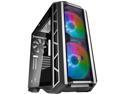
Pros: -The front lower panel hides your power supply and all cables. No one will ever know how messy it is. Nice -The top bracket panel of the case can actually be taken off to install your CPU cooling system or fans. (see Other) -The large front fans do work for cooling during intense gaming. -The led fans can be changed to different colors using the restart on your control panel while running. -If you want to upgrade the fans with 4 pin fans and that plug into the motherboard, the fans are very easy to access by removing the front panel. Other cases can be a nightmare by doing this.
Cons: No egg reduction on this one. -When connecting the factory installed LED fans, you need to read the instructions carefully. There are a few connections to be made. You can make the color selection inside the case or plug your restart controller (the one you would of plug on the motherboard) into the LED color control box inside the case. Since Windows can do restart, I never use the controller from the motherboard, so now I can change colors using that button outside the case. Very Easy
Overall Review: This was the first case I have ever used that installing the water cooling on the top was not time consuming and tight work area. I recently installed the Corsair Hydro 115i that has 3 fans and a long radiator. The case holding bracket can be removed from the case and the fans/radiator can be installed away from the case. This also gave me more room to install the motherboard, cables, ram, before ever placing the bracket back into the top of the case.
Small Flash Drive
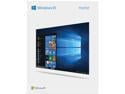
Pros: No Problems installing with Flash Drive No DVD player ever needed now (more new computer cases do not have the port for them anyway) Windows located where to download Armoury Crate during setup to download all my drivers for Asus ROG Strike motherboard. No DVD needed, just an internet connection.
Cons: None
Overall Review: The window Flash Drive might look small that you might be use to, but it gets the job done.
Troubleshoot LED saved the day
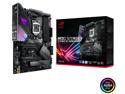
Pros: - Lower M.2 holder keeps the SSD very cool compared to other motherboards (around 40C during intense gaming). There are two holders, but using the lower one has a very large heat sink and keeps the M.2 away from the graphics card heat. Nice -The 4 troubleshooting led is truly very helpful (see comments) -WiFi can actual pick up signals without the antenna. During the install of Windows 10, it asked me to connect to the internet to register. I had not connect the modem cable yet to the motherboard, but the board detected the WiFi coming from the other room. Windows automatically installed the WiFi connection and the information was sent flawlessly with no antenna. -A large cover to hide the cables in front, no one will ever know how bad they look. lol -ROG controls are nice
Cons: Very minor cons. After shutting down the computer, the ROG Strike LED stays lit. To make it shut off during shut down, you have to find the control in the Bios and set it to do this (you only have to set it once). For large thick ram sticks, make sure you fully seat them and hear the clicks. (see Other below)
Overall Review: After 2 days, my monitor stop receiving a signal. I tried the regular trouble shoot by re seat the graphics card/ram and checked all power cables. I was starting to think that the graphics card had gone bad. The next morning I tried one last time to start it up, I notice that the trouble shoot led on the motherboard was flashing at DRAM. I re seated the DRAM again pressing harder, after startup the picture appeared, and it was back to gaming. The LED saved me from returning the graphics card and more trouble shooting later on after I would of found that the card was not at fault. It saved me from a lot of grief and lost time.
Saved the day
replacing the switch cured the problem. I wonder how many people would of bought a new computer, all it was a worn out switch from playing too many games. ha ha


