

Your Browsing History


Kevin V.
Joined on 10/27/05
0
0
product reviews
- 14
Cheap, Easy Watercooling
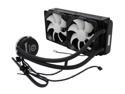
Thermaltake CLW0217 Water 2.0 Extreme/All-In-One Liquid Cooling System
Pros: Easy to install, good directions, very quiet, excellent cooling performance, software control
Cons: None
Overall Review: I went through two Corsair H100s before switching to this unit. The first H100 was DOA and the second had the pump rattle that Corsair doesn't have a fix for. Returned to NewEgg and bought this one instead. Install of this unit is virtually identical to the H100 and the unit has been problem free. The performance of this unit beats the H100 by a degree or two. Software control via the USB header is a bonus.
7/2/2012See more detail
Good hardware, but problem in the BIOS
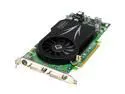
Leadtek PX7800GT Extreme TDH GeForce 7800GT 256MB 256-bit GDDR3 PCI Express x16 SLI Supported Video Card
Pros: After modifying the BIOS, this card ran fine at stock speed and even overclocked up to 471 without any artifacts. Looks like the hardware does the job just fine.
Cons: My card had lots of artifacts. I RMAed and new card had the same problem. Turns out Leadtek sets the geometric delta in the BIOS to 40 causing the geometric clock to run at 490 (causing artifacts). EVGA made the same mistake and corrected it with a BIOS flash. I modified my card's BIOS with a 0 geo delta setting and everything works great now, even overclocked beyond stock settings. Heat is NOT the issue, as mentioned below. My cards both ran under 50c under load.
Overall Review: I'd rather stick a nail in my foot then deal with the Leadtek tech support department (which consists of 1 guy, who doesn't speak English well at all). They're completely unaware of their BIOS problem even though EVGA made the same mistake and fixed it with a BIOS update. Good card, but you'll need to write your own BIOS to make it work at 100%.
12/13/2005See more detail
Good performance, irritating fan
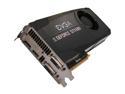
EVGA SuperClocked 02G-P4-2682-KR GeForce GTX 680 2GB 256-bit GDDR5 PCI Express 3.0 x16 HDCP Ready SLI Support Video Card
Pros: Great performance, stable at factory oc specs
Cons: Fan has irritating pitch when it ramps up, quirky power connector placement
Overall Review: Excellent performance, nice and stable. Odd choice for directionality of power connectors. Probably done to accommodate people with shorter cases. The fan runs at 30% at idle and is virtually silent. As the card heats up and the fan ramps up it gets very high pitched and irritating. It's not loud, but if you don't have a loud system to begin with you will probably notice it.
7/3/2012See more detail
Rock Solid
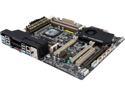
ASUS Sabertooth X79 LGA 2011 Intel X79 USB 3.0 ATX Intel Motherboard
Pros: Rock solid, great layout, killer looks
Cons: Kind of spendy
Overall Review: It's a little expensive but you do get your money's worth. Lots of configuration options in the bios, great on-board fan control with software, killer good looks, runs nice and cool and is very stable. You'd be hard pressed to do better for X79. Excellent board layout is a bonus with all connections on the edges.
7/3/2012See more detail
Rock solid
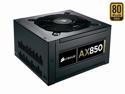
CORSAIR Professional Series Gold AX850 (CMPSU-850AX) 850 W ATX12V v2.31 / EPS12V v2.92 80 PLUS GOLD Certified Full Modular Active PFC Power Supply
Pros: Plenty of juice, nice and quiet, plenty of connections (detachable), good looking
Cons: None
Overall Review: Here's a rock solid PSU with plenty of juice on those hungry 12v rails. Attractive, detachable braided cables as you would expect. Plenty of available connections. Nothing else to say.
7/3/2012See more detail
Good performance but serious flaws
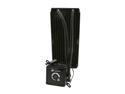
CORSAIR Hydro Series H100 (CWCH100) Extreme Performance Liquid CPU Cooler
Pros: Good cooling performance, east to install, relatively inexpensive
Cons: Serious pump design issues
Overall Review: I've gone through two of these units. The pump on the first unit died 30 seconds after startup resulting in my system doing an emergency shutdown to prevent overheating. The second unit worked but had the dreaded Corsair hydro series pump rattle. I tried the hacky solution of dropping the voltage but this only made things worse, not better. I contacted Corsair who was aware of the problem but had no idea how to resolve it. I returned to NewEgg and went with a different brand. I've since been emailed by Corsair that they have units they claim will not develop the rattle, but you can only get them through Corsair via RMA so if you buy from NewEgg just beware you will probably have to go through this process with Corsair. No idea what kind of supply they have either.
7/3/2012See more detail