




 here!
here!
I’m your shopping assistant for PC builds, upgrades, and everything tech.
Got questions? Ask away!
Start a conversation
here!
I’m your shopping assistant for PC builds, upgrades, and everything tech.
Got questions? Ask away!
Start a conversation

Joined on 10/06/05
Can't ask for more!
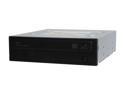
Pros: Fast, easy to install, and I have purchased plenty of these in my pc builds and each one is still working. (purchased about 11 of these in the year 08, 1st two were the 20x dvd+R model)
Cons: The same con for all of my DVD roms I buy, 22x!!! Is that really even possible or even worth it. I still to this day only run at 16x on any dvd rom and it burns an entire dvd in just mins. No Coasters!
Overall Review: Unless you need lightscribe, Blu ray support or you need burning software, this OEM should be a comfortable buy. I think the only problem with these OEM drives I have seen is that it can be a task to try to find firmware updates to the device. Never had a problem finding retail drivers. As always, feel free to gmail my nickname with any questions or comments
Did what I expected
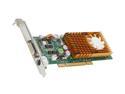
Pros: Installed fine on Win7, 64bit. Old HP dc5700. Win 7 Rating went from Graph / Gaming Graph integrated video card=4.0/3.5 to this card=4.2/4.8 Needed a dual monitor solution. Used Windows update to install driver rather than the disk it shipped with
Cons: None, yet
Great Software
Pros: just worked great for the average home user. Built in FTP server. Automatic backups and reminders. Once the base backup is completed incremental backups are faily quick. All my backups are done wireless.
Cons: takes a while to setup and get right but it is a server.
Sweet buy!
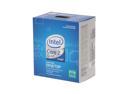
Pros: When compared to AMD's top quad (HD995ZXAGHBOX), this unit delivers more bang for your few bucks more. Higher cache, Mobo supports faster ram, and requires less thermal power
Cons: This is my 1st intel build and when I had a little tough time trying to get that heatsink & fan to attach to the mobo. Thought I was going to break the mobo. (no egg's off)
Overall Review: Dont have any benchmarks because this was built for a customer's work. All I know is that they are requesting a couple more of these after the new year. They were paying over $1000.00 for dual core, 1gb pcs. This cost us $900.00 with shipping. I am leaving a video review on the mobo tied to this cpu, feel free to check it out (mobo ID: BOXDP45SG, newegg ID: N82E16813121348). It will have pictures of the CPU and how well it fits with the case & mobo setup. CPU - Duh, Intel Core 2 Quad Q8200 @ 2.33Ghz Mobo - intel BOXDP45SG Ram - Patriot PDC32G1333ELK, 2gb (2x1) DDR 1333 Video - Sapphire 3870 (single slot) Hdd - Gskill 64gb SSD PSU - Coolmax 400w ATX OS - Win Xp Pro Sp3 As always feel free to gmail my nickname with questions or comments
Supported Sata SSD install
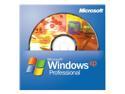
Pros: Lastest Win Xp Pro install cd. Was able to install this on a mobo that had a single sataII ssd without the need of f6 driver install or slip streaming.
Cons: none
Overall Review: Didn't purchase this because I dont like vista, did it because the office this pc was being built for, is still an Xp environment and they are not too tech savy to start mixing OS's (if people switch departments, they dont want to have to move pc's). On my laptop and home pc, I am running Vista and loving it too As always, feel free to gmail my nickname with any questions or comments
great pickup!
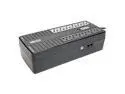
Pros: Easy to install on Win Xp Pro Sp3. Did not require tripp lite software, as soon as I plugged in the usb cable (see cons*), the OS installed the device and I was able to use Windows Power Mang. software. Which I like better. Power inputs spaced far enough for those big power bricks.
Cons: I dont understand, if you look at the pictures it shows a USB cable and a USB port. However when I opened up my unit, I did have a USB cable, but it was USB to RJ - 11 (phone cord). Still worked ( so no egg's off), but just wasn't expecting that. So now if the cable gets messed up, I will have to go buy a special one. (which I don't like)
Overall Review: Reason I like the OS software to manage because most of the 3rd party programs I have encountered (APC & Tripp lite), only allow the shutting down of your pc. Most would say, thats all you need, however I like how in Windows, you can Dim the monitor or shut down programs when the battery turns on. (ex running scheduled task). I highly recommend the purchase of UPS's that can be controlled by Windows. Also the less 3rd party software installed, the better your windows will run. As always, feel free to gmail my nickname with any questions or comments


