




 here!
here!
I’m your shopping assistant for PC builds, upgrades, and everything tech.
Got questions? Ask away!
Start a conversation
here!
I’m your shopping assistant for PC builds, upgrades, and everything tech.
Got questions? Ask away!
Start a conversation

Joined on 05/09/07
Pretty simple to set up. Worked with all of my devices almost instantly.
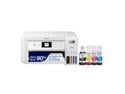
Pros: - Worked almost instantly with a Chromebook, Macbook Pro, Windows PC, and Android phones - Setup is pretty straight forward - Print quality seems to be good
Cons: - Instructions for setup do not *exactly* match actual setup (but it's by no means a deal breaker)
Overall Review: I'm guessing all modern printers are pretty instantaneous in their ability to deal with all devices, but since my last printer was kind of old, it's super refreshing to be able to easily set up the printer regardless of the device. The Chromebook was the big hassle on my last one (no possible avenue to make it work) but it easily found this printer and immediately was able to print. I set up the printer on the Macbook Pro and once I selected it, all of the options and abilities were just instantly available. My non-techie spouse printed from her Android phone without asking for my help. And I had no problems getting it set up on my Windows machine. Even scanned from it without much hassle. Haven't had it long enough to tell how well the ink will last (which is one of the selling points), but print quality seems to be fine on the general use paper we use. On a higher quality paper I'm guessing it would even be nicer. Also, it's easy to actually see how much ink you have left so there won't be any "out of ink" surprises. The app does a good job of showing levels as well. It took a little bit of time to get it setup since you have to fill the reservoirs with ink and it has to prime the pumps that feed the ink to the print heads. Not a big deal, just not a plug it in and go type of device. Also, my spouse didn't immediately recognize the symbols on the buttons as matching the symbols used in the display screen. So make sure you put your reading glasses on so you can figure out which button makes it copy (hint: it's the button with the vertical line in the circle.) Those aren't criticisms above, just some awareness things. So far, I really like this printer and I would definitely recommend it to others.
Probably okay for the price, but didn't fit my ears
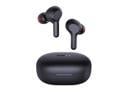
Pros: Sound seems reasonable They were stupid cheap Earbud case has magnets that keep earbuds in place when charging
Cons: For whatever reason, they were a little difficult to get paired initially - YMMV Do not fit my ears well. Doesn't seem to seal up.
Overall Review: I don't feel like I can give these a proper review since they didn't fit well in my ears. When I was pushing them into my ears, it seemed like the sound was decent. But since I couldn't get a proper fit in my goofy ears, I can't confirm that either way. I do feel like these will be fine for Zoom calls, which is kind of why I bought them anyway. I have another pair of earbuds that I really like, but the battery life on those is junk, so I was hoping these Aukey's might last through a two hour video call without issue. Haven't had a chance to test that yet. There is no indication on the earbud for when it is active, so you sort of have to guess. Case is nice a small. Sensitive touch controls, but I didn't mind that. Kind of nice that they work. If you have trouble getting a good fit from earbuds, take a pass on these. Otherwise, you're not out much money for trying them.
Small, Simple, Works Well

Pros: Small size, inexpensive
Cons: Small. That's also a positive, but I'm careful where I store it so I can find it again.
Overall Review: I bought a couple of these and set one up to use with a bootable OS. It worked great.
Works well, but driver is out of date for Linux
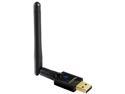
Pros: Worked seamlessly with my router. Speed seems just fine. Inexpensive cheap.
Cons: Does not have a current linux driver on the EDUP site (though it's an easy Google search for the chipset and linux kernel to find one)
Overall Review: This WiFi unit seems solid and works well in my house. No complaints about how it functions. IF YOU ARE USING IT FOR A LINUX SYSTEM - the EDUP site has a driver for the 4.3 linux kernel, so it's a bit out of date. You'll likely need to look up the driver for the RealTek 8811AU and your Linux kernel to compile it. Luckily, there are plenty of GIT projects that are easy to download, issue one 'make' command, and then move the result to the proper location (all documented). Considering how cheap it was, and the fact that I'm already willing to put in a little additional effort since I'm using a linux system anyway, it wasn't that bad to get the thing up and running. But I include this just so you are aware.
Good Long Charging Cable
I can confirm that this cable is for CHARGING ONLY. That said, I read the reviews before purchasing and was buying it exclusively to have a long charging cable anyway, so it met my expectations. Inexpensive charging cable that seems to do the job. Would be good if the seller would remove the reference to data cable in the description.


