

Your Browsing History


Daniel F.
Joined on 03/17/06
0
0
product reviews
- 17
HD is well....WOW
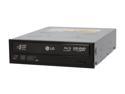
LG Black 6X BD-ROM 16X DVD-ROM 40X CD-ROM SATA Internal Combo LG Blu-ray/HD DVD-ROM & 16X DVD±R DVD Burner Model GGC-H20L
Pros: Installation and setup was a breeze. Didn't really have to do anything. There was some surprises I'll describe below but once it was running I'm happy. HD Movies look amazing. I can't get over the detail. Works fine, I just gave it four eggs because it took a lot technical knowledge and investigation to get all things working. I feel LG could have done a better job bringing this to my attention.
Cons: HDCP compatibility caught me by surprise. I figured I get a Blu-ray drive, now I can watch Blu-ray....not so fast. HDCP brings many limitations. First your display must be HDCP compliant..that means monitor or HD TV. If you don't have this you will only be able to watch a low res picture (i.e. via S-video or composite cable). Second, if you are like me and have an AV receiver/amplifier that you use to do video switching, it too has to be HDCP compliant. Lastly, your video card has to be HDCP compliant as well. It is not LG's fault for any of this, I just wish they called better attention to it.
Overall Review: The included software is from Cyberlink. It works well but I went through some hoops with it as well as required getting an update. Cyberlink has a tool called BD Advisor that is free to download. Running it tells you how capable your computer is for viewing HD movies. Useful to check out before you make the investment. I have yet to figure out how to use it with my MCE Remote and SageTV. Also, just a note to be aware of: Some of the Blu-Ray media I've tried already encodes the audio in Dolby TrueHD. My 2 year old receiver didn't auto-recognize this new format and incorrectly set the processing to 2-channel. After much investigation into assuming it was a computer problem I finally figured this out. Just something to note.
11/5/2008See more detail
Works well, installation was a pain
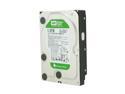
Western Digital WD Green WD10EARS 1TB 5400 RPM 64MB Cache SATA 3.0Gb/s 3.5" Internal Hard Drive Bare Drive
Pros: Newegg Capacity-to-price value. Quiet and cool. Performance is fine for my HTPC.
Cons: Installation was a royal pain. I am running 23-it Vista. I installed this in an SATA external enclosure and it would not recognize. Tried a USB enclosure and it would. I did all kinds of swapping and rebooting to confirm it was the drive and not the enclosure. I even initialized and formatted in the USB enclosure, moved it to SATA enclosure and still not recognized. Finally, after reading forums I decided as a last resort before RMA to try using jumper on pin7=8. Reboot...there it is..but had to initialize and format it again. So much for Advanced formatting being a breeze on Vista. Btw..I called WD tech support and they would not help me with external enclosure.
Overall Review: I was worried this wouldn't perform given the lower speed for my HTPC. That said, I don't have a lot of HD recordings yet. So far, no hiccups in playback. It is definitely Cool and Quiet. Had I not spent the extra time researching forums and tried an unadvertised solution, WD would have lost a customer. Installation should not be this hard...all my other drive purchases were play-n-play in the same enclosures.
6/25/2010See more detail
Asus takes on 'Air-book' and wins - with one big warning

ASUS Taichi 31 Dual Screen 2in1 Ultrabook - i5 4GB Memory 128GB SSD 13.3" Touchscreen w/Active Digitizer Windows 8 (Taichi31-NS51T)
Pros: Targeted to the user who wanted everything in one device, the Taichi is ASUS design creativity as its best. If you have accepted Windows 8 as your tablet platform then this ultrabook with satisfy your desire to do away with a separate tablet. The Taichi is a beautiful combination of power, versatility, efficiency, posh, and utility. Specifically: - Both screens offer vivid color and brightness - backlit keyboard is well executed and sized - touch pad is huge and very responsive - Sound is outstanding! Better than anything I have heard from a notebook. - cooling design is not only visually pleasing, but quiet and effective. No hot laps here. - styling is very upscale. Compares admirably with an 'Air-Book' - touch screen is atypical tablet responsiveness. - storage, ports, extras are all what you expect at this caliber product. - Tablet mode- laptop mode switching is as simple as closing/opening the lid. Switching performance is not instant but quick. - VIP support was responsive and knowledgeable. For what you would pay for a Surface Pro or Pro 2, this is an excellent way to go.
Cons: The below list of cons are nitpicky suggestions for improvement, accept for one which I will address in the 'Other thoughts' section. - SD card slot leaves card sticking out about 1/2. Not ideal. If you want to expand storage get one of the USB drives that are the size of a Bluetooth dongle (virtually flush) - I find myself hitting the touch pad with my palm occasionally when typing. But there is a function key to disable it. - No touch screen on interior. Having well known this at time of purchase it is not a deduction. Do I find myself touching the screen occasionally? : Yes. But, I have learned to use the touch pad swiping very effectively as well. . - Screen switching : See pros for tablet mode - laptop mode switching. Other modes require the ASUS desktop app to launch which ASUS supplied a dedicated key on keyboard for. It works fairly well, but would be better served by being able to toggle through the modes without the app. - Weight : For an ultrabook this right on par and not heavy at all. My only reason for mentioning it is for those of you looking to use this as a tablet first. You will not be holding this in one hand, like an e-reader, for very long. With this in mind I find it very comfortable to use as a tablet and especially like the large screen. - Small design flaw: Bottom of laptop has four decent rubber feet. However, when in laptop mode (screen open) the hinging of the screen causes the edge to protrude past the bottom of the laptop, so that it is longer resting on the back rubber feet, but rather the screen edge. Asus did recognize this and put to very small rubber dots on the screen edge but I fear this is not adequate and I will be curious to see how this wears over time. -Case options : I haven't found the nice ASUS case they designed for the Taichi21 available for the 31. Without that you are out of luck aside from a slip-in case.
Overall Review: WARNING : Do NOT upgrade to Windows 8.1 or Windows 8.1 update 1 without preparation. These updates from MS do not play well with the 'dual screen' of the Taichi. IMO, ASUS has yet to publicly address the issue because given the 'VIP treatment' this product is supposed to receive I have not found any evidence of a announcement saying this was resolved. There are numerous posting about this issue but no conclusive solution. Unless you a tech savvy and patient, I suggest you wait on this upgrade. Having tried this upgrade without warning, I spent over an hour with ASUS VIP support trying to resolve and ultimately return my Taichi to the factory install. I have yet to prove that it is possible until I can hook up a backup drive to get a full backup of my current configuration. (I don't want to have to go through installing my apps and all the windows updates again). I will say VIP support was excellent. - My Taichi is not my workhorse, given I have a nice Lenovo from work. I do use it for frequently for everything personal though aside from the most demanding gaming and it performs flawlessly. - Battery life : so far I am well served having only to plug it in overnight to charge for the next day. Someone using this as an 'all-day' device will likely have charge it sometime midday.
4/12/2014See more detail
Beats not having to pull out the vacuum so often
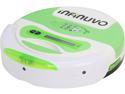
Infinuvo QQ3-LT CleanMate Robotic Vacuum with Home Charging Base and Scheduler, LCD Display Panel
Pros: - Value : less expensive than most - Effective : Effective replacement for frequent manual vacuuming. - Charging base : beats having to plug it in. - Quality : Build quality is good. Unit has held up and shows no signs of stress/ware. - Maintenance : Moving parts are easily removed for cleaning/maintenance.
Cons: - Dumb : This has little intelligence. It just cycles thru patterns which on a whole provide effective area coverage. Easily confused by obstacles - Poor Collection Design : emptying collection bin requires multiple steps and difficult to avoid getting contents on hands. - Poor Exhaust Design : 50% of the vacuum exhaust is straight out the back which tends to spread dirt, dust, etc that it hasn't yet picked up. - Noise : Running noise is very good, fairly quiet...equal to light fan noise. Unfortunately, obstacle avoidance is accomplished with a bumper that when pressed in by running into obstacle, wall, etc. it makes a loud plastic banging noise. On the order of someone cycling a shotgun but with the more the plastic sound of loud keyboard typing) If this was softened or eliminated the unit would essentially run unnoticed. As it is now, I run it at night when I go to bed, and fall asleep to the sounds of it clunking into things around the room below. - Not suited to multiple room roaming: Because of the random pattern coverage vs. battery life I have found it is best suited to block it in section of house and let it run.
Overall Review: 4 egg rating : For what it is, and what I paid (refurb from NewEggFlash) this unit earns 4 eggs on the following reasons: - I live in house with two shedding dogs. Without upkeep several times a week, my floors would be covered in furry tumbleweeds. Having this unit reduces my need to manually vacuum considerably. - I have all hard surface floors with low area rugs, door mats and it gets around fine. As added benefit I have learned to reduce my obstacle footprint (read as : put things away instead of leaving them laying around house/floor) - My routine is twice a week, once for each half of 1st floor, I move it to desired location, turn up chairs (for say kitchen/dining table), turn it on and go to bed. The next morning, I just grab unit, empty dispenser, put on floor and tell it to dock (which is located in sight of trash can). For this, my floors stay 95% visibly clean and free of fur. For that I am satisfied. - Clock program is useless for my routine as I have to place it location anyways. Never used. - Other than the convenience of not having to manually locate unit to various locations in house (because I assume a smarter unit could learn entire floor), I see no value in the extra cost of the more expensive competitor Shortcomings/Recommended Improvements: - Collection Bin/Dispenser is of poor design for emptying. It requires two hands to hold and remove two (yes two) covers. Then it often needs to be brushed out (brush is included) as in my case, fur/hair is caught and doesn't just dump out. A Dyson push-button-to-open design would be much preferred. Volume of bin could be bigger as it fills with fur quickly. - Bumper : as mentioned in Con section, design needs to be improved to reduce noise. - Fur optimized option : I have taken the roller brushes out which is very easy to do to clean them of clogged fur. Would love to see 'kit' to upgrade unit to optimize for fur collection. - IR base detection is easily confused by shiny surfaces. I had to relocate chromed water dish so unit could find its base. - Low clearance improvement : This unit is sufficiently low to get under just about everything. Unfortunately I have a few pieces of furniture with arches that this unit can find a way to get stuck under. Instead of activating the bumper the arch gradually pins the unit so the bumper will not activate and there is stays. I have remedied this by strategic placement of a few large books as part of the cleaning routine.
12/12/2013See more detail
Solid a server
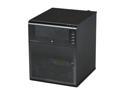
HP ProLiant N40L MicroServer Server System AMD Turion II Neo N40L 1.5GHz 2-Core 2GB (1 x 2GB) DDR3 1 x 250GB LFF SATA 658553-001
Pros: - Compact design - Just add HD and OS is simple. - Quiet
Cons: - would love some server freebies like monitoring or stats SW but thats just greedy.
Overall Review: I have been running WHS 2011 on this non-stop for over a year now. This is a nice compact platform with space for 4 drives. Power consumption is well managed. It certainly gets a workout as WHS is busy most of each night backing up the various computers. It also working serving up all recorded TV to media devices.
4/23/2013See more detail
Great Value, Quiet
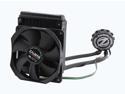
ZALMAN LQ-310 Water/Liquid CPU Cooler 120MM
Pros: I'm running a Phenom II 955 extended to 6 cores in a Thermaltake Armor A90 case. Front and back case fans with this cooler mounted on side panel. Runs supper quiet and cool idling now at 26C CPU Temp, with room temp at 65F Stress of BF3 at high res brings the GPU fan up, but CPU stays constant.
Cons: I did have to remove MB to install, but that isn't cooler's fault.
Overall Review: Great deal on sale.
4/23/2013See more detail
seller reviews
- 1
Seller is not reliable.
Order was never received. Seller did not respond to inquiries from Newegg. Tracking number provided in the Invoice and Tracking Information emails from Newegg is bogus and leads to an 'unable to process' error within Newegg site. Fortunately, Newegg serviced my claim for a refund without incident.
On-time
Delivery
Product
Accuracy
Customer Service
Satisfactory
4/26/2016See more detail