




 here!
I’m your shopping assistant for PC builds, upgrades, and everything tech.
Got questions? Ask away!
Start a conversation
here!
I’m your shopping assistant for PC builds, upgrades, and everything tech.
Got questions? Ask away!
Start a conversation

Joined on 11/13/04

G105 Review

Pros: ~Well built ~very nice back lighting even though I'm not a fan of blue ~For a membrane keyboard, key presses are decent ~Good cheap temporary replacement for a broken G710+ if found for less than $40
Cons: ~Newegg's price ~To justify the high price on most sites, more functions would have been nice(volume buttons, USB port etc) ~How about a fricken palm rest Logitech...absurd it isn't included
Overall Review: Lets be honest if your coming from a mechanical keyboard, this keyboard isn't going to be anything special for you. My G710+ took a dump on me and I found this on another site for $40 and bought it. Clearly not in the same league as my 710+ but for your run of the mill everyday keyboard, this is a very good option if found for under $40. Hands down better than the MSoft Sidewinder i bought for my son IMO.
Decent for what it is...Poor RMA service

Pros: Very nice for what I paid for it. Loads of features.
Cons: Gigabyte RMA service. The board died on me so I RMA'ed it. That was almost 6 weeks ago. According Gigabyte's RMA page, They received the board on 3-9 and repaired it on 3-17. I completely understand that things can go wrong so the rating in this review is in no way a reflection of the motherboard itself. The 2 start rating us based solely on GB's RMA service.
Overall Review: I came back to GB after going Asus for my previous 2 boards and I am very disappointed that I did so. Thankfully I didn't get rid of my Sabertooth Mark 2 motherboard when I decided to downsize to a more compact mATX build. I'm not saying that i will never buy a Gigabyte product again, but I am saying I will definitely consider other brands first before I consider Gigabyte in the future.
Don't do it
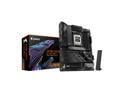
Pros: The absolute worst company. Their board dies and it takes me sending it back 3 times before they figure out it's broken. Sent a new board, doesn't want to boot. This all started in January and its now September. I think I may actually be done with Gigabyte.
Overall Review: Don't recommend
Love it
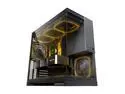
Pros: Compact, yet spacious. Excellent cable management. Love the PSU placement. Loving the subtle lighting from the fans. Build quality is excellent very sturdy.
Overall Review: Wish I had found this case when I first built my pc. I seen and read all the reviews and I can tell you when some say its hard to build in, they just have no clue. Geometric Future made a heck of a case with the Model 5 and I cant believe more people havent jumped on it. Its not required but I do recommend going with an SFX psu like I did and just buy some cable extensions where needed. Temps are good. I have my Hydroshifts pump fixed at 3000RPM and my 7800x3d idles at 35c and hits 75c in a 10 minute Cinebench run with the rad fans set to the quiet profile in L-Connect 3. Comes with 5 fans and I absolutely love the lighting. Subtle and elegant.
Looks great, but has flaws
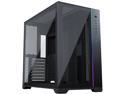
Pros: Well built with lots of room and room for a lot of fans.
Cons: Had to buy an $80 GPU riser and mount because the case isn't wide enough for my RTX 3080 Ti.
Overall Review: Great great case but do your homework on your GPU dimensions before buying.
Shuffle GPU/board combo...Glad I bought it.
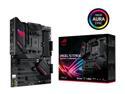
Pros: Already had the Strix X570-E so I didn't need this board at all. Won a shuffle for a 3070 comboed with this motherboard and decided to buy it rather than taking my chances at winning another shuffle. Very Very Very happy I bought it since my X570-E Strix hgad to be RMA'ed for bad ram slots. This board has been 100% stable and a dream to work with since I put it in my system. I also kinda favor the aesthetics of this board over the X570-E because the heatsinks are black on this board where as they are gray on the X-570-E. Just goes better with my build.
Cons: Maybe price since you can get an x570 chipset board for the same money.
Overall Review: Get board if you want an ROG board but don't want to spend $300. You won't be disappointed.


