




 here!
here!
I’m your shopping assistant for PC builds, upgrades, and everything tech.
Got questions? Ask away!
Start a conversation
here!
I’m your shopping assistant for PC builds, upgrades, and everything tech.
Got questions? Ask away!
Start a conversation

Joined on 11/25/12
Worth The Price; In Depth Review
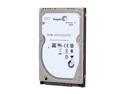
Pros: To begin with, I've owned two versions of this drive; the first generation Momentus XT 500gb, and this exact model. I'm a very heavy video editor/gamer. Laptop: Asus G75VW, GTX 660m graphics card, with an Intel 520 SSD for Windows. The Momentus XT serves as my storage drive. A lot of my computer friends say that my laptop is overkill, but then again, I do work on this computer that would bring most desktops to their knees. I work with raw 4K footage in Premiere Pro, and as such, my Momentus XT takes a THRASHING. Due to my bi-daily defrag of this drive, I'm sure that I'm at least a good 100x past the average read/write rates most DESKTOP drives would ever see, let alone a laptop drive. To begin with, the Momentus XT is the ONLY platter-based drive that I've ever come across which can handle sustained speeds of over 80mb/s, when fragmented. If defragged, I can stay north of 100mb/s sustained. However, the addition of the SSD memory is the reason I bought this drive. After a few boot cycles where I made sure to load Premiere Pro to "train" the SSD on the Momentus to keep Premiere on it, load times are insane. To put this into perspective, one of my friends has a 2012 MacBook Pro running FCPX. With Windows 8, I can go from fully off, to having Premiere loading my 4k footage in the time it takes to get to his login screen. This drive is extremely fast, and I'm sure that if it is used as a standalone, will serve as a beautiful midpoint between SSD's and standard HDD's. What I think is the most noteworthy feature however, is the drive's durability. During a shoot, my laptop fell off of the rigtruck while ON, and in the middle of a RAM Preview for color grading a shot my team just took. There was a scary moment when the drive unmounted from Windows, and because I'm used to something like this being the end of a Western Digital, rebooted expecting to find S.M.A.R.T reporting a failed drive. 8 months later, and I'm still running at full speed. My laptop however wears a scar proudly of that ordeal. Can't ask for better than that.
Cons: I would normally be the kind of guy to spot any little con, but seriously, this drive has NONE. I'm extremely satisfied with these drives, and I look forward to continuing my business with Seagate.
Overall Review: While this may be deemed as overkill, I'm planning a build where I will set up 6 of these in RAID 0 or 1 (to be decided)for my scratch disks/media storage device. I'll upload a review once I get the scratch together to do this :)
Read Before You Buy!
Pros: First off, I'd like to start this review by asking you, the reader, to approach with an open mind. I'm writing this simply because I can understand the consternation on behalf of many loyal Windows fans, and the baseless hating from the Apple crowd. That being said, let's begin. First things first, Windows 8 is a total departure from anything you knew about MSFT. Then again, Windows 8 is nothing like any other OS on the market. It's the first OS that I'm seeing which understands that computers are totally different machines than they were 4 years ago. The lack of a start menu is grating on many, but the problem is not within the product, but the product of looking for a problem. Your start menu IS there, but it is now in the form of a metro screen. Don't care about the news and weather apps, and you only want your program shortcuts? Unpin everything. It's up to you. Everyone says that Windows 8 is only for touchscreens but I challenged all my friends running Windows 7 to beat me in terms of finding programs. Start button --> type the first 3 letters of your program, enter. That simple. Or you can just scroll --> click and BAM! No more accidental clicking of the wrong icons. Ever since I've installed Windows 8, I've noticed a monumental shift in the way I go about my daily business. I pin the messenger app to the far left, and continue working in Word, and never miss a beat. Emails can be pinned to the side while I type a response, and I never have to alt-tab between. It's really an amazing OS. What Windows 8 really shines through on would be the final fit and finish of the OS. It's much lighter on resources and memory, much faster, and little design cues here and there tell me that MSFT has listened to us fans. Finally, a word of advice: for the first 10 minutes of using Windows 8, you will HATE IT. It's nothing like what you're used to. After the first hour, you start realizing that nothing is missing, but it's been changed. By the end of the week, if you stuck with it and learned things like gestures, you realize that going back to 7 is impossible.
Cons: A few issues with Windows 8 would be that certain computers require a little fiddling with their touchpad drivers. Occasional touches on the touchpad could register gestures and might require a touch less sensitivity. Not a big issue, but something I'm sure will be ironed out.
Read Before You Buy!
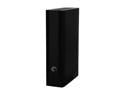
Pros: Most reviewers here do not seem to understand how to use this drive. For one, installation is tremendously easy. Just plug it in and go. Now I will not comment on the actual Back-Up feature, as I only use this as a storage drive. All I did was plug it in, delete all the files on it, and then arrange my folders based on what files I'd like to save. My laptop is equipped with only USB 3.0 ports, and all I can say is WOW. This drive is tremendously fast. I saw sustained 102mb/s speeds (never dipped below) and the auto-off feature is very nice. If you are experiencing issues with backing up software, stop looking at these one-click solutions. What I recommend is simply creating folders: Pictures, Music, Documents, Programs, Downloaded files, etc. Drag and drop files to these folders, and trust me. If you ever need to recover your data, this becomes extremely useful. Something worth mentioning would be the fact that this drive now becomes a competent media storage drive for video work. One memory card dump = 64gb gone in one shot, and I work with Premiere Pro. This drive can keep up with my work, and in the future when I really fill it up, simple weekly defrags will keep you running at that magic 100mb/s speed. Build quality is excellent; this drive looks handsome on my desk, and the cable is neither too long, or too short. This drive is not designed to be a drive you can take everywhere you go, but that's the point; this is a drive meant to stay on your desk. If you need a drive for portability, get a rugged, shock proof drive. Simple. I am always impressed with Seagate quality, and aside from my Intel SSD's, all of my platter-based hard drives are Seagate. All Momentus XT's. One Momentus ran into an issue but I was able to get my files off of it, and Seagate RMA'd it in 3 days flat. Painless. I just called, ran their diag. utility, read them the code, got the new one in the mail, stuck the old one in the box, mail and done. Seagate has officially taken all of my business from Western Digital, and I could not be happier. This drive is a stupendously good deal, as long as you understand that it is meant to stay on your desk, and you can do something as simple as organize folders via. drag and drop.
Cons: The only thing that I do not like is that the charger wire is not as long as I'd prefer; this is pretty much a non-issue as it is about 4ft. long, and is more than long enough for 99.9% of people. As for me, I like doing cable management so pretty much every wire I have is "too short". Also, the drive on the whole is whisper quiet, but you might have to put it on something to absorb the micro-vibrations; I have sensitive ears and it creates the faintest hum when placed on a resonant surface. However, if you put it on top of a book, or in my case, 4 rubber eartips from an old headphone, the drive pretty much disappears.
Overall Review: When reading reviews for devices, try not to let the short complaint reviews hinder your buying experience. Many times, the people who either type in all caps, or leave short reviews have limited computer knowledge, and as such, blast products for user error. Also keep in mind that with Hard Drives in general, there is always a risk that one you buy online is defective, because UPS/FedEx employees like to play catch with your devices. Hard Drives are extremely delicate, so do not blast a product too much if it arrives and it doesn't work. Call Newegg tech support, and exchange it for a new one. I've had this happen a few times, and trust me, it's not the drive but the way it was treated in shipping.


