

Your Browsing History


Joseph B.
Joined on 12/06/01
0
0
product reviews
- 3
Great little KVM
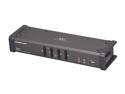
IOGEAR GCS1104 4-Port USB DVI KVMP Switch with Audio and Cables
Pros: Worked with my Mac Mini. Keyboard, mouse and video all worked. Also worked with everything else (Windows and Linux), but the Mac was my biggest concern. I'm using an ASUS 25.5" 1920x1200 monitor, and every device sees it correctly. I'm using a windows keyboard, and the Mac is okay with that. My mouse is a Logitech G5 and, again, the Mac is okay with that. Everything is working on this KVM.
Cons: Haven't found a way to switch video/keyboard without switching the audio using hot key combination. I can do it by briefly tapping one of the KVM buttons though.
Overall Review: I'd recommend this to anyone who needed 4 KVM ports.
9/22/2010See more detail
Nice monitor with one big flaw.
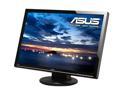
ASUS VW266H Black 25.5" HDMI Widescreen LCD Monitor 300 cd/m2 1000:1 (ASCR 20000:1) Built in Speakers w/ component connector
Pros: Large, bright, easy to read.
Cons: This monitor "crashes." As in, the embedded processor seems to die. This generally happens when it is plugged into my Mac Mini and the Mini goes into sleep mode. Every so often when this happens the monitor's power light goes amber (indicating the monitor is in low power mode) and then crashes. Pressing the power button at this point does nothing - you cannot turn the monitor off and it will not come back on when it has sync again. The only solution is to pull the power plug on the monitor and plug it back in. Once you do this, it works fine again... for a while.
Overall Review: I would RMA this, but it is really hard to get a 1920x1200 monitor these days (everything is 1920x1080). So I am going to put the monitor on its own power strip and toggle power when I have to.
9/21/2010See more detail
Would be nice with a good firmware
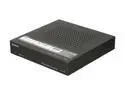
SONY SMP-N100 Network Media Player with Wi-Fi
Pros: Small, good video out, lots of channels, lots of supported codecs on USB. Nice remote.
Cons: Some aspects of the UI are very poorly done - for example 'searching' uses the same mechanism as texting on an old cellphone. Extremely Poor DLNA support. DLNA movies frequently lose sound tracking and I have seen it off by as much as 15 seconds. Netflix browse limited to instant queue. No music shuffle or playlists in DLNA. I can't seem to thumbs up/down in Pandora. Has youtube support but doesn't show related videos, followups, etc..
Overall Review: This little box has great potential, but unless Sony commits to updating the firmware, it will never be realized. It really needs to support codecs in DLNA the same as it supports them on USB. It advertises itself as DLNA certified but has extremely limited codec support on DLNA. I transcoded a video file using the official Divx codec, and this thing couldn't play it. The only video files I have seen it reliably play over DLNA are unencrypted .VOB files (DVD video) and Xvid AVI files (yes Xvid, not Divx). AAC audio tracks are also not supported on DLNA, I've only seen MP3 work. To use this to play my home network library I would have to transcode all video to Xvid+MP3. Additionally all search boxes need to remember what I last searched for and the alphanumeric input needs to improve. Performing even the most basic search through this interface is painfully slow.
11/23/2010See more detail