
Your Browsing History
 Holiday Shipping Details & Extended Holiday Returns Holiday Shipping Details & Extended Holiday Returns

Joined on 10/23/16
Runs a little toasty but games like a champ
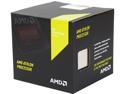
Pros: -Quadcore, most programs read it as some sort of hyperthreaded processors, except for games, they see it as true quad, so will play pretty much any game. -Easy to install, shipped fast, working well so far.
Cons: -gets a little toasty on stock cooler, may be because I have a mATX case with only one intake fan, and it's rather toasty where I live. either way, even when it's cooler, at night, it reaches same temps. -I've used FM2+'s cooler mechanism before, and it was dumb the first time, and it was dumb this time, take your time, and ensure you got your latches aligned right before pushing down. or hooking in.
Overall Review: -For 75 bucks, it's a steal. Haven't played a game yet it can't handle, never seen it go above 70% usage when playing games and watching videos at the same time. -I know people say the 860k is the better budget deal, or the Pentium G, but they don't know what they're talking about. The Pentium is only good for single threaded games or dual threaded, and likely can't even play most games without significant tweaking or third party software due to two threads. The 860k is typically $20 cheaper than the 880k. I suppose if you can snag it for like 40 cheaper it's worth it, never seen it that low personally. However, consider how much worse the 860k's stock cooler is, it's not even rated for the heat the 860k itself is expected to give off. If the 880k is barely staying comfortable with the beefier semi-wraith, there's no way the stock 860k will manage with the smaller heatsink, forcing one to likely add $20 for a quality cooler that will actually get the job done, effectively making the 860k and 880k equal in price, all things considered. Basically, either live somewhere cold and don't worry either way, or pick the 880k, in my opinion, as it comes with a decent cooler, and has higher stock clocks.
Random Crash
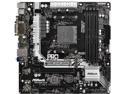
Pros: -looks nice -has vrm heatsink -4 dimms -usb - c -"affordable" -two m.2 slots
Cons: -vrms are a 3+3 not 6+3 or 9 phase as they advertise -pcie x 16 3.0 slot isn't the top slot, a preference thing but I prefer it as top slot -could use more fan headers(mostly because the 3-pin is not smart fan controllable as I believe it said it could manage) -It crashes randomly. Same problem as everyone else. The only thing I've find that reduces crashes, only slightly(changes from every 15 mins to about every 45-60, is using a top down cooler. Makes me think VRMs are overheating. The crash, as far as I can tell cuts power to the CPU, which is why all system fans will max out, similar to a dead cpu socket. Problems started about a month after purchase, just outside of newegg's policy.
Overall Review: I can't recommend this product as it is. I'd be willing to change my tune if I could get my hands on a working version, but this problem seems to be widely reported. I'm not sure if this was a bad batch during dec-jan, or what. But, if I can't get this RMA'd quickly I'll probably just get a competitors board... If it actually functioned properly, I would personally prefer the pcie x16 in the top slot, and more fan headers. Also, just be honest about the VRMs, they're not terrible, all your competitors have around the same 3-4 phase setup, this was just misleading. I know it looks better with more, but if it doesn't function how it looks like it should, and how you say it should, I would rather just know what they are. 3+3 phase was adequate, didn't need this parallel stuff.
Kinda too small and loud
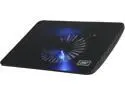
Pros: -The led is cool I guess -it's light and small(but this is a con I will explain later too)
Cons: -it buzzes, as other users have said it's kinda loud and the only thing I've found that reduces it is lifting it so it's not angled anymore, but that barely helps -it's small, it's actually almost too small for a 15.6" laptop, the edges of the laptop hang over it, only the feet are on it. This is okay in some situations but I was expecting a better fit, I wouldn't recommend it for 15.6" or larger. -I knew this going in, but no USB pass through
Overall Review: Get rid of the buzzing, and maybe stress that it fits up to the feet of a 15.6" and not the whole laptop. As well, a switch to maybe toggle to 50% speed would be nice, this may combat the buzzing if it's a vibration issue.
Broken Key on Arrival

Pros: -Beautiful Lighting -Quiet Keys -Non-broken keys type well
Cons: -It arrived with a broken off " . del" key on the numpad -According to cougars website, broken keys on arrival aren't a good reason to use the warranty and the FAQ for it suggests a replacement from retailer, as they don't carry replacement keys.
Overall Review: I will try to update this after a replacement is received, assuming the replacement works, and is intact, I would go ahead and give it a 5 off first impressions, can't speak to long term use, but a broken key on arrival isn't a good sign, hopefully it's a rare occurance, here's hoping! Edit: The return looks good and seems to work fine, hopefully it lasts.
Aesthetically pleasing
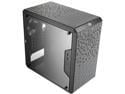
Pros: -looks great -small -fan mounting options -included 3-pin air flow fan -can fit some rads -comes with zip ties -the front panel thing can be moved(all cables are black except audio which is black down to the very end, where some color is exposed -comes with standoff -> screwdriver converter/tip -fits large GPUs -fits uATX(the longer 4 dimm mATX) -Very affordable -side window -cable routing space -AIRFLOW -PSU at bottom(kinda rare in this price range/form factor)
Cons: -came with one of the magnetic filters a bit crushed up, letting it sit in place has straightened it a bit -the filters are kinda unevenly cut -can feel the glue holding the magnets from the outside of the filter, it's sticky. -No psu shroud or rubber grommets for hiding cables better(understandable at the price, just saying though) -No 5.25" drive slot, could have easily fit one or made it an option(just a personal preference to have it) -Breakout GPU slots, not slot covers if you change your mind or board(huge con really, I've had cheaper cases with replaceable expansion slot covers) -Only one full size HDD slot, though I'm not convinced you can't just mount one in the 2.5" slot, I still feel like there was space to sneak some in, or maybe an adapter for the bottom mounted 120mm fan slot?(i knew this going in though, just another personal thing)
Overall Review: -I'd recommend it if you can do without the DVD drive slot/have a longer mATX board. -I think it's pretty affordable and attractive. -It's probably the best looking and built mATX case for the price so long as you don't need a 5.25" drive or a ton of drive space. -The biggest build quality wise con are the dust filters, they seem rushed and I don't like that they're sticky. The rest of the case seems top notch though, even the standoffs are all black.
Bigger than I expected, and I expected it to be large.
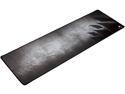
Pros: -This thing is large, like really large. It can be difficult to discern this from the pictures and specs alone. - Anti-fray stitching, always annoying to get the edges peeling up. -Doesn't seem to slip. -Smooth, works great with my DeathAdder, so optical mice should be a go.
Cons: -This is a personal issue, I have the bad habit of resting my wrist on the pad, and the anti-fray stitch can be uncomfortable. -This may just be mine, but it stinks. I just got it, and it stinks bad. Like rubber, yes, to be expected but... on top of that, it stinks like manure, or some sort of fertilizer, it's awful, and I can't get rid of the stench. I've tried some sprays near and under it, but I don't know what to do...
Overall Review: -I would recommend it, especially at $14.99, the price I paid. -Pretty plain, and standard design, black, white and grey will go with just about anything. -Fast delivery, from newegg anyway. -Overall, I really like it, it seems like quality material, and mouse glides, my only issue is this particular one smells terrible, and I'm not sure that warrants a return etc. and i'm hoping the smell goes away after some use. -I have decided to amend this review, as I've owned this now for maybe a little over a week, and the corners and a side are fraying... These aren't even areas I use or touch frequently. It doesn't feel like it's worth sending back for a return or replacement as I have to ship it back, however, be warned of potential quality issues. It is just a corner and not physically annoying as if it were the wrist area, however it's clearly only a matter of time. It will be nice while it lasts I guess.