




 here!
here!
I’m your shopping assistant for PC builds, upgrades, and everything tech.
Got questions? Ask away!
Start a conversation
here!
I’m your shopping assistant for PC builds, upgrades, and everything tech.
Got questions? Ask away!
Start a conversation

Joined on 06/24/03
Great Motherboard
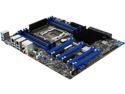
Pros: Pretty nice board. It Has a bunch of features, bios is very easy to navigate, doesn't take long to post, no major issues so far. Installation was a snap.
Cons: As most people have stated, Supermicro doesn't include instructions but they do have them online in PDF form. I will say that downloading the ISO image of the CD is a bit of a hassle (4+ Gigs). If you don't include a physical instruction booklet fine, but at least include a CD with the motherboard drivers. Some minor issues loading the chipset drivers which caused the system to hang on restart. Powering Down the system and restarting fixed the issue.
Overall Review: What i'm running -Plextor 256GB SSD -Intel Xeon E5-1650 v3 -SAMSUNG 16GB 288-Pin DDR4 SDRAM ECC Registered DDR4 2133 I'll have another review once i've let the system bake for a bit longer.
So far so good
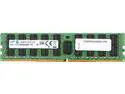
Pros: Installed these on my Supermicro X10SRA-F. No issues so far.
Cons: None yet
Overall Review: Hopefully these will remain stable for a long time.
Great Heatsink
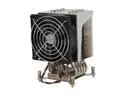
Pros: Easy to install, Pre-applied thermal paste, quiet fan, and spring mounted screws ensures the perfect amount of torque.
Cons: None
Overall Review: Installed on a supermicro X10SRA-F, with a Intel Xeon E5-1650 v3. Remember to alternate screwing down the first set of diagonally mounted screws a little at a time. Otherwise once side will be torqued in all the way and the other side will see saw upward
Grillz
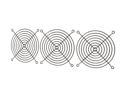
Pros: Black grills go with everything
Cons: They cost money
Overall Review: Seriously, it's a black 120mm grill. Shipped as described, nothing bent.
Good little adapter
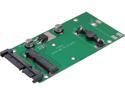
Pros: Works as described. I had not problems with the clips. Works with the Plextor M5M mSata SSD.
Cons: None
Overall Review: If you're using Windows 7, don't forget to use the "Disk Management" utility to format the new SSD (Start => Control Panel =>Administrative Tools=>Computer Management=>Disk Management). Otherwise the disk won't pop up under "My Computer".
Almost Perfect
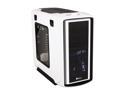
Pros: -Plenty of Space for virtually all your needs -Quiet Fan operation -Beautiful LED's -Snap in architecture for Hard Drives and Front Drives is awesome -Cable routing design and grommets makes for clean no nonsense wiring
Cons: -Plastic vents are a flimsy for a case this expensive. -Front Panel mounted USB 3.0 Port is double ended and pretty much useless. How about making it USB 3.0 --> MOBO connectors instead. -One of the thumb screws for rear accessory panel was stripped in. Not a big deal but Corsair if you're listening get your QC on track. This is inexcusable for a case close to $200. -Instructions for connecting the speed fan controller are non existent. I found the directions on you tube but I shouldn't have to go to the internet to find something that should already be explained and packaged with the case.
Overall Review: If the Empire decided to make a computer case modeled after a storm trooper, this would be the result. Setup -Cooler Master Hyper 212 EVO -G.SKILL Ripjaws X Series 16GB (64GB total) -Asus Sabertooth x79 -i7 4930k CPU -Corsair 750HX PS -EVGA 770 GTX 4GB PCIE x16
Great Seller
SSD arrived as indicated. No problems with the product. Installed and works perfectly. Seller followed up with me to ensure the product arrived in good working order and if there were any questions. Buy with confidence.


