

Your Browsing History


Mike C.
Joined on 06/03/04
0
0
product reviews
- 13
Nice little adapter
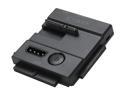
ICY DOCK MB981U3N-1SA SATA/IDE 2.5"/3.5" Hard Drive or SSD Portable Adapter supports USB Bus-Powered
Pros: Portable, on/off power switch, usb 3.0, compatible with sata ssds/hddsand ide 2.5"/3.5", adapter cord is long enough for me
Cons: none
Overall Review: I use this adapter to test all of my new ssd and hdd drives, as well as to transfer data from older or failing drives to a new location. Others have mentioned that it needs a strap for the heavier hdds, however, I just lay the drive itself on a anti-static pad and pop this adapter in (I leave the actual adapter lip hanging off the edge of my workspace) . This works extremely well for me. For ssds, you can just leave the drive in the upright position because there isn't much weight to concern yourself with.
7/30/2013See more detail
Polk Audio fan
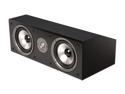
Polk Audio CS2 Series II Center Channel Speaker (Black) Single
Pros: Great sound at low volumes (as others have stated). Crisp and handles power without distortion. For the price, this was a great buy. I use this center, 2x polk monitor 70's, and 2x polk vm-10's, in my back room, to listen to vinyl. I am happy with this buy and this setup continuously causes my wife to come in the room and turn the volume down lower (this isn't an issue for me).
Cons: It is a big center. I didn't check the weight and size of this prior to receiving it. If you don't have a lot of space for a center, don't buy this one (I was able to make room). If you have small l and r speakers, you setup will look strange.
Overall Review: I told the wifey to crank up the onkyo/polks/epik setup, in the den, to combat the greatness coming from the back room. Strangely, she didn't find my statement funny.
5/28/2015See more detail
Nice raid controller
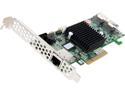
areca ARC-1224-8i PCI-Express 2.0 x8 SATA / SAS RAID Controller Card
Pros: * Great, solid hardware RAID solution * Affordable for what you get * Easy to set up * 1Gb on-board cache * Tons of raid levels * 6Gb/s Sata III * No fan, but passive cooling is just fine
Cons: Instructions are there, albeit in a strange order and you find yourself jumping around a bit to look for login default password (for me anyway).
Overall Review: I would definitely recommend Areca raid controllers to my colleagues.
2/3/2014See more detail
Crossfire greatness
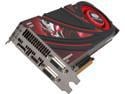
SAPPHIRE Radeon R9 290X 4GB GDDR5 Graphics Card 100361SR
Pros: Crossfire was a breeze in Windows 8.1 Pro x64. I installed the second card after running a single card for a few weeks, and after one restart the card was initialized and a crossfire textbox popped up and asked to be enabled. It was that easy. I am running eyefinity at 5760x1080 @144hz and these cards shine on BF4. I have most of my video options set to ultra and am getting well over a minimum of 100fps in games with 64 players. On load, in a HAF X case with excellent airflow/fans, my cards usually run 73-83c. I couldn't be happier.
Cons: The stock blower coolers aren't the best and the fans can get loud if you don't have good airflow in your case.
Overall Review: I am currently using Catalyst 11 9.2 beta drivers and newer games are running very smoothly for me. I have both of these cards set to the second bios setting that is closer to the front of the case, if mounted normally with the connector plate on the rear of the case. This allows the fans to run at 55% on load, which offers much better temperatures over the quiet mode 40% fan speed. The cards can get hot, but they are rated to be okay to run at 95c. The heat and fan noise are not issues for me when the fans are running on load because I'm either using headphones or have my speakers turned up. The cards are quick to cool and return to a quiet idle state during non-taxing activities. After testing a single card and making an earlier review, I will say, at this point in time, that two of these cards are the best thing since sliced bread. I think AMD did a really great job on these cards. Once again, make sure your mobo bios and drivers are updated. Get the latest Catalyst beta drivers from the AMD site. Remember, this is a new card and the driver support will only get better but is already pretty solid. BF4 has known memory leak issues that should be resolved soon, but I have played 30+ hours on this particular title with minimal crashes to desktop. This is a DICE issue and no fault of these beastly cards. Either way, take my review for what it is worth. Buy one or more and love them, or don't.
11/11/2013See more detail
Nice GPU
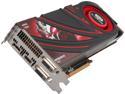
SAPPHIRE Radeon R9 290X 4GB GDDR5 PCI Express 3.0 Graphics Card 100361BF4SR
Pros: * 4gb GDDR5 * Single card runs eyefinity 5760x1080 on CS:GO, BF3, BF4, etc at 144hz at moderate settings and is highly playable * Card responds well to good case airflow.. it hasn't broken 70 after 6+ hours of gaming. * crossfire without a bridge * new drivers are pretty solid and I expect even more improvements to follow * costs less than competition's similar card and offers great performance * the color black/red looks great in my black/red build * paired perfectly with a 4390k, 32gb ram, ssds, evga dark and three monitors for an amazing experience
Cons: none so far
Overall Review: *I will be getting a second one of these for crossfire, after testing this one For those who are having issues, you should read up on the system requirements and understand which driver to get BEFORE you complain. *Get the latest driver: AMD Catalyst™ 13.11 Beta7 for Windows® http://www2.ati.com/drivers/beta/amd_catalyst_13.11_betav7.exe * 750 Watt Power Supply is required for single card (1000watts for dual and possibly more needed depending on what cpu, ram, etc you are runnning). * PCI Express® based PC is required with one X16 lane graphics slot available on the motherboard. * 1X75 Watt 6-pin PCI Express power connector is required. * 1X150 Watt 8-pin PCI Express power connector is required. This card is a beast. Make sure it can fit in your case.
10/29/2013See more detail
Seagate Solid
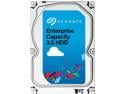
Seagate Constellation ES.3 ST1000NM0033 1TB 7200 RPM 128MB Cache SATA 6.0Gb/s 3.5" Enterprise Internal Hard Drive Bare Drive
Pros: All three worked out of the box and passed testing. Lucky me (due to cons below). 128mb cache is nice on these drives and causes a noticeable performance (esp. when comparing to a 32mb cache) improvement. Good 5yr warranty.
Cons: *Cons are only about shipping* Bubble wrap could/should have been better (was completely popped) as the sides of two of the drives were pretty much against the box when they arrived.
Overall Review: Bought three of these for a raid 5 on an Areca card. ES drives are the way to go for storage raid, imo. I have been using Seagate for years and will continue to do so.
7/30/2013See more detail