

Your Browsing History


Gary W.
Joined on 06/24/05
0
0
product reviews
- 9
Good but not perfect
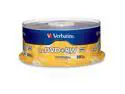
Verbatim 4.7GB 4X DVD+RW 30 Packs Spindle Disc Model 94834
Pros: I have tried several other brands of DVD+RW media, with mostly disappointing results. One brand gave me lots of unreadable discs when used in the computer. Another brand gave me disappointing results when used with stand alone DVD recorder. I have had excellent experiences with Verbatim DVD-R discs in the past, so I thought I would give Verbatim DVD+RW discs a try. The good thing is that it is the best DVD+RW discs I have tried. There are far fewer problems than I have experienced with other brands. With other brands, I get error messages that the disc cannot be played or recorded. Close to half of the discs I used gave me this message. With Verbatim, I still get a couple of these messages, but every disc (when new) worked when I first put it in the recorder. After a few recordings, the problems start, but again, much fewer problems than with other brands. I am only giving it 4 stars because I think part of the problem may be caused by the format, but not these discs.
Cons: Even though I experienced fewer problems than with other brands of discs, I still have problems. Some of the problems were data errors that the computer cannot read. Some of the problems were discs that the stand alone recorder says can neither be played or recorded. These same problems happened with other brands, so I believe that the DVD+RW format may be part of the problem. DVD-RW discs seem to be less problematic, although the same problems do occur with DVD-RW discs as well.
Overall Review: DVD+RW discs are more convenient to use with stand alone recorders because there is no need to "finalize" the discs, an additional time consuming step that is required when using DVD-R or DVD-RW discs. DVD+RW discs are ready to play in DVD players or computers after the recording has stopped, without a need to finalize the discs. However, the flip side is that DVD+RW discs are definitely more problematic. With some brands, more than half of the discs may prove unusable, not to mention the time that is wasted to record the discs. Nevertheless, I have not given up on DVD+RW discs. However, I would use DVD-R discs, but not DVD-RW or DVD+RW discs, if I cannot afford to have the recording fail because I cannot go back and re-record it. There is one other brand of DVD+RW discs I have not tried: TDK. I am optimistic that TDK may be even less problematic than the Verbatim. If not, I guess I would just use DVD-RW discs from now on.
3/14/2009See more detail
Loud fan!
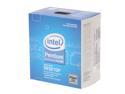
Intel Pentium E5200 - Pentium Dual-Core Dual-Core 2.5 GHz LGA 775 65W Desktop Processor - BX80571E5200
Pros: It is low priced and it is a good CPU.
Cons: The loud fan that came with the CPU is a shocker. My previous CPU is a Celeron, Pentium 4 class CPU, and it had a quiet fan that does it job without making its presence known. So it was a shock when I turned the computer on after installing the motherboard. The noise is so bad that the CPU cooler must go!
6/4/2009See more detail
Works!
PNY Optima 1GB 200-Pin DDR SO-DIMM DDR 333 (PC 2700) Laptop Memory Model MN1024SD1-333
Pros: It works! My laptop calls for PC2100 memory, but I have figured out from reading the reviews of others that PC2700 will work just fine in my laptop. Just make sure that it is the same type that the computer requires (DDR or DDR2 cannot be mixed for example) and it is the same speed or faster than the computer requires. Unfortunately this information is generally not available in the product descriptions. I can even mix memory speeds. Right now I have 1 gig of PC2700 and 256 meg of PC2100 RAM in my laptop and there is no problem at all. I believe both memory modules will run at the same speed as the PC2100 RAM. Buying PC2700 RAM actualy saved me money over PC2100 RAM. Sure beats having to shelf the 256 meg of RAM or buying 2 new memory modules.
Cons: None whatsoever.
Overall Review: The free shipping really helps keep prices down.
7/7/2009See more detail
Class Act
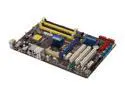
ASUS P5Q SE/R LGA 775 Intel P45 ATX Intel Motherboard
Pros: This motherboard is classy looking. This is the first ASUS motherboard that I bought, and it will almost certainly not be the last. My Intel Pentium 4 motherboard died one day, after having trouble recognizing the keyboard for months. I was all set to buy another Intel motherboard. Then I saw a used one in an auction. Big mistake. The used motherboard did not even boot up. Every cloud has its silver lining though, as I decided to give Asus a try instead. So far so good. Judging from the design and workmanship of the board I received, it is a class act. Even though I the Intel motherboard I planned to buy came with firewire built-in and this one does not, I have no regrets buying this one.
Cons: None so far
6/4/2009See more detail
Very nice
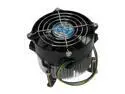
Dynatron P985 92mm Ball CPU Cooler
Pros: This CPU cooler is very nice. It has a quiet fan and its mounting system is well designed and it lets you know that it is securely installed without fear that it may pop out or over tightened it. The stock fan that came with the Intel Dual Core CPU has a fan with the Foxconn label on it. It was a shocker to hear the noise coming from the stock CPU fan, especially since the Pentium 4 class Celeron processor I bought years ago had a quiet fan that made no noise. I had to get rid of the stock fan or put up with the constant ruckus coming from the CPU fan and the constant fear that it may fail one day without warning. After reading the reviews at Newegg, I decided that this is the one because of its quietness. Thanks to all the reviewers at Newegg for their accurate evaluation of this CPU cooler!
Cons: The mounting system requires the fan to be mounted prior to the motherboard being bolted onto the computer case. I did not know that and I had to remove the motherboard after installing it.
Overall Review: I wish Intel would charge a few bucks more and put in a better stock fan. The noise that the fan makes is totally unacceptable. I don't know if the noise is as bad for the other people who bought the same Intel CPU that I did. If the fan I got is typical, then aftermarket CPU cooler manufacturers should send Intel a thank you note. :) I have been building my own computers since my very first one, a 386/33 Mhz machine, and I don't remember ever hearing a CPU fan that is as noisy as the one that came with this dual core Intel.
6/4/2009See more detail
Great burner AND reader
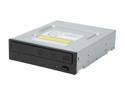
Pioneer CD/DVD Burner 20X DVD+R 8X DVD+RW 12X DVD+R DL 20X DVD-R 6X DVD-RW 40X CD-R 32X CD-RW Black IDE Model DVR-117DBK
Pros: Pioneer makes one of the best DVD burners around. As a bonus it is also excellent at reading discs. My other burners (old NEC drives) and a Lite-On ROM drive both returned errors on some discs, but the Pioneer can read virtually all of them. That is outstanding performance, especially considering its low price.
Cons: None so far.
Overall Review: I bought the first Pioneer based on the reviews of the other buyers, and because I was hoping that Pioneer would be better at reading discs than the NEC drives I had. I was not disappointed. In fact, I can probably retire the Lite-On that I bought to read discs that the NEC could not, since the Pioneer is outperforming the Lite-on ROM drive at reading discs.
5/13/2009See more detail