




 here!
here!
I’m your shopping assistant for PC builds, upgrades, and everything tech.
Got questions? Ask away!
Start a conversation
here!
I’m your shopping assistant for PC builds, upgrades, and everything tech.
Got questions? Ask away!
Start a conversation

Joined on 12/04/04
Should make Windows 7 Work More Efficiently
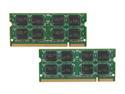
Pros: Efficient, no errors, does what it's suppose to do.
Cons: none so far
Overall Review: I am upgrading to 8 gigs of ram total from 4 gigs on my Sony VAIO VGN-AW230J laptop running Windows 7 Home premium 64 bit. Windows 7 64 bit alone can use up to 2 gigs of memory and with less memory, caching uses the hard drive which slows down your computer. Crucial has not let me down on the five computers I own and two I have built in the past. If your having trouble getting your 64 bit Windows 7 to see all your memory:First: Set maximum memory win 7 x64 Check the advanced boot options. Go to Start, in the search bar type msconfig and press enter System Configuration window will open on the screen Click on tab named "boot" Click on "Advanced Options" and uncheck the box for "Maximum Memory" 2nd: Make sure Maximum Memory is enabled in your Bios, check your Bios manufacturer's website to see how to enable this in your Bios.
HP Officejet 7210 All-in-One
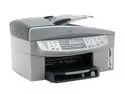
Pros: has its own dialup modem and keypad for the fax so sending faxes doesn't have to involve using the computer.Has both firewire and Usb connections so connecting 2 computers is a breeze(no router needed)the software doesn't bog down your computer and you can choose whether to have the icon running in the taskbar or not. Turning it off doesn't interfere with use of the printer at least it didn't in mine.
Cons: the smartcard connections on the front do not work with a kodak DX6490 card
Overall Review: For an all in one printer/fax/copier/scanner/photo printer, it is the best for the price. It has been an essential element in our business.


