


Your Browsing History


PETER B.
Joined on 12/05/01
0
0
product reviews
- 2
Very bright, works great
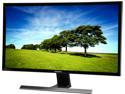
SAMSUNG U28E590D Black 28" 4K UHD Widescreen LCD/LED Monitor, AMD FreeSync 1ms, 370 cd/m2 DCR Mega Infinity (1000:1), VESA Mountable, HDMI DisplayPort
Pros: Bright, no need to adjust, works great. Have Neon Linux running on it, and it looks fantastic. Will try FlightGear later, but for now, it works like a champ.
Cons: VESA mount is at the top of the unit, so if you have a VESA mount plate that is larger, you will see it poking it's head above the unit. I think they could have done better on that. Also, the cable placement clearly ignores that you might VESA mount this, as any cable you plug in will extend into the wall, pushing the lower half out. The fix for me was to put a 1/2" plywood square behind the mount plate so it would all work. It's annoying.
Overall Review: Very light, very bright.
6/20/2017See more detail
Good, Fast, great developer machine
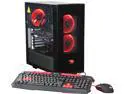
iBUYPOWER Desktop PC Chimera NE003i Intel Core i7 7th Gen 7700K (4.20 GHz) 16 GB DDR4 2 TB HDD 240 GB SSD NVIDIA GeForce GTX 1080 Windows 10 Home 64-Bit
Pros: Quick and easy setup. I am up and running Ubuntu on it in just minutes. It's fast, everything just worked. I don't game much (some FliightGear, but nothing else), so I got this unit for SW development. It's fast. It's pretty.
Cons: Installing a 3.5 hard drive took some effort. It wasn't obvious that you had to remove the power supply and get cabling out of the way. That drive tray is cheap too, no padding or ability to pad to reduce vibration. One screw only to fasten the drive. There is enough room to make something on rails or pull out. There's a weird button on the back, little round thing on the top, that seems to turn the liquid cooler pump on and off. I didn't know about this, and can't find the reference in the limited documentation that came with it. When I accidentally pressed the button, I think the pump started rattling. It was loud. Sounded like a fan going bad. But unplugging the fans didn't fix it. Finally found a cable to the button on the back which seemed to be the only item in that area still plugged in, and there I was. I still have no idea what that button does other than make the unit unbearably loud.
Overall Review: No external drive slot. In hindsight, I should have realized from the images, but that took me by surprise. I wanted to install a BluRay RW, but can't. Not the manufacturer's fault, I should have realized, but it was a bit of a shock. Very nice case, packaging was very nice. Install was a breeze. They could improve drive installation A LOT, but I don't do that much. I upgraded to 64 GB of RAM (again, development machine), and added a 4TB HD and 1TB SSD to work with. All very nice. Would recommend.
6/19/2017See more detail