


Your Browsing History


Steve B.
Joined on 10/14/07
0
0
product reviews
- 2
Solid Economy Supply
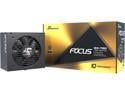
Seasonic FOCUS GX-750, 750W 80+ Gold, Full- Modular, ATX Form Factor, Low Noise, Premium Japanese Capacitor, 10 Year Warranty, Nvidia RTX 30/40 Super, AMD GPU Compatible, Ref# SSR-750FX
Pros: Great value (when it was on sale with a rebate) Solidly built Fully modular Compact size Hybrid fan mode for quieter operation in many applications 10 year warranty Nice bundle of included accessories
Cons: Really poor included "instruction manual" Relatively small fan (but necessary for the small size)
Overall Review: This a solidly built supply with the advantage of a fully modular cabling scheme (but honestly, other "partly modular" supplies with hardwired CPU cabling is, in my opinion, hardly a disadvantage). Its compact size necessitates a smaller fan that arguably may be noisier to push the amount of air necessary under full load, but unless the supply is being taxed by using it near its 750W spec and in a poorly cooled environment with inadequate air flow, the fan is probably going to be easily adequate. (To be honest, in my application I've yet to hear the fan at all, so I can't even say whether it's even turned on yet.) Hybrid cooling is a nice feature, though its operation is one of the things that the wholly inadequate included instruction manual omits (however if one goes to Seasonic's website, their description of the supply's features does provide an explanation of what happens depending on how the pushbutton is set on the back of the supply). The one page of instructions in each language isn't even unique to this supply, and it is so lacking in anything specific that it's virtually useless. In addition, some table of specifications would be nice, including noise levels at, say, silent mode operation and full fan speed (I know I'll get in trouble for this suggestion, as quantifying noise is very much a relative things with no standards regarding how far away to take readings, whether to measure it with the supply in some type of "standard" enclosure, at what load and ambient temperature, etc.; but some of the other manufacturers do spec it, and if Seasonic is going to make general claims about things like their hybrid mode offering quieter operation, it would nice to have some type of substantiation). One problem I did run into -- and this is not Seasonic's fault, but it's a hard-learned warning that I'll offer to others -- is that while the cabling is modular, the included cables are NOT interchangeable with cables from some of their other supplies. To be specific, I borrowed a friend's Seasonic Titanium series 1000W supply, bundled up and attached the cabling to my case, and because the actual connectors are indeed interchangeable, I assumed that when the 750W power supply arrived, all I would have to do was unplug and remove the old one, then mount and reconnect the new one to the existing cables. Unfortunately, that proved to be very much wrong, reinforced by my after-the-fact observation that the part numbers are different on what appear to be otherwise similar cables. Seasonic is obviously confident in the quality and reliability of their product, as proven by their ten year warranty (a pessimist might argue that they're really assuming that if it breaks within that time, few people will save their receipts to claim their warranty anyway; but I'll give Seasonic the benefit of the doubt). And besides including a reasonable number of various cables (not enough to fill all of the supply's connectors, but certainly more than adequate for my application of two RAID hard drives, an SSD, a BluRay writer, case lights, and an nVidia graphics card), it was nice to also find included tie wraps, cable wraps, and unexpectedly nice packaging with a compartmentalized box and the cabling and power supply separately enclosed in drawstring-type cloth bags. At $64.99 ($79.99 with a $15 mail-in rebate) and free shipping, the supply was a no-brainer. However, when the price went up to $104.99 with $4.99 shipping, I would probably have considered other supplies too, as this is Seasonic's more economy. But all things considered, it is a very acceptable product that would only really benefit from a better instruction manual and maybe a power LED (mostly for troubleshooting during builds, as I'm guessing most people don't see the back of their computer once it's completed and in use).
12/9/2017See more detail
Great Board and Price
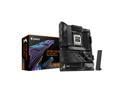
GIGABYTE X870E AORUS ELITE WIFI7 AM5 LGA 1718, ATX, DDR5, 4x M.2, PCIe 5.0, USB4, Wi-Fi 7, 2.5GbE LAN, EZ-Latch, 5-Year Warranty
Pros: Good price for the features Nice looking board Easy installation Lots of headers Diagnostic LEDs
Cons: Hard to fit two-fan air coolers (DRAM and heat sink obstructions) Gigabyte technical support is hit or miss Good but not great application software Shared two-channel DRAM architecture (limits EXPO usage to only two sticks)
Overall Review: I haven't upgraded any of my systems for 5 years, so I can't directly compare this to competing boards. But after much online research, I chose it for a number of reasons. Several features made assembly easy: toolless retention of four SSDs, lots of heat sinking, plenty of fan headers, three independent aRGB headers (though I've had mixed luck separately programming them with Gigabyte Control Center), a snap-on Wi-Fi antenna connector, two seven-segment and four individual diagnostic LEDs, and a Front Panel Header that makes connecting the miscellaneous case connectors simple. ASUS graphics card retention clips are reportedly problematic, but Gigabyte's version easily holds a heavy, 3-slot wide Nvidia RTX 5070 TI card (that's been in and out a few times, giving the clip plenty of chances to cause problems if it was going to). And since retention clip access is difficult with components installed, a convenient mechanical button near the DRAM slots releases the graphics card. I did find it hard to fit a dual-fan air cooler onto the processor with the DRAM slots full, but this is likely a problem with many motherboards. With just EXPO and high bandwidth memory settings enabled, Passmark memory benchmark scores with two 32 GB sticks of Acer Predator Vesta II 6000 MHz DDR5 RAM were 99 percentile worldwide, with 97 percentile AMD 9900X processor CPU scores and 91 percentile TeamGroup MP44Q 1TB PCIe Gen4 x4 M.2 2280 SSD disk scores (I'm guessing they would be even higher with Gen5 SSDs). But when I loaded another 2 sticks of the same DRAM, the system failed to boot until I disabled the EXPO setting. Gigabyte's customer service said it was because the motherboard utilizes shared memory channels (implying a chipset limitation, but some high-end X870E motherboards do have 4 independent memory channels). Passmark memory scores were only 74 percentile without EXPO enabled, but using DDR5 memory boost and manually setting the DRAM vendor's memory timings brought it up to the 89th percentile. And Gigabyte claims that their highly touted Aorus AI utility can provide up to a 20% gain compared to EXPO settings (I can't use the utility's actual name because Newegg flags it as offensive). But while Gigabyte customer service was quick to reply to my question regarding the issue with not being able to use EXPO settings with 4 sticks of memory, they've ghosted me regarding my inquiry about why the Aorus AI utility doesn't show up in my Gigabyte Control Center despite being advertised as compatible with this motherboard. So until they reply, I'll have to wait before I can try it. Regarding BIOS settings, everything I need is there (and a lot more I have no clue about, but since Gigabyte's downloadable BIOS manual is pretty superficial, I'll have to go online to learn more). And while some reviews suggest competing software are more fully featured, I found the Gigabyte Control Center to have plenty of performance settings and a nice driver update page (though I suspect Gigabyte gets some kind of kickback from Norton, as it always tries to install Norton Internet Security unless one unchecks the box every time to prevent it). Until now I've exclusively used ASUS motherboards, but I opted for a Gigabyte one now for a number of reasons: compared to ASUS, the Gigabytes were cheaper (ASUS X870 boards were priced similarly to Gigabyte's X870E boards); Gigabyte has more USB ports on the back; and I needed three SATA ports (two for RAID and one for an optical drive), which I'd have to pay $200 more to get with ASUS. On the negative side, Gigabyte VRM temperatures do run a little hotter, but online comparative stress testing results indicate it's still 40 degrees cooler than what's considered the maximum acceptable. Still, the temperature differences between ASUS and Gigabyte boards were generally only a few degrees, and for an extra $30, the Pro Ice version of this motherboard runs substantially cooler (at the expense of having one less back panel USB). But since Newegg was also offering a free 1 TB SSD with this motherboard, it effectively made it $90 cheaper than the Pro Ice version, so I used the savings to upgrade to a 240mm AIO liquid cooler with a VRM fan (which for the AMD 9900X was probably a better choice compared to the dual-fan air cooler I originally planned to use). As a final comment, I find the board quite attractive, but as a humorous aside, the slightly diagonal line on the bottom horizontal edge of the largest flat heat sink (just above the middle PCI slot) drives me crazy, because the lower edge of the graphics card is just barely above it, and it makes it look like either the heat sink or graphics card is improperly installed! So to sum up, other than the aforementioned memory performance issues with four sticks of DRAM and Gigabyte's sometimes unresponsive customer support, I'm quite happy with this board so far.
3/27/2025See more detail