

Your Browsing History


James J.
Joined on 07/14/05
0
0
product reviews
- 18
Got it for the Samsung Propel A767
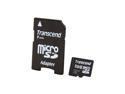
Transcend 8GB microSDHC Flash Card Model TS8GUSDHC6
Pros: Got this for the Samsung Propel. It's extremely fast compared to my older MicroSD card. Says it's a class six, but I was easily writing at ~9MB/s. Includes an adapter to make it fit standard SDHC. I've loaded it with a good amount of music and converted some seasons of shows to play on it. It's surprising how much you can actually fit on there.
Cons: It fits extremely snug in the MicroSD Adapter. Requires a good amount of force to pull it out. It does not include a usb adapter so I had to buy one separate.
Overall Review: Does exactly what I wanted to and was reasonably priced with free shipping making it a good value.
12/7/2008See more detail
Decent portable mouse

Microsoft Arc Touch Mouse RVF-00001 Black 2 Buttons Touch Scroll USB RF Wireless BlueTrack Mouse
Pros: Slender, works on many surfaces, elegant design. The touch scroll is brilliantly implemented. It very accurately emulates a real mouse wheel. You can actually feel the wheel click beneath your finger. Powering on and off is simple, no tiny hard to press buttons.
Cons: Uncomfortable, it extremely straight edge. It just feels wrong in your hand. You have to hold it deep in your palm and there is no sides to grab on to so you can push left or right. To click a mouse button you must press close to the front of the mouse. If you try to press anywhere else the click feels to ridged. Lacks a true middle mouse button. This is a big one. You have to double tap the track surface to emulate 1 middle click. If you need to hold the middle button or double click or anything else, it will not work with this mouse. Lacks extra short cut buttons like back, forward, zoom, show desktop. The sleek design steals quite a bit from function. There is certainly room for 1 or 2 more buttons. Configuration only allows changing left click, right click, and middle tap. No other regions or gestures can be configured.
Overall Review: Bought this open package on a huge discount(mark down to 20%). The previous owner obviously just couldn't deal with the awkwardness. It could use some real improvements. The track surface would be better if it were a real square track pad and allowed for more gestures and controls. It would also do better with at least a real middle button. That said it's a decent mouse, but only as supplement or portable.
5/31/2012See more detail
Maybe shop a little more before committing to this board
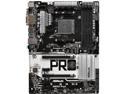
ASRock AB350 Pro4 AM4 AMD Promontory B350 USB 3.1 HDMI ATX AMD Motherboard
Pros: -Decent price -USB C
Cons: -First board ran for 2 minutes then popped a cap while trying to boot Ubuntu live. RMA'd -Second board had boot issues using the third fan header. -No decent overclocking for this board. -Loading XMP ram settings is unstable. Multiple restarts before it stabilizing. -Lack of USB2.0 headers. Only 2 are provided -USB compatibility issues(partially a RYZEN issue), Trying to use USB hub with this thing caused random issues in windows 10. This is documented on the ASROCK and AMD forums -UEFI is organized badly and not a great experience.
Overall Review: The board is okay... if you are not trying to plug a lot of obscure USB devices in then you should be fine. I really don't like that my first board popped a cap, makes worry about this boards longevity. If you are on a tight budget, this should be fine, but I'd suggest spending a little more for a better board from a different company.
9/28/2018See more detail
Really Decent budget case with caveats
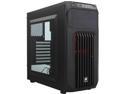
Corsair Carbide Series CC-9011050-WW SPEC-01 Black ATX Mid Tower Gaming Computer Case
Pros: -Great price for budget build -Compact case for ATX board. -Very light but feels sturdy -Good space inside for bigger graphics cards, should fit 2 if needed -4 3.5" bays for HDD(can also mount 2.5") -2 5.25 drive bays -Toolless drive bays, no screws needed unless you are mounting 2.5" drives -Removable filter for front and psu -Side panel is a nice touch at this price point. -NO SHARP EDGES
Cons: -There is almost NO space behind the mother board tray. Just squeezing a 24pin cable is difficult but some sata power cables wont fit AT ALL. It's really weird how they could have such an oversight. Make sure your power cables run perpendicular to the connector and you have right angle sata connectors. -No space to route the CPU 8 pin cable behind motherboard. -Included fan is weak -Front USB2.0 and 3.0 ports eat up an entire header each. The each header could handle 2 ports, but rather than just giving 2 usb3.0 port and include adapter for usb2.0, they are eating up 2 additional ports. -It is very difficult to remove the front panel why drives are installed there. Some modding might fix that.
Overall Review: -The fan had issues. I tried Direct connecting to PSU, and that got it working, but it was too weak to bother trying to figure out. Overall, it's a very good case. Just remember the cable management mostly needs to be done inside rather than behind. Make sure your PSU has cables that are long enough to route the 8pin power and fit sata connectors.
9/24/2018See more detail
It's the SSD not windows
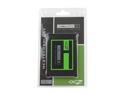
OCZ Agility 3 2.5" 120GB SATA III MLC Internal Solid State Drive (SSD) AGT3-25SAT3-120G
Pros: Fast. Boots win7 quickly even when drowned in start up apps. Apps load instant. Basically all the speed and pep you were promised by the SSD propaganda.
Cons: It crashes windows everyday. OCZ has been trying to push the blame off on windows power management and Intel Rapid Storage drivers, however a trip to the OCZ forums will quickly confirm that this is certainly not directly related to power management or drivers. Setting high performance might delay the BSODs slightly, but the issue is still persistent. And the problem persists on several controllers. I can personally confirm that BSODs are regular and consistent with this drive. Even bad SATA cables are being blamed.
Overall Review: FW 2.09 has supposedly fix the issue for a number of people, but not all. On top of that, 2.09 is a release candidate. OCZ still doesn't seem to be completely clear on what the problem.
6/24/2011See more detail
DOA
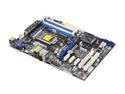
ASRock Z68 PRO3 LGA 1155 Intel Z68 HDMI USB 3.0 ATX Intel Motherboard
Pros: Seemed to have a good balance for those that aren't gamers but wanted some enthusiast features
Cons: The board was faulty. I was unable to enter the BIOS ever. Only the 4th ram slot functioned, and if ram was in any other slot it wouldn't even get as far as the beep when booting. I was able to get to the windows installation using only 1 ram stick and ran several tests that seemed to pass, but with the obvious problems with the ram and bios I opted not to even attempt to install.
Overall Review: It seemed like a nice board and I really wanted a Z68, but I had to RMA.
6/11/2011See more detail