

Your Browsing History


John B.
Joined on 06/09/05
0
0
product reviews
- 24
Very Compact & It Works!
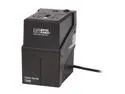
OPTI-UPS Clever Series CS730B 730 VA 365 Watts 4 Outlets UPS
Pros: It works. It fits in my 3.75” deep media closet. I opened it up, inspected the construction & it was of high quality. I’m happy.
Cons: Interface Port lists Dry Contact & USB; I couldn’t find the dry contact port. Not a problem for me as I'm not using either, but I'm sure it's a problem for somebody...
Overall Review: 1) Waveform isn’t in the specs, but a sticker on the unit says “The output of this device is not sinusoidal. It has a total harmonic distortion of 43.5 percent and a maximum single harmonic of 31.6%.” (in english, a square wave) 2) Battery run time doesn’t say what the load wattage is. I measured my load (37 watts, a cable modem, wireless router, a Vonage adapter, an 8 port switch, a cordless phone base station, & my alarm clock) & checked the battery run time with a 40w light bulb; I got 34 minutes for 22.7 watt-hours. & 3) I couldn’t figure out why the CS-530B was the exact same size, weight, & runtime as the CS-730B, but the price w/rebate was the same, so I bought the big boy. When it arrived, the box says the CS-530B has two 6 V 4 AH batteries & the CS-730B has two 6 V 4.5 AH batteries. I opened it up & it actually had two FP650 6 V 5.0 AH batteries.
2/15/2009See more detail
Humongous GTP Raid5 array w/painful limitation
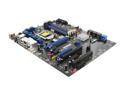
Intel BOXDP55KG LGA 1156 Intel P55 ATX Intel Motherboard
Pros: It's a UEFI motherboard with an onboard raid5 controller for up to 6 SATA drives. It supports GUID Partition Table (GPT) disks, so the 2 TB limit on NTFS/MBR is history. Windows Vista & 7 64 bit versions support GPT, so six 2 TB drives yields a useable 9TB raid5 array.
Cons: According to the nice man at Intels help desk, Intel has decided to limit bootable disk sizes to 2 TB & has no plans to change this with a future firmware upgrade. So while one can build a 9 TB Raid5 disk, one cannot boot it. A workaround is to have a small boot disk on one of the two remaining SATA ports; this only leaves one SATA port for a DVD drive tho. No IDE, Floppy, ps2 keyboard or or ps2 mouse interfaces.
Overall Review: Booting - It will boot multiple times/day for several days with no problems & then bam! no boot & get out the Windows repair disk. This is not for the faint of heart or those who can't figure out how to regularly back up 9 TBs.
7/2/2010See more detail
Works with Roku TCL 43S425 TV

ADATA 16GB UV128 USB 3.2 Gen 1 Flash Drive (AUV128-16G-RBE)
Pros: The USB connector internal plastic piece is a pretty USB 3.0 Blue! See the Title. The Roku TCL 43S425 TV lets one pause live OTA TV & then resume; it stores up to 90 minutes of paused TV on a 16GB USB drive & they say USB 2.0 works... I tried a brand spanking new name brand USB 3.0 32GB flash drive & got the "this usb drive is not fast enough" message from "live tv pause" formatting, so I bought this ADATA flash drive as USB 3.2 gotta be fast enough - right! I checked the "not fast enough" drive in my computer & got 30 MB/sec read/14 write; the ADATA got 30 read & 23 write. Computers are not flash drive testers & I'm sure a real flash drive tester would get faster read/write speeds; I was more concerned with the relative performance. ADATA was significantly faster writing; I suspect read is limited by my computer & it would take a real slug to read slower than 30 MB/sec The TV formatted the ADATA with no problem & it's paused live TV shows also with no problem, so IT WORKS!
Cons: I bought two & both were labeled as USB 3.1, not 3.2
Overall Review: It works in my application. I would buy it again. I would recommend it to anyone & everyone.
7/26/2019See more detail
A Great Deal!
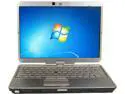
HP Intel Core i5-2520M 4GB Memory 320GB HDD 12.1" 1366 x 768 B Grade Tablet PC Windows 7 Home Premium 64-Bit 2760P
Pros: Came professionally packed & shrink wrapped! Included the HP 65 watt ac adapter, the HP stylus, i5-2540M 2.6GHz (not 2.5) CPU, 4GB ram, & 320GB hard disk. Screen no dead pixels. HP Battery Check says battery is 10 months old & has 86% of its capacity left.
Cons: Listing says Win7 Home Premium, but the Win7 COA had an overlay with a bold X thru the COA & "This Key is no longer valid Please use the Refurbished license key." & Surprise! The refurbished key is Win10Home. It booted & installed Win10Home & Win7 downgrade was not available. Normally one gets 10 days, but in this case, zero. I'm a diehard Win7 fan, so this was disappointing to say the least.
Overall Review: I read all the reviews about these coming with inadequate 10 watt adapters & bought a 90 watt adapter, waste of $9.99. Mechanically it had a few minor scrapes, the latch that holds the screen down to the keyboard does not work, the screws that hold it together have seen better days, & two rubber feet are missing. I found a pack of 2760p screws & feet for well under $10. All this is minor & for a four year old used computer, it's in great shape. It didn't come with the HP Docs, but they were easily downloaded from HP's site, including a 121 page maintenance & service guide. $128 is a great deal, I'm a happy customer & I'd buy it again. 9 July 2017 update: Hard disk died 6/27, I sent Joy Systems, the rebuilder, an email 6/28 complete with screenshots, after a few email exchanges I was offered exchanging the unit or a replacement disk pre-loaded w/Win10. I elected the replacement & 6/29 am they gave me the tracking number for a replacement disk. It left their facility 7/5 & arrived 7/7. The original disk had two screws on the end opposite the connector centering it in the drive bay & nothing to keep a bump on the front from unplugging the drive & nothing protecting it from up & down bumps. No hot glue… The replacement disk was bare – no screws or caddy. HP’s pn for the drive caddy is 656620-001 & I found one for well under $10 to mount the drive in. Hopefully the caddied drive will last a lot longer. 4 Oct 2018 update: Something died, sometimes it refuses to even try booting & other times it gets a tiny bit into the process. I found an i7 motherboard for about the price of a battery, so it's up & running & running faster! Still a happy customer; it's lasted far longer than I needed or expected.
10/4/2018See more detail
Read Between The Lines, Carefully...
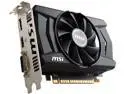
MSI Radeon R7 360 2GB GDDR5 PCI Express 3.0 CrossFireX Support ATX Graphics Card R7 360 2GD5 OC
Pros: Great for those with Win 10-64, 8.1-64, 8-64, & 7-64. Drivers are on the disk or at http://support.amd.com/en-us/kb-articles/Pages/AMD-Radeon-300-Series-Drivers.aspx
Cons: 32 bit operating systems, XP-64, & Vista-64, aka Windows Legacy systems, are not supported on 300 series Graphics cards. The official news is at http://support.amd.com/en-us/download/windows-legacy. If one carefully reads the headline blurb, Overview, Specifications, Warranty & Returns, Reviews, & Q&A, one will not discover this. Only When one has the card in one's hot hands & trys to install it will one discover this.
Overall Review: The 200 series Graphics cards still support Windows Legacy systems, http://support.amd.com/en-us/kb-articles/Pages/AMD-Radeon-200-Series-Drivers.aspx, so not all is lost for those with non-bleeding edge systems.
3/10/2016See more detail
The Real Deal!
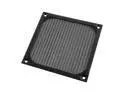
Square Black Aluminum Dustproof Mesh Filter for 120mm PC Cooler Fan
Pros: Well made with a very fine mesh screen in an aluminum frame. They exude of quality construction & materials. These work so great that cleaning dust & cat/dog hair out of your computer will be greatly reduced.
Cons: No screws, but I had some in my collection that worked fine.
Overall Review: In Win Development should include these with their cases & Cougar should include them with their fans. Expect to add filter cleaning to your maintenance schedule; these are going to accumulate a LOT of the dust & cat/dog hair that would normally get inside your computer.
12/3/2015See more detail
seller reviews
- 1
Great Real Estate!
This is the third Seiki SE39UY04 39" 4K TV/Monitor I've bought; the first was bought Feb 2014. All are being used as 3840x2160 computer monitors, all arrived in the factory box, appeared to be brand new & without blemishes, worked fine from the git-go, & are still working fine. Happy Customer!
On-time
Delivery
Product
Accuracy
Customer Service
Satisfactory
3/8/2016See more detail