




 here!
here!
I’m your shopping assistant for PC builds, upgrades, and everything tech.
Got questions? Ask away!
Start a conversation
here!
I’m your shopping assistant for PC builds, upgrades, and everything tech.
Got questions? Ask away!
Start a conversation

Joined on 06/04/15
Works with Alienware 17 R3 (Skylake)
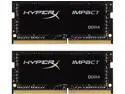
Pros: -Performance -Look -Compatibility
Cons: -None
Overall Review: Bought to replace base memory in my new Alienware 17 R3 (6700HQ, 980M,Win10 Pro). Install like a breeze and simply work. Just to precise, the BIOS version used is 1.2.3 (December 2 2015).
High performance but not impressed by reliability!

Pros: -High performance -970M is a very capable video card -Size and thickness -The look -Metal exterior construction -Screen quality -Keyboard lightning
Cons: -Some parts didn't even last 6 months -Thin but flimsy -Keyboard isn't stiff enough -Poor trackpad performance -Poor Upgradability -2 year warranty but beware what it's really mean
Overall Review: This laptop replaced an Alienware M17X R2 so my opinion is based on this fact. The main problem is that maybe the rear speakers or the i/o board is already defective. I was playing in a LAN party when the rear speaker started to make a "tock" sound every second. Nothing can stop it and since then, as soon as windows is loading, the sound is back, it is driving me crazy. Another thing is that when i removed my earphones to investigate the problem, the plug was boiling hot explaining the possibility of the I/O board as the problem. Why thin but flimsy? Case is not stiff enough when you grab, you feel that your are squeezing the case even trying to be gentle. Why the keyboard isn't stiff enough? If you like to type on a solid and stiff laptop keyboard, this is not really the case, it is always bending a little. Why poor trackpad performance? The sensibility is not top notch and i really hate the integrated click to the trackpad. Why poor upgradability? Access to M.2 SATA drives and memory are under the motherboard so when the laptop is assembled, under the keyboard. Upgrade anything is a pain. Why the warranty is a con in my opinion? You will pay to ship to the service center and if you want to replace something yourself to save time and money (because the turnaround time is 15 business days without counting the shipping time), you pay for the parts even under warranty. So, in short, if this is your only computer, be prepared to maybe loose your laptop for a month... Personally, i can't imagine being without my main work/gaming tool for a month! I can understand if it was the whole motherboard but for a nearly useless rear speaker or a simple I/O board, this is ridiculous. This is only my opinion again! I should have have read more before making this 2200$+ buy! There is a big potential in this model but there is a lot of work to do before getting the result you should be getting for 2200$+ gaming laptop.
Great 4K Media Center!

Pros: -Solid performance -4k Playback -Size -Silent -Power consumption
Cons: -Why mini-hdmi again?
Overall Review: I'm using it with Kodi on Windows 10 and what a little great computer. It is silent and discreet but have a nice look. The performance is excellent and it can deliver 4K content easily from Kodi and IE, yes i know, why IE? Because chrome seems to throw all the playback of the processing to the CPU and not taking benefit on the integrated Intel HD... Even with tweaking in the hidden settings don not solve the problem. The only complaint is the use of mini-hdmi port that could be easily switched to a full-size hdmi cable like in the 6th Gen NUC.
Works as advertised!

Pros: -Fast -Compatibility
Cons: -None
Overall Review: Installed in Intel NUC NUC5i5RYK, working perfectly!
Perfect as usual!
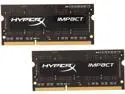
Pros: That's Kingston memory, install like a breeze and simply work!
Cons: None!
Overall Review: Installed in Intel NUC NUC5i5RYK, nothing to say!


