
Your Browsing History


Andrew B.
Joined on 06/17/10
0
0
product reviews
- 14
Fast, nice, cheap
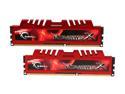
G.SKILL Ripjaws X Series 4GB (2 x 2GB) DDR3 2133 (PC3 17000) Desktop Memory Model F3-17000CL9D-4GBXL
Pros: 2 sticks of this runs nicely in my Gigabyte P67A-UD3 board at the default timings, 2133 MHz, and 1.6 V. Reasonably priced.
Cons: I had to insert them in DDR slots #2 and #4, as they would not run above 1833 MHz when inserted in slots #1 and #3. Might be a problem if you used 4 sticks.
Overall Review: They make a noticeable difference. I measured (using ramsmp in linux running on an i7 2600 at 4.2 GHz) this ram at about 29.8 GB/s read vs about 26.6 GB/s when using my old 2000 MHz Tridents running at 1866 MHz. This translates into a worthwhile performance boost for memory intensive tasks but is likely useless for most people.
1/31/2011See more detail
It works
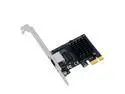
Weastlinks PCI Express Network Card RTL8125GB Gigabit Ethernet PCIE Network card 2.5Gbps LAN Adapter 1Port RJ45 Network Card for Desktop PC
Pros: Indicates 2.5GbE connection. Halves my transfer times compared to gigabit. Very inexpensive.
Cons: In my simple test I didn't see a 2.5 times reduction in my transfer time but that may or may not be the card's fault.
Overall Review: It works. I liked it. I bought another one.
3/1/2024See more detail
Perfect for Stable Diffusion
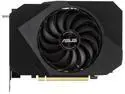
ASUS Phoenix NVIDIA GeForce RTX 3060 V2 Gaming Graphics Card (PCIe 4.0, 12GB GDDR6, HDMI 2.1, DisplayPort 1.4a, Axial-tech Fan Design, Protective Backplate, Dual Ball Fan Bearings, Auto-Extreme) PH-RTX3060-12G-V2
Pros: Cheap and powerful
Cons: none
Overall Review: Received in less than 24 hours. Installed onto my 12 year old computer i5-3570 with just original pcie 16 slot and 430 W power supply. This stable diffusion noob started churning out AI art (on fresh encrypted ubuntu os) within another 24 hours. I get about 4 iterations per second at 512 x 768.
7/28/2023See more detail
Triple Monitor on HD 4600
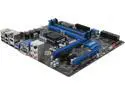
MSI B85M-G43 LGA 1150 Intel B85 HDMI USB 3.0 Micro ATX High Performance CF Intel Motherboard
Pros: I am letting the HD4600 drive three monitors using Ubuntu Linux. A 2560X1440 flanked by a pair of 1920X1200s.
Cons: The board does not boot up (does not reach bios splash) if my usb3 HD is plugged in. A strange but minor annoyance.
Overall Review: None
6/26/2013See more detail
Quiet
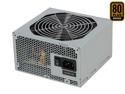
SeaSonic SS-300ET Bronze 300 W ATX12V V2.3 80 PLUS BRONZE Certified Active PFC Power Supply
Pros: An excellent quiet and efficient PS for basic builds.
Cons: I wish I could have got this in a 200W model that was perhaps even more efficient.
Overall Review: Isn't it time to get rid of the floppy power connector? Also, I doubt many people would miss the non-SATA connectors.
6/26/2013See more detail
Works
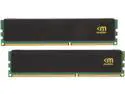
Mushkin Enhanced Stealth 16GB (2 x 8GB) DDR3L 1600 (PC3L 12800) Desktop Memory Model 997110S
Pros: Pop them in and they work just fine at the specified timings.
Cons: None
Overall Review: None
6/26/2013See more detail