


Your Browsing History


Blake B.
Joined on 10/16/05
0
0
product reviews
- 8
Monster Monitor!
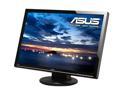
ASUS VW266H Black 25.5" HDMI Widescreen LCD Monitor 300 cd/m2 1000:1 (ASCR 20000:1) Built in Speakers w/ component connector
Pros: Like the other reviews for this monitor say, it really is gigantic. Insanely awesome! I got it for FPS gaming primarily (CS Source, COD, UT, etc..) I upgraded from a 19in. BenQ 2ms. This 2ms ASUS performs about the same as the BenQ. Games look incredible at the HD resolution of 1900x1200. I tested both HDMI and DVI from my video card, and they both look excellent. If your video card struggles with running the game at the full resolution, it doesn't matter, this monitor can run lower resolutions and also maintain the aspect ratio which is VERY nice. I can't stand when you wanna run something in 1280x1024 (4:3) and it stretches to fit full screen. This monitor allows you to view the resolution exactly as it should look in it's aspect by giving you black borders around the edges. But it can be set to stretch if needed. You can also multi-task so much easier with this thing. LOTS of screen real estate. Put an HD (1900x1200) wallpaper on your desktop and be blown away
Cons: I don't believe the monitor goes into standby if you are running it off the HDMI cable. You must manually turn it off. Due to the large size of this thing, you may have to push the monitor to the back of your desk, or get a new desk all together. With my old 19in, my face could be 1.5ft away without discomfort for hours of gaming. However, if you were to be this close to the 25.5in., you can get motion sickness or a headache because of the brightness and all the action motion. I moved it back about 3ft and it's much more comfortable now.
Overall Review: For FPS gaming, you feel like you are really in the game literally. Your guns seem life-size. This monitor is really bright also in the default settings that may need to be turned down if you play in a dark room. When playing CS Source and I eat a flash bang, I bet the neighbors think there's an alien abduction within the house hold from all the white light, lol. Overall, this is an excellent gaming LCD. I would recommend this to anyone who demands superior gaming performance.
2/6/2009See more detail
Negative acceleration?
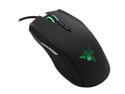
RAZER Taipan USB Gaming Mouse - Black
Pros: Good build quality, good grip, and Synapse software.
Cons: I play a lot of first person shooters at the competitive level. I upgraded to this mouse from the Logitech G5. At least I *thought* it was an upgrade. At my first impression the Taipan felt small, lightweight, with an extremely quick response. But right away I noticed the mouse tracking was very different than my Logitech. It seemed to have a strange acceleration built into the hardware, almost like a negative acceleration. It was something you cannot change in the driver software, it's something built into the electronics of the mouse. When moving the mouse slowly it tracked normally, but when swiping left/right quickly it did not track the same way. I've read other reviews of people noticing this strange acceleration. I had all mouse acceleration turned off in the mouse and within Windows 7. However, when swiping quickly the mouse almost seemed to track a shorter distance, like a negative acceleration. I tried to get used to it in Counter Strike Go for about a month, but I can't stand it anymore. After using the Logitech G5 style mouse for 10+ years, it's tough to change. Also, the Taipan doesn't feel right in my hand. I use a claw grip mostly with my palm slightly touching the mouse. This grip feels awkwark on the mouse. Almost like wearing a shoe on the wrong foot. Nothing you do feels right. Maybe if you have extremely small hands and have a low profile extended finger palm grip it would work for you. It doesn't feel comfortable to me.
Overall Review: Too expensive for the features. 8200 DPI is way too high and not needed. The scroll wheel doesn't have pronounced detents when scrolling, so you tend to "over scroll". It looks great, and has excellent rubber grips and surface texture, but the usability just didn't work out for me.
10/27/2012See more detail
A gamer's dream monitor
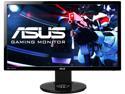
ASUS VG248QE 24" Full HD 1920 x 1080 1ms (GTG) 144Hz DVI-D HDMI DisplayPort Built-in Speakers Asus Eye Care with Ultra Low-Blue Light & Flicker-Free Backlit LED NVIDIA 3D Gaming Monitor
Pros: Finally after 10 years of playing on LCD's at 60hz, this monitor feels very close to a CRT display. I remember so many years ago when I switched from my old 19in. CRT to a 19in LCD and I almost couldn't stand the screen tearing and blurring. I eventually just dealt with it and learned to play with the blurring. Although for FPS shooters and playing competitively, a 60hz LCD definitely is a disadvantage. The ASUS VG248qe is just amazing for FPS games. At 144hz it really is smooth with extremely reduced blurring (yes there is a little bit still). But it's so much of an improvement, i'm really blown away by it. I was debating over getting the ASUS or the Benq 2411T. The Benq is only available in the UK right now, so I went for the ASUS. Besides, my previous monitor was an ASUS 25.5in LCD and I've been happy with it for several years. I don't see myself ever going back to a 60hz LCD ever again. It's kind of like when you start watching TV in HD or experiencing BluRay for the first time, and then try going back to standard definition, it's almost unbearable. I also did try the LightBoost registry hack which changes the functionality of the LED back-lighting which is used for Stereoscopic 3D games. Once enabled, you can disable the stereoscopic 3D so you can game in 2D mode with almost no screen blurring at all. I was totally blown away how stunningly smooth the picture was. There is virtually no screen blurring with the hack. I'm not sure what the side effects are, but one thing is for sure, it's totally sick.
Cons: Colors unfortunately don't look as good at 144hz as they do on 60hz. You can switch to 60hz for better colors. As other people have noticed, the colors out of the box are very saturated and extremely bright, almost blinding. You'll have to dial the settings back.
Overall Review: I placed my order on Newegg at 12:30PST on a Monday, and they shipped it out the same day. Amazing. It arrived within 3 business days.
3/1/2013See more detail
Excellent gaming video card
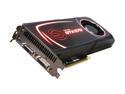
EVGA SuperClocked 012-P3-1572-AR GeForce GTX 570 (Fermi) 1280MB 320-bit GDDR5 PCI Express 2.0 x16 HDCP Ready SLI Support Video Card
Pros: I upgraded from an ATI 4870x2. I was expecting a good performance boost, but nothing dramatic since the ATI card has close to the same specs and it has more RAM. But after installing the new card and testing it on Battlefield 3 I was blown away. The GTX 570 smokes my ATI card. On Ultra settings at 1920x1200 I was getting about 11 fps with the ATI card. The same settings with the GTX 570 are getting me 70+ fps. Very smooth with no hitches. This card runs a lot cooler and much quieter than the 4870x2. On idle, the 570 runs about 30C. Under full gaming load, it runs about 75C. I do not water cool anything either. To monitor the temps I'm using EVGA Precision software (free version).
Cons: No back plate on the card. It looks kind of ugly in the case compared to my 4870x2. Also, the build quality of the GTX 570 is not nearly as heavy duty as the 4870x2. The 570 definitively feels lighter, and more cheaply built. But, the performance is just killer, and since the temperature differences are significant between the two cards, I don't see heat being an issue on the less rugged card.
Overall Review: Save $150 and avoid the GTX 580 and buy the GTX 570 (or the OC version). Great card. I'm using a single 25.5'' monitor, no SLI, and no water cooling, and it destroys all my PC games on the highest settings.
11/8/2011See more detail
Phenomenal for gaming

Creative Sound Blaster Audigy SE 7.1 Channels 24-bit 96KHz PCI Interface Sound Card
Pros: I've been using onboard sound forever and had no idea what I've been missing. I have been struggling with my onboard sound on my current high end ASUS mobo. I don't understand why some good motherboards have poor onboard sound, I guess that's one way to cut their costs. I didn't know what to expect getting this $29 sound card, it seemed like a price you'd see for a cheap product. But I went and tried it. I have a couple nice pairs of headphones for professional audio mastering (Beyerdynamic). When I plug those into my onboard sound there is a high pitched whining sound that I cannot get rid of. It sounds like feedback interference. I know many others have struggled with this and there seems to be no cure. The Sound Blaster Audigy eliminates this problem completely. I'm very happy about that! Dead silent sound when you plug in, no white noise, no hissing. The audio is amazing. This little card really kicks. Game sounds are more clear and distinct. AWESOME!
Cons: The pink colored mic input doesn't appear to work out of the box. I found other people also experience this problem. But there is a workaround. Plug your mic into the blue input (not the pink), and your mic will work. The manual shows the blue is a line output, but it works for the mic input. Instruction manual error? Odd. Still researching this one...
Overall Review: Well worth the cost. I used on board sound for years, and I wish I would have tried this Audigy sooner.
12/4/2008See more detail
Fantastic for gaming

PLANTRONICS GAMECOM 1 3.5mm Connector Circumaural Stereo Gaming Headset
Pros: I've owned this headset for over 6 years and finally after all that time the right ear started to drop audio. I fiddled with the wires and inspected the solder connections but nothing appeared to be lose and all looked good. I suspect it was something with the cable. Anyhow, I researched a lot of headphones for something to replace this headset with and could not find one that would be comfortable for a 5+ hour gaming session. These headphones can be worn for an entire day and won't hurt my ears (meaning they won't get hot, sweaty, or sore). They have cloth padding around the speaker which is much better than common rubber stuff that makes your ears sweaty.
Cons: The mic is a little on the quiet side, but it's great for gaming purposes. Not adequate for vocal recording.
Overall Review: I'm thinking of getting another pair of these as a backup. I may never use anything else unless there is new technology and a reason to switch to a newer model.
12/4/2008See more detail