




 here!
here!
I’m your shopping assistant for PC builds, upgrades, and everything tech.
Got questions? Ask away!
Start a conversation
here!
I’m your shopping assistant for PC builds, upgrades, and everything tech.
Got questions? Ask away!
Start a conversation

Joined on 04/20/04
Best bang for the buck
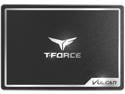
Pros: Go to manufacturers website and download SSD toolbox for outstanding migration software.
Cons: none
Overall Review: Got this as a replacement for a drive that was stolen in transit and was no longer available. The migration software has 1 minor flaw. It doesn't always show you progress until it's finished. Took a little less than 2 hours for a 640 WD Caviar Blue. Wait until the popup window says it's finished and read the online manual for setup instructions. Also the migration software will automatically partition the SSD to the same size as the source drive
Cheap
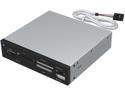
Pros: Worked great for first few months. Than sd card reader slot started giving problems, not holding the card securely, not seeing the card.
Cons: Not quite sure when it happened, but about 10 months to a year after it was installed, the computer started having boot issues. Than all the usbs stopped responding. Because it was plugged into an onboard usb 2.0, it shorted all the usbs on the board including the 3.0. Once the unit was unplugged, boot issues stopped, but the usbs were still down. The board was an ASUS P6X58 Premium.
Good price,fast shipping! Did what it was supposed to.
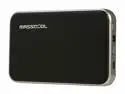
Pros: Compact design, solid
Cons: If you can't change a light bulb, don't by this
Overall Review: I purchased this to replace an older one that went MIA. My wifes work laptop motherboard died and she needed access to he documents. Purchased this and did not expect it until Monday. Got it Saturday! Took her hard drive out, hooked it up via usb, no power cord needed for Sata, and she had her files!
Plugs in

Pros: powers up, right angle for tight places.
Cons: Got this to hook up an external harddrive as a backup, Plugs in, powers the drive, but the system wouldn't see it. plug in the old straight cable and no problems
ok,...but.....

Pros: Inexpensive, a good value for the price.
Cons: hard drive pre-partitioned in a arkward way, 120gb as C drive and approx. 160 gb as Data drive? I could repartition it if I was so inclined but it's a minor issue. One thing I do have an issue with is the fact that Asus doesn't tell you anywhere that the 4gb of ram is embedded
Confused?
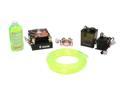
Pros: This is the 4th Thermaltake water cooling kit I've purchased in the last 6 years. Any problems I've had, with 1 exception, were my fault,...specifically a leaking waterblock, caused by my overtightening the fittings and cracking the plexiglas. I've had two pumps quit (after nearly 3 years of operation,..nothing lasts forever,..deal with it),...With that being said,..I am completely satisfied with the product. I'm happy to see that Thermaltake has increased the tubing diameter and changed the pump design to provide better cooling and parts replacement when the pump wears out. My AMD Athlon 64 4000+ runs at 33C at idle overclocked to 2.52Ghz. Those claiming DOA pumps should check their fan settings in the BIOS and make sure the "Cool and Quiet" utility is disabled,... otherwise the pump won't get full voltage. Double check your assembly before powering up and do regular maintenance and you'll be fine.
Cons: You'll need a large case,..full size or server size to completely enclose the assembly. Pump placement requires some imagination because of its design and size. But if that is too much for you to handle,... stick with a store bought computer from Walmart or Best Buy.
Overall Review: I entitled this confused because of the negative reviews. This is not a "snap together" assembly. It requires planning and forethought. Understand what you're getting into before you attempt it.
Fantastic
Great customer service and communication!!


