

Your Browsing History


David B.
Joined on 05/14/01
0
0
product reviews
- 18
2nd OCZ drive and still happy.
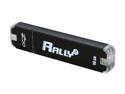
OCZ Rally2 16GB USB 2.0 Flash Drive OCZUSBR2DC-16GB
Pros: Small size, large capacity, competitively priced, very fast file transfers, and has a snug fitting cap.
Cons: I really wish the LED was dimmer and a different color. A dimmer blue LED would be much sleeker looking IMO.
Overall Review: I have owned the 4GB version of this drive for well over a year now and it has served me faithfully. I even accidentally washed it (left it in pants pocket) and it still just keeps on ticking. Needed a larger drive for toting files around and making periodic backups of my Playstation 3 data.
7/25/2008See more detail
The only low profile gaming option, and it's actually a great option!
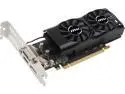
MSI GeForce GTX 1050 Ti 4GB GDDR5 PCI Express 3.0 x16 Low Profile Graphics Card GTX 1050 TI 4GT LP
Pros: Usable in nearly any case, as it has max power draw of 75w, and includes brackets for low profile cases. Even low profile systems will have at least 200-300w power supplies, so it should work as long as the motherboard has a PCIe 16x slot. This card gets great (60 FPS) framerates at 1080p at medium settings for most modern games, and you can dial it up to 11 for older games too. This card was only $15-20 more than comparable full-height form factor cards, and I appreciate MSI for creating this product. It allowed me to upgrade a GT 630 to this card. Before I couldn't play any games on my HTPC, and now there's not a game I can't play on it.
Cons: Heatsink extends well past the PCB on this card. Changing the design and putting the metal heatsink and fans more towards the bracket end of the card would give equal thermals with less overall length. Given the target market for this card, every inch counts when you're trying to jam this card into a potentially very cramped case. Also, using standard fans mounted into a heatsink assembly would provide easier upgrade or replacement of dead fans further down the line. All that said, those are pretty minor cons, so I gave the card 5 eggs still.
Overall Review: The pros of this card definitely outweigh the cons, especially so if you're looking for a low profile card. There's nothing even close to the speed of this card in a low profile form factor, and the card seems well built.
1/17/2017See more detail
Great board but RAM support sucks.
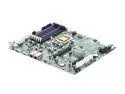
SUPERMICRO MBD-X8SIE-O LGA 1156 Intel 3420 ATX Intel Xeon X3400/L3400 series Server Motherboard
Pros: Jumpers! I actually like jumpers, as you really can't mess up adjusting features in hardware, whereas software can have glitches. All solder points are clean, uses all solid state caps, everything is well laid out, and the manual details would appease even the most particular of documentation oriented people out there in the world. It even has pinouts for every connection on the back panel of the motherboard for crying out loud!
Cons: Memory support is a pain in the rear. However, this seems to be an issue with the Intel 3400 series chipsets, and not due to Supermicro from what I've read Online, so I went ahead and gave this board a 5 egg rating.
Overall Review: N82E16820139543 Kingston - KVR1333D3D8R9S/4GHB I can confirm this RAM is compatible and works well with this board. I tried some generic Supertalent Hynix Reg ECC DDR3 RAM and it was a no go. Seems the Intel 3400 series is very particular about what RAM will play nicely.
5/10/2012See more detail
3 kits on the cheap.
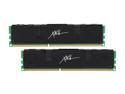
PNY XLR8 4GB (2 x 2GB) DDR3 1600 (PC3 12800) Desktop Memory Model MD4096KD3-1600-X8
Pros: Installed these in a secondary i7 based system. They work at their advertised rating of 8-8-8-24 with only 1.64V. The heatspreaders are attached with a good amount of tension on the clips, and the black color even matches my motherboard PCB. At around $4.60 per GB you can't go wrong. Great value!
Cons: None.
Overall Review: Running 3 of these kits without any issue in an i7 socket 1366 system on an X58 based eVGA motherboard. The current price of RAM is so cheap right now it's ridiculous.
7/1/2011See more detail
3 Kits and no defects
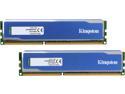
HyperX Blu 4GB (2 x 2GB) DDR3 1600 (PC3 12800) Desktop Memory Model KHX1600C9D3B1K2/4GX
Pros: Runs at specified ratings at 1.64V, great value for the money, and the heatspreaders seem very high quality. This RAM has some decent amount of metal on it.
Cons: None, works as advertised.
Overall Review: Running 3 of these kits without any issue in an i7 socket 1366 system on an X58 based eVGA motherboard. The current price of RAM is so cheap right now it's ridiculous.
7/1/2011See more detail
Fast and finally reliable...
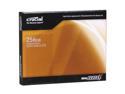
Crucial RealSSD C300 2.5" 256GB SATA III MLC Internal Solid State Drive (SSD) CTFDDAC256MAG-1G1
Pros: There isn't anything out there currently faster than this drive. You will not have to wait on the system to respond...ever!
Cons: Prior to the recently released firmware 0002, there was a bug which caused performance degradation over time. Also, the first release of Crucial's 0002 updating program bricked a significant number of drives. As of the date of this review, this issue has been solved however and everything is working great after I flashed to firmware 0002. If I'm paying nearly $700 for a storage device, I expect a much higher level of QC on Crucial's part. This is the main reason for the downgrade to 4 eggs in my review. That and my lost time spent upgrading their flawed firmware and subsequent time spent re-imaging my OS installation.
Overall Review: Make sure your SSD is aligned properly. To do this, you'll need to use Vista or Win7, since they are 4k sector aware OSes, and default to proper alignment during a fresh install. WinXP can be properly aligned, but this is very hard to accomplish. Also, the following are equally important for best performance. 1) AHCI should be enabled in the BIOS so the correct driver, which can pass along TRIM commands, gets installed during your fresh install. 2) If you're using a 3rd party SATA 3 controller such as the common Marvell one used on most SATA 3 expansion cards, you should let Microsoft install the default driver and DO NOT install Marvell's drivers. Reason being is the default Microsoft AHCI driver passes TRIM commands, whereas the Marvell one (at the time of this writing) does not. 3) Intel chipset drivers pass TRIM, so they can and should be installed. Non-Intel chipset drivers currently don't. If using a non-Intel chipset, let the default Microsoft driver install.
5/26/2010See more detail