

Your Browsing History


Matthew M.
Joined on 05/12/12
0
0
product reviews
- 7
Smart case
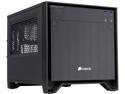
Corsair Obsidian Series 250D (CC-9011047-WW) Black Brushed Aluminum and Steel Mini-ITX Computer Case ATX (not included) Power Supply
Pros: Very smart design. Excellent airflow plans Looks fantastic.
Cons: Needs both fans to be operating for proper airflow - See other thoughts. The power supply bracket could be a little more sturdy.
Overall Review: I didn't expect to like this case as much as I do. I bought it merely to match my Corsair 350D case to my guest computer. The amount of thought that went into where things are placed and how is obvious. The sides and top all come off for working with, so it ends up being even easier to fiddle with the motherboard when it's in there compared to larger cases. The airflow system is excellent IF you use both fans. I'm currently using an ASrock H97 board in this that only has 1 case fan plug. I did a smoke test to see where the air was flowing, and the front fan seems to be mixing air about the front of the case and out the sides, but doesn't push it over the motherboard. The 140MM fan just isn't going to push enough air through the case. This isn't a very big deal, as I think most motherboards have more than 1 case fan plugs. If not order a good splitter, or if your PSU has molex, a molex to 3 or 4 pin fan plug. The case comes with a 120mm on the side too, and once they're both running air will be pulled over the motherboard. Conversely you can run the 120MM to pull air in since the side vents are filtered. I'll smoke test them in both configurations to see which is ideal for airflow/dust prevention. All in all I'd rank this as the best case I've worked with. The top window lets you view your equipment at work, and doesn't show your wires if you've given a little effort to hide them. And it just looks great.
3/6/2015See more detail
Defective chips
Intel Core i7-4790K - Core i7 4th Gen Devil's Canyon Quad-Core 4.0 GHz LGA 1150 88W Intel HD Graphics 4600 Desktop Processor - BX80646I74790K
Pros: Will work great until it fries itself.
Cons: I'm on my 2nd one of these that has the exact same problem of skyrocketing temps to 100c under any heavy load. Operating at 80c under medium loads. This is not normal, or safe. Intel SHOULD be recalling these chips, but is instead doing a good job RMA'ing your chip if you have a problem. (I'm actually impressed at their process) Visit the thread over on intel from people having the same issue: https://communities.intel.com/thread/54032?start=465&tstart=0 If you own one of these chips, pay very close attention to its temperature. It seems like theres a 33% chance you have a chip that is not overheating. The other 2/3rds of the chips overheat severely. I've had an overclocked G3258 and an i5-4690k in this same computer run fine with no overheating. I'm shocked there aren't more poor reviews as this is a very common problem.
1/22/2015See more detail
4GB is worth it.
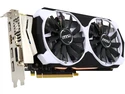
MSI GeForce GTX 960 4GB GDDR5 PCI Express 3.0 SLI Support ATX Graphics Card GTX 960 4GD5T OC
Pros: Good price (w/ rebate) Looks good. 4 Gb Vram
Cons: None really.
Overall Review: I use this in a spare computer I have friends use. For some reason my friends are addicted to Ark:Survival Evolved. Debated between 4GB and 2GB, definitely worth getting the 4GB, can run with 'Epic' textures no problem, and maximum buffers, even at full scaling. Impressive. Nice, efficient little card. 150-175 dollars is a very nice price point for this performance. While 2 GB will be 'OK' with most games, what about the few it's not? Just get the 4GB version and ignore the keyboard jockeys telling you to "Save the money and just get the 2gb because 4gb wont be used, can't be used, too slow to use, blah blah blah" In 1-2 years when you sell it on craigslist, you'll get all that extra money back.
3/30/2016See more detail
Outstanding quality
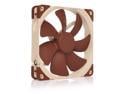
Noctua NF-A14 PWM, Premium Quiet Fan, 4-Pin (140mm, Brown)
Pros: Very Quiet Substantial Feeling. Superior to Corsair 140SP, significantly. And worth the extra money if you care about noise.
Cons: Does not screw into my front fan bay of my Corsair 350D case. Not with included hardware or case hardware. Doesn't seem to be a major issue, as they fit snugly.
Overall Review: Hesitated at first, bought 2 Corsair SP140's last year. Wish I'd saved that money and bought these in the first place. Ordering 2 120mm's for my h100i GTX next. All my future fan purchases will be Noctua
1/14/2016See more detail
Room for improvement
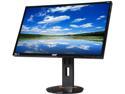
Acer XB270HU bprz Black 27'' 144 Hz WQHD G-SYNC Widescreen LED Backlight LCD Monitor IPS 350 cd/m2 1,000:1
Pros: Beautiful. It's exactly what I've been waiting for, coming from an Asus VG248QE 144hz TN display that I noticed I was getting eye fatigue while using. No dead pixels No light bleed as far as I can tell. Almost perfect.
Cons: It's too big, really. This might be my opinion but 27" seems a bit excessive. 24" seems like the sweet spot for a desktop monitor size. This thing looks like I just put a TV on my desk. It's expensive. I get that at this price point, it's king right now. But $800, what was I thinking? I understand that Displayport is the only thing that can drive this thing at 1440p 144hz. But like with my Asus, sometimes I'll move it somewhere and use it in my house for say, my playstation. An HDMI port would've been nice. But maybe it's just not possible.
Overall Review: Overall, I'm very happy with it. I know I paid a premium price, but I just kept telling myself it'll be better for my eyes, and I'll stop complaining that my spare PC with a $150 IPS Acer monitor looks way better than my $300 144hz TN Asus. It's the best of both worlds, no headache from 60hz, no headache from poor picture quality on the Asus. Also, what good is a $1500 gaming PC if you don't have a monitor to match? 1/3rd the cost for arguably the most important component seems reasonable.
4/15/2015See more detail
Smart board
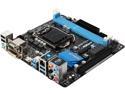
ASRock H97M-ITX/ac LGA 1150 Intel H97 HDMI USB 3.0 Mini ITX Intel Motherboard
Pros: Lets start with the biggest pro: the price. This little board does it all for much less than the other options from Gigabyte or MSI. The onboard WIFI is working great, and drivers off the disc worked from the get go. The UEFI Bios is enjoyable to use. There's something satisfying about using every part of the motherboard. The only unused slot I have is for a USB2.0 header because I'm on a 3.0 front header. It even looks good compared to the bland black from GB or MSI, although most if it gets covered up when in used.
Cons: 1 more fan header would have been nice, but it is possible to run 2 fans from 1 header with some splitting. Small cases may only have 1 fan anyways. See other thoughts.
Overall Review: The reviewer below me, oddly, of the same name, mentioned the Wifi connectors not securing well to the backplate. Grab 2 wrenches and tighten down the nuts, and they wont go anywhere. This seems to be the primary complaint from reviews, that the Wifi card has to be installed and that the backplate is flimsy. I don't see this as a con, it's one way to reduce the price. Once you've installed these pieces, you don't need to touch them again. The antennae only need to be snug, they aren't going anywhere. You spend about 10 more minutes installing this motherboard because of the extra steps, but save about $30. All in all, great do everything board. This completed my guest gaming PC that I'll occasionally use to hook up to a TV as a steambox. Plenty of USB ports for controllers. G3258 (Had this OC'd to 4.2 ghz on another board, will replicate) 8GB HyperX DDR3 1600 Ram MSI GTX 660 90GB Corsair SSD w/ 1TB Seagate HDD CX430 PSU
1/29/2015See more detail