




 here!
here!
I’m your shopping assistant for PC builds, upgrades, and everything tech.
Got questions? Ask away!
Start a conversation
here!
I’m your shopping assistant for PC builds, upgrades, and everything tech.
Got questions? Ask away!
Start a conversation

Joined on 05/30/02
It has only 2 years of warranty instead of 3
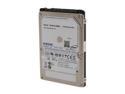
Pros: Did not use it enough to run into any issues
Cons: Warning to all buyers to be. I could not find any warranty info on it from the seagate website (they bought out Samsung HDD division). Bought it from here, received yesterday. Went to Seagate to check warranty: SURPRISE!! It expires on Dec 28 2014, which makes it 2yr warranty, instead of published 3. I personally do not think it is a problem for $69 (it is a very good price for 1TB 2.5'' HD), but it is up to you to make the decision to buy it or not to buy it.
It does not have a 80mm fan
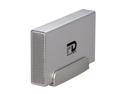
Pros: The only pro is the price
Cons: If you intend to use this hard drive at the normal room temperature, you might loose your data - it does not look like it has an internal fan. So write delays, corrupt data will be very common unless you will use it in the cold environment (colder than 21C or 68F). 1 TB is a lot to lose. I would not buy any 1TB HD in the enclosure w/o 80mm fan...My information is too valuable.
Cheap & good all-in-one
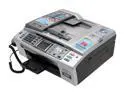
Pros: 1. Linux drivers 2. RJ-45 (network port) 3. Wireless card built-in (802.11g) 4. Wireless supports WPA2 AES encryption (you need to turn SSID broadcast ON though on your router) 5. Power consumption Sleep/Standby/Peak - 6/8/34 W 6. Cartridges can be refilled. 7. Cartridges do not have RFID chips in them (like Lexmark) so you can use OEM cartridges. 8. OEM cartridges are cheap, less than 20$ for 4. 9. It supports scanning over network. 10. You also get fax and answer machine.
Cons: 1.It turns itself on from time to time to clean jets. Some people claim that it eats cartridges really fast - my experience did not support it. I bought it from Newegg in April and finally replaced Cyan and Magenta cartridge in early November. My typical use - 5-15 pages per month (or slightly more) and 5-15 pages per month scanned.
Overall Review: Very well designed printer. Regarding scanning - I have used other scanners with ADF and was surprised with this printer - in 6 months of usage it did not chew even once the paper when sucking it in with ADF. You also have the choice to use the bed for scanning. I wish though that this printer would support duplex printing/scanning. I know I want too much. Regarding fax - I have not used it a lot and it worked for me every time I needed to fax. Last thought - I am not going back to the printers with even just RJ-45 cables. You get spoiled using printer with wireless connection - it is just awesome, connect to the power anywhere in the house and you can print (we recently bought a house and I am so glad that this is my printer as there are no network cables in the house yet. With this printer I do not need one anymore !)
Cheap network scanner/printer with Linux drivers
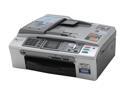
Pros: 1. You can put this on the network. 2. You can scan over network. 3. Drivers are there for every kind of OS - Windows, Mac OS, Linux. 4. Intuitive interface 5. Works fine with self refilled cartridges. 6. Very cheap to replace cartridges if using kit for refill.
Cons: 1. If you want to use this printer for everything - you can, but your pictures will never look good as if you had expensive color inkjet Epson. 2. Brother does not PR them. 3. If you intend to use only Brother cartridges - remember this printer once every 2-3 days turns itself on and cleans cartridges. I have MFC-665cw (next model up) and used it without replacing cartridges (5-15 pages printing every week on average) for 5 months. OEM cartridges (in case you do not want to refill them yourself) will cost you only ~20$ for all 4 of them max. 4. The printer is designed for home-office use, i.e this is light duty printer.
Overall Review: I have used the higher model (mfc-665cw) extensively for scanning documents to PDF. I have not had even one issue with ADF and this is the first portable ADF scanner I ever used that did not have any ADF issues (chewing paper, etc.) in 6 months. Second, Brother software to scan/ print over network is awesome and light weight compared to tonnes of junk typically installed by any HP officejet style printer. Brother deserves good review for this printer- this printer is designed by engineers.
Good, cheap, reliable
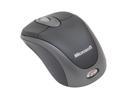
Pros: 1. Cheap, 2.reliable, 3.-small footprint -good fro travelling., 4. no drivers required. 5. Good battery life ( I have not replaced mine yet - in 3 months of moderate use)
Cons: I wish sometimes it could a little bit bigger and would have separate power switch. Right now you need to put RF antenna into the mouse (on the bottom) compartment to turn it off (there is a small mechanical switch on the side, same as the lights switch on the car doors). As if you use this mouse as the primary you will end up disconnecting the antenna and plugging it into the mouse to conserve the battery (only if you care).
Overall Review: I would definitely buy it again, awesome cheap and reliable travel mouse!
very good camera for newbie/middle user
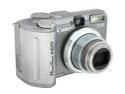
Pros: Canon is canon. A620 also can be placed into underwater housing from Canon. as of Aug'06 it 1yr old camera, but the price went down 30%, good deal for this cam. Can be advanced or point'n'shoot.
Cons: No image stabilization, but for it was a minor issue.


