

Your Browsing History


Jeff S.
Joined on 06/08/08
0
0
product reviews
- 9
Great Drive
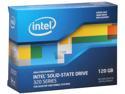
Intel 320 Series 2.5" 120GB SATA II MLC Internal Solid State Drive (SSD) SSDSA2CW120G3K5
Pros: Fast, best value I found, Intel has the highest reliability rating. Good packaging. My computer boots so fast, and video games load fast. I'm very glad I decided to add a SSD to my new computer.
Cons: Computers seem to still be struggling to recognize SSD tech (plug and play) as automatically as I would like. It took some tweaking to configure my computer with this drive. (Read below). Also, SSD is still expensive, so if you don't NEED this drive right now, waiting will only benefit you at this point.
Overall Review: Here are some important tips if you are installing this drive in your new computer: 1. Yes, you can use this as the primary drive without the annoying 100Meg system partition. Read articles in the Internet how -- this helps Windows recognize the speed of the drive. I'm running just fine with one primary partition on this drive, Windows 7 Ultimate 64. 2. It is important to go into your BIOS before you install Windows and change the drive from IDE to AHCI. It is important to use AHCI. 3. Install all of the drivers for storage that comes with your motherboard. 4. Put Service Pack 1 on Windows 7 (along with ALL updates). 5. Disable defrag (for whatever reason, Windows doesn't always automatically disable defrag for SSD) 6. If you do all of the above, NOW your windows experience index should show 7.X for this drive. I'm registering 7.7 for my subscore on this drive. but I was only getting 5.9 until I followed the above steps. Which step(s) helped the most? Who cares, they are all important
6/17/2011See more detail
Peace of Mind
Arctic Silver 5 High-Density Polysynthetic Silver Thermal Compound AS5-3.5G
Pros: Easy installation, great cooling performance, fun little tube, cool charcoal color, good instructions online, peace of mind knowing you did everything possible to give your cooling solution the chance to do its best. The ability to say "yeah, I of course use Arctic Silver 5 in my computer" at cocktail parties to impress all of the girls.
Cons: Extra cost, semi-optional. If you don't overclock, you won't need it. Even if you do overclock, you probably don't NEED it. Even if you are building a NASA remote station in the center of the Earth's core and need extra cooling power you probably don't NEED it. But it's awesome so buy it anyway. You will be glad you did.
Overall Review: I think I accidentally posted my review for this on the cleaning/conditioning product instead. Oh well, they are both awesome and work together, so same difference. Buy both if you go with one. They should just bundle them.
6/16/2011See more detail
Long Cables!
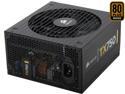
CORSAIR Enthusiast Series TX750 V2 750W ATX12V v2.31/ EPS12V v2.92 80 PLUS BRONZE Certified Active PFC High Performance Power Supply
Pros: Reliable, quiet, long cables, looks great. Plenty of power connectors for everything. If you aren't worried about long cables, or you have a big case, then this PSU is for you. I bought a huge case so that I DON'T have to worry about cable management, and this PSU made a great sidekick.
Cons: Won't work with 3-way SLI, just be warned. Also, for you OCD cable tie-down types, be warned that these cables are LONG. Even with a CoolerMaster full sized case, I still have lots of extra cables stuffed down at the bottom of the case. I'm quite ok with that, I don't care too much about cable management -- I just want efficiency in case design. And this PSU is awesome at that.
Overall Review: I have a coolermaster HAF 932 full sized case. When selecting a power supply, length of the cables was my primary concern. As it turns out, the case itself had an extender cable for the CPU power lead, so it wouldn't have mattered anyway, but this PSU is great. I love it.
6/16/2011See more detail
Great RAM, Great Price
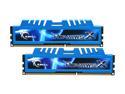
G.SKILL Ripjaws X Series 8GB (2 x 4GB) DDR3 1600 (PC3 12800) Desktop Memory Model F3-12800CL8D-8GBXM
Pros: Excellent price. Love the 8 timings, and the XMP profile was recognized by my ASRock motherboard and it works great at those timings. The blue color is to my taste as well, as small a detail as that is. (I'm never going to look at them again, but I can picture it in my head.)
Cons: It took two tries to POST with one of these sticks. But, on the second try it worked great and has worked with memory tests and Prime95 ever since. I'd be critical of myself and say I just didn't push it in all the way the first time, but I swear I did! Anyway, don't give up on these if your computer doesn't POST on the first try -- for whatever reason mine didn't, but now everything works great. All I did was take a DIMM out and put it back in. YMMV.
Overall Review: The price dropped again on these from 99 to 89. I bought another set to fill up my motherboard and go to 16 gigs. Not that I need 16 gigs at the moment, but the XMP worked so well in the motherboard BIOS (UEFI, whatever) that I wanted to get the same brand/model while I know that I can. Now the XMP profile will be identical across all 4 DIMMs. You could consider doing the same, the price is certainly right, but in the long run it probably doesn't matter. 8 gigs will be enough for awhile longer.
6/16/2011See more detail
Works Great, Cheap
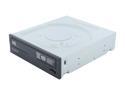
HP 24X Multiformat DVD Writer 24X DVD+R 8X DVD+RW 12X DVD+R DL 24X DVD-R 6X DVD-RW 16X DVD-ROM 48X CD-R 32X CD-RW 48X CD-ROM Black SATA Model 1260i
Pros: Worked right out of the box. Windows 7 plug and played it. Very high speed. Nice look to it. Came with some burning software, Nero 9 or something. I doubt I'll use it, but getting the full retail box will be nice to some of you.
Cons: It gets a bit noisy when installing programs, because that's when it runs at full speed. Other than that, it is quiet (silent) most of the time it sits there, and it works great.
Overall Review: I decided against a Blu-Ray drive for whatever reason, and therefore this guy became the obvious choice. Great price point, good drive. I've always had good luck with HP drives.
6/16/2011See more detail
Best Bang for the Buck
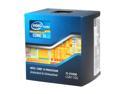
Intel Core i5-2500K - Core i5 2nd Gen Quad-Core 3.3GHz (3.7GHz Turbo Boost) LGA 1155 95W Intel HD Graphics 3000 Desktop Processor - BX80623I52500K
Pros: I consider this processor to be the absolute best bang for the buck. I considered the i6-2600K (another excellent chip I'm sure), but honestly this one gave me everything I needed for $100 less.
Cons: The only "con" is that Intel is so clearly selling us under-clocked processors knowing full well that ALL of us at least bump this to the obvious 4.4GHz setting at a minimum. I think it is a shame that they are artificially staying at 3GHz for what appears to be either marketing reasons, or so that they can put the fear of warranty into us if we "overclock" a processor that has BIOS presets for overclocking. Just seems a shame that we even have to bother -- why not just clock these things out of the box at the obvious speed? Oh well.
Overall Review: I had it overclocked to 4.8GHz very stable on an ASRock board. Ran it for over 24 hours no problem. CoolerMaster Hyper 212 Plus cooler with Arctic silver in a Coolermaster case. Just now I backed it off to 4.6GHz to test the difference. I might run it at 4.6 just to be extra safe, but anything lower would be a crime on this awesome little processor. (I'm POSITIVE I could see 5GHz if I wanted to, but I don't really care at the moment.)
6/16/2011See more detail