




 here!
here!
I’m your shopping assistant for PC builds, upgrades, and everything tech.
Got questions? Ask away!
Start a conversation
here!
I’m your shopping assistant for PC builds, upgrades, and everything tech.
Got questions? Ask away!
Start a conversation

Joined on 12/14/04
Word to the wise - connect the USB
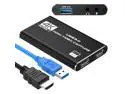
Pros: This works great with one word to the wise. The HMDI pass-through will only work when there is a computer connected on the USB plug. Don't be discouraged that the device seems to fail at HMDI pass-through! Connect a computer to the USB port, run OBS or another capture program that can detect streaming on the USB port. Once that is all set up, this works fantastic.
Cons: At first, I thought the pass-through didn't work. The instructions do not mention the *absolute* need to have the USB connected as I mentioned. This is not a cozy capture set up like to old days with a simple RCA composite plug-set to a demodulator box containing a SSD card. This is a somewhat crowded project with requisite wires, computer or laptop, capture software, so on.
Overall Review: This is quite easy to setup and is a wonderfully useful and light weight solution with number of potential uses. I recommend it and buy it again.
Wish I'd bought more.
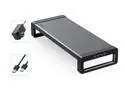
Pros: These were on sale when I got them. They are sturdy. With the USB 'hubs' built in: Functional and Useful.
Overall Review: I recommend these (maybe wait for another sale).
Very Fast - perhaps good enough for Wile E. Coyote!?
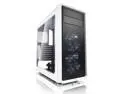
Pros: Attractive, fast, quiet, comes with 1TB Toshiba HD, a Samsung SSD, and 1 DVD writer. Lots of USB3 plugs on the backplane. The 2080 Super GeForce video is very fast. Thunderbolt (Titan Ridge PCIe AIC) compatible, 5 unused PCI slots open for use. Can add trusted module for BitLocker encryption. Lots of power supply connectors available (and 750W). 12v LED header.
Cons: Both the internal USB3 and USB2 headers are in use and unavailable for expansion devices which may need them. (Solvable with a PCIe add-in card). You have to free up the USB2 MB header (used for a top/front USB ports) to use the Thunderbolt AIC. BIOS and manual DONOT match at all(!). BIOS options are there but you have to hunt for many of them. Only 2 internal HD bays. Only 1 M.2 slot. (You can use a PCIe M.2 adapter if you need more.
Overall Review: I would recommend to buyers. If you are a gammer/treaker you may want a gamming MoBo instead...it will have more expansion choices. But I have it stuffed with M.2s, USB expansion cards, a Thunderbolt card, extra front panel gadgets, LEDs, etc. , and it is purring nicely and fast. Using Windows 10 x64.
What's not to love?
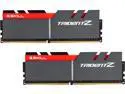
Pros: Good price, well supported, easy to install. Increased my boot speed.
Cons: Not the cheapest available memory...but I was going to best not cheapest.
Overall Review: Be sure to remember to go to BIOS and turn on XMP (Extreme Memory Profile) to get the MB to recognize the speed.
I just bought my 2nd pair
These feel well-made and still very light on my head. They work smoothly after the initial battery charge, of course, and the sound is fine for my purposes. The people I call say they hear me fine, also! I bought a 2nd pair (one for office and one for home). They will pair to 2 devices each...but I want to have one in each location. The price is right, too.
Great product for my needs
I would recommend these. I bought 2.
Fast and fast delivery
Nothing problematic at all. The motherboard is ultra durable...but has fewer choices for BIOS options then my last MB. I will survive just fine!


