


Your Browsing History


David L.
Joined on 09/05/02
0
0
product reviews
- 16
Works well on my Ryzen 2700X system
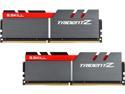
G.SKILL TridentZ Series 32GB (2 x 16GB) DDR4 3200 (PC4 25600) Desktop Memory Model F4-3200C14D-32GTZ
Pros: Maybe I got lucky but I am able to run the XMP settings on my Asus Crosshair VII Hero motherboard (Ryzen 2700X CPU) completely stable at 3200 MHz and CL 14. I'm quite happy with having 32GB of memory running at those settings.
Cons: None other than pricing.
6/3/2018See more detail
Very nice motherboard
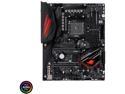
ASUS ROG Crosshair VII Hero (Wi-Fi) AM4 AMD X470 ATX AMD Motherboard
Pros: Everything works as it should with my 2700X CPU. Board stability is definitely not an issue for me. I'm using 32GB of G. Skill memory (F4-3200C14D-32GTZ). Loading the XMP profile (CL 14, 3200MHz) required 3 boot attempts and after the third attempt it has worked fine and has been completely stable. Running HCI MemTest Pro overnight for over 1000% coverage produced zero errors.
Cons: The Wraith Prism works just fine for routine work and gaming (maxed out at 64-65 deg. C while gaming). Temps ramped higher (70-73 deg. C) when simultaneously running 10 World Community Grid work units. The negative for me is that the fan is relatively noisy compared to my old Noctua NH-D14 heatsink/cooler. Noctua is shipping (free) an AM4 backplate so I can use the NH-D14 on the new motherboard. I anticipate much better cooling and much lower noise levels with the NH-D14 heatsink/cooler setup. I expected this to be the case so I'm not docking any points.
Overall Review: I'm quite satisfied with this purchase.
6/3/2018See more detail
A very flexible router that does exactly what I want.
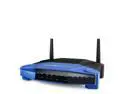
Linksys WRT1200AC AC1200 Dual Band Smart Wi-Fi Router
Pros: It has the horsepower to run OpenVPN at 50 Mbps with little loss (future use). It was quite easy to configure and has been 100% stable (no reboots required once it was set up).
Cons: No downsides noted for my use case.
Overall Review: I purchased the WRT1200AC for the router capability only. It turns out that the wireless capability was not needed but it does work much better wirelessly than my old D-Link DIR655 (wireless-n router that died) did in the same location. I have a separate AP in another area of the house that I do use for wireless access instead of the wireless capability on the router itself. I wanted a router with the horsepower required to use at 50 Mbps through DD-WRT and OpenVPN if I decided to go that route.
7/18/2016See more detail
Tremendous video card
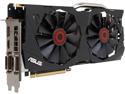
ASUS GeForce GTX 970 4GB GDDR5 PCI Express 3.0 SLI Support Graphics Card STRIX-GTX970-DC2OC-4GD5
Pros: Such a tremendous performance boost coming from a GTX 560 Ti! My current monitor has 1920 x 1200 resolution and I can run my games with all the eye-candy settings turned on. Moving up to a 27-inch 1440p monitor is my next step and this video card should work fairly well with that as well from what I've seen reported. This video card is virtually silent. At stock settings I can't hear it under any circumstances - general work or gaming. Running Furmark it bounced between 69 and 70 degrees C - the fans had barely cut on (running at 46%). It has not demonstrated any coil whine at all. I am extremely pleased at how quiet it is. I'm particularly sensitive to background noise because I have severe tinnitus and any noise like coil whine would drive me buggy. I couldn't be happier with how quiet it is.
Cons: None so far.
Overall Review: I didn't deduct for this because I did my homework and suspected before I bought it that I might have to mod the cowl for the side fan on my CM HAF-X case. I had to cut off about a 1.25 x 0.25 inch of the plastic cowl that funnels air onto the video card area of the motherboard. The Asus website spec for the card height is 5.5 inches. The height of the EVGA GTX 560 Ti that my new card replaced is 4.376 inches. So beware, this is a very tall card.
12/18/2014See more detail
Fast and quiet
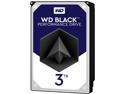
WD Black 3TB Performance Desktop Hard Disk Drive - 7200 RPM SATA 6Gb/s 64MB Cache 3.5 Inch - WD3003FZEX
Pros: This drive replaced a close to 5 year old WD 1 TB (FALS) Black drive. I also have a WD 2 TB (FAEX) Black drive in my desktop . This drive is both quieter and runs cooler than both of the other older WD Black drives. It is subjectively faster than both of the older drives as well without the SSD caching I describe below.
Cons: None to this point in time.
Overall Review: After installing the drive I did a full format and copied over the contents of the 1 TB drive to it. I then installed an unused Intel 40 GB SATA II SSD that I had. I installed and set up the ASUS SSD caching software provided with my motherboard (P8Z77-V Deluxe) with this new 3 TB drive as I do a fair amount of gaming and I thought this might help with quick reloads. It is certainly faster at fast reloads than from the 1 TB drive (without the SSD caching) but it isn't as fast as I was hoping. Overall I am quite pleased with this drive and my purchase from Newegg.
8/18/2014See more detail
Easy to set up, so full of features
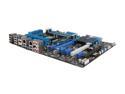
ASUS P8Z77-V DELUXE LGA 1155 Intel Z77 HDMI USB 3.0 ATX Intel Motherboard
Pros: This is a motherboard with a fantastic feature set. There are way too many features to mention them all. The WiFi/Bluetooth module is very handy as the Bluetooth works flawlessly with my Galaxy Nexus. The UEFI BIOS is extremely easy to use (coming from an Asus Maximus Formula ROG board). The combination of having 6 fan headers (2 for CPU, 4 for case fans) and Fan Xpert 2 is a silent case dream. Fan Xpert 2 is simple to use and it works very well for me. I have had zero issues with the motherboard functionality - it has been rock solid.
Cons: The only real niggle I have is with the AI Suite II utilities. Running it as administrator is just fine but as soon as you log into a standard user account (Windows 7 x64) you presented with 7 UAC prompts (to input the administrator password). Turning off UAC is not an option for me. I had to jump through hoops with Task Scheduler to eliminate the log in prompts and get it down to one UAC prompt when I started the AI Suite II program in the user account. As a user I would want to be able to change fan profiles in Fan Xpert 2 and to do that I have to start up AI Suite II.
Overall Review: Intel i7-3770k 16 GB Corsair Vengeance DDR3 1600 1.35V memory Noctua NH-D14
5/26/2012See more detail
seller reviews
- 1
The product arrived as expected
I ordered an XO Skins screen shield for my new smartphone and it arrived exactly on the scheduled delivery date. I am very pleased.
On-time
Delivery
Product
Accuracy
Customer Service
Satisfactory
1/4/2012See more detail