

Your Browsing History


Craig A.
Joined on 06/17/03
0
0
product reviews
- 18
Great case
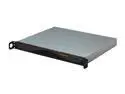
SUPERMICRO SuperChassis CSE-512F-350B Black 1U Rackmount Server Chassis 350W
Pros: Nice, no frills 1U case.
Cons: Hard drive(s) screw in from the bottom. No problem with that but it's at a slight angle so I'd recommend hooking up your power and data cables before screwing it down. No USB ports on the front of the case. Other flavors of the SC512 do have them though. Also, no rack mounting hardware included whatsoever, however they can be ordered separately or like above, other SC512 models include rails. Not a con for SuperMicro, but Newegg should stock the proprietary powersupplies that SM cases use. They can be difficult to find and when you do, the prices are higher than what I'm sure the Egg would charge. If they sell the cases, they should sell the supplies. That said, I've yet to have one fail on the 30+ servers I've built with SM chassis. Does not include the break-out connector for the front panel cable as many SM chassis' do. It's nice when/if using a non-SM motherboard.
Overall Review: Just keep in mind that this, and all 1U cases, use proprietary sized powersupplies. The cost of a replacement supply is not much cheaper than the entire chassis. Also, it should be noted that this case is designed for use with certain SuperMicro motherboards. Others will work but the 24-pin and 8-pin ATX12V connector may not reach unless the connectors are right along the side of the board - you may need to purchase extension cables for both.
10/22/2010See more detail
DOA x 2
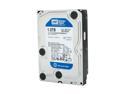
Western Digital Blue WD10EALS 1TB 7200 RPM 32MB Cache SATA 3.0Gb/s 3.5" Internal Hard Drive Bare Drive
Pros: Nada
Cons: Received two and both were DOA. Both locked up during Windows install then started throwing SMART errors in two different systems.
Overall Review: Must be a bad batch out there. I'm going back to the Black series in the future.
5/3/2011See more detail
Well maybe...
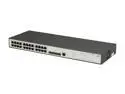
HP JE006A#ABA Managed V1910-24G Gigabit Ethernet Switch
Pros: Standard "web-managed" switch. Standard options. Works as described. Regular "Web" or "Smart" management features - VLANs, etc.
Cons: -NOT- a true L2 "Managed" switch as described in the heading.
Overall Review: HP, but -not- a ProCurve which is a different class of switch. (aka Cisco (by Linksys) as opposed to a true Cisco)
2/10/2014See more detail
Schmoo
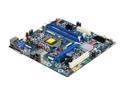
Intel BOXDH55PJ LGA 1156 Intel H55 Micro ATX Intel Motherboard
Pros: Typical Intel quality. No-frills board and great for business systems which I build. This is my current standard for business workstation builds. i3 CPU with integrated video in the processor is great and I feel much better than the motherboard video many boards have.
Cons: Parallel port would be nice because many businesses still have older non-USB printers but the motherboard does have the header and you can get an I/O panel bracket for just a few bucks if needed so it's not really that much of a con.
Overall Review: Previous reviewer mentioned that it's time to lose the PS/2 connector. I disagree. For business workstation builds, the PS/2 connector is a must - just try taking away a liked keyboard from a secretary type person that is PS/2 only and doesn't work with an adapter. They'll tell you to take it away leave their 7 year old clunker PC before they'll give up their old IBM click click keyboard. One thing to note is this motherboard does -not- have video built onto the motherboard. It has the connectors for VGA which confuses some but you have to be using the proper i3/i5 CPU that has video support in the CPU itself.
10/22/2010See more detail
Works great
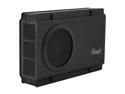
Rosewill RX-358 V2 BLK - Black, 3.5" SATA to USB & eSATA External Enclosure with Internal 80 mm Fan
Pros: I've purchased a number of these and they work great - both USB and eSATA. I'm using them to replace other external enclosures that have failed/failing fans or no eSATA support.
Cons: none yet!
10/22/2010See more detail
Additional info
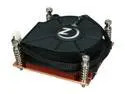
Rosewill RCX-SC1U - 70mm Twin Ball Bearing CPU Cooler Fans
Pros: See my review above and additional comments below.
Cons: .
Overall Review: Just an addition to my review above. This is a high-speed 70mm and and as such, it's LOUD - hairdryer loud. However, it's a 4-pin PWM fan and assuming your motherboard supports PWM (most all current server boards do), you can slow it down via the BIOS and/or OS utility. At full speed, it's LOUD, even for a server room, but again, that's the nature of the beast when you try cooling 1U cases.
10/22/2010See more detail