




 here!
here!
I’m your shopping assistant for PC builds, upgrades, and everything tech.
Got questions? Ask away!
Start a conversation
here!
I’m your shopping assistant for PC builds, upgrades, and everything tech.
Got questions? Ask away!
Start a conversation

Joined on 09/15/03
Magic Jack < Ooma < Telco
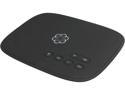
Pros: - It varies by where you live, but for me the monthly fee will be about $4 for unlimited local and domestic US long distance. - The hardware is nice, very good quality feel to it. - Phone number port completed as scheduled after 12 days and it works. Had to call (e-chat) Ooma support to get my outgoing caller ID set to my ported number. - Seems to be very robust in recovering from disconnects (me or cable guy disconnecting things, messing with router, wires, etc.) A lot of consumer electronics network devices seem to need occasional reboots / power-cylces but the Ooma seems to take care of itself well. I have had Ooma behind one and two routers as well as connected directly to cable modem and my experience has been that if a PC could find its way to the Internet through my network configuration, then Ooma will. - Ooma Support seems responsive and capable though I never hit them with any really hard problems ("Pro" also because I didn't have any really hard problems).
Cons: - Obviously any VOIP or other Internet service will be at the mercy of your Internet connection. Ooma recommends 384Kbps upstream for a quality phone call. I paid for "up to" 2Mbps up and 20Mbps down, and typically achieved (measured by the common utilities) nearly 2Mb up and 5Mb - 10Mb down. The quality for the person on the other end was not always that great. One friend I talk to frequently complained of dropouts and delays, other thought it sounded good. Of course it gets worse if other household devices are competing for bandwidth. I have a pretty high-end router with QoS configured and the results are good but it took a little effort. I have also tried Ooma's recommended configuration with their device in front of the router and managing QoS. My friend said this was the worst sounding test ever. From my end of the line, the other party usually sounds good to great, but better downstream speeds account for this. After a couple weeks of testing I upgraded my ISP plan to 30Mbps down, 5Mbps up so I would have enough bandwidth to do other things while talking on Ooma. Seems to be working well. Call quality seems excellent now. Probably could have lived without the upgrade but Ooma gave me an excuse to do it. I'm listing this as a "Con" since I sort of had to spend money for more bandwidth. Even though I didn't absolutely *have* to, it made it work better. I'm sure others have similar marginal ISPs like mine. - In my opinion, $40 to port your phone number is excessive. - My cable company disconnected my phone service early and when I called they said the ball was in Ooma's court. Ooma said it was the cable company's fault. This finger pointing was not a surprise but was useless and aggravating and my old phone number went nowhere for about 71 hours. My Ooma temp number was functional during this time. - In dealing with my phone number port, Ooma Support seemed to want to get rid of me as quickly as possible regardless of whether the problem was resolved. When using Chat, they clearly did not read what I had typed because they asked for information that I had already provided. This did not give me a good feeling about their support organization, BUT their Support people were ultimately correct and the port was completed as planned.
Overall Review: - Upon Ooma's initial Internet connection, a firmware update is performed automatically. Mine seemed to go through at least two download & reboot cycles and took longer than I expected, over 30 minutes to get Ready status. I had my doubts for a while but I let it do its thing and ultimately it came out working. - They will waive the $40 port fee if you buy 12 months of their Premier service for $10 per month. I do not want to get hooked into that plan because the whole purpose of this change was to save money. Their Premier service does offer some nice features that make it tempting. - If I call myself from my cell phone and talk to myself, noticeable delay is heard, but it doesn't seem too disruptive to real conversations. I have read online that all Ooma's servers are on the west coast and the delay gets worse the farther away you get. I don't know if this is even relevant considering the structure of the Internet, which I know little about. - I suspect Ooma would be great given the right ISP. Mine is notoriously bad, however, I do believe their service meets the fairly modest requirements that Ooma has documented. So far my experience has not been BAD, just not as good as I'd hoped. I think my original ISP bandwidth tier should have been good enough (if the ISP was up to snuff) but after my upgrade at least the additional bandwidth will benefit me in other ways. - At first I wasn't sure if I would keep Ooma but I'm feeling pretty positive about it now. I have never heard a Magic Jack but my preconception, based on ads and other people's past comments lead me to expect performance similar to what the Ooma delivers and I expected Ooma to be as good as a telco landline or the VOIP phone from my cable company. It isn't. I think I am a victim of marketing. I have also been changing routers and other networking devices at the same time, so some additional tweaks may be needed. - It may be a step up from a Magic Jack but it is not as good as a "real" phone company or my ISP's VOIP service. Very close though. For me, I think the small tradeoff will be well worth the savings. - Note: I bought an Ooma refurb unit to save a few bucks and it didn't seem to hurt me any. - If my review sounds a little inconsistent it's because I wrote it over a period of weeks and my opinion gradually became more positive. - If you have a good ISP I would not hesitate to try Ooma. If you hate your ISP as I do, it can still work out OK with a little effort, knock-on-wood. - I would recommend a cell phone as a backup for Ooma as I would with any VOIP phone service, even the one from your ISP.
Review Update - it works on hub

Pros: See my previous review. After adding a powered USB hub this drive now works on the system on which I originally intended to use it.
Cons: See my previous review.
Overall Review: After adding the Rosewill RHB-330 USB hub, this drive now works on the system where it did not work previously. So perhaps the problem was power-related although I did not think so at first. The RHB-330 includes a 2.0A power supply. I also forgot to mention in my original review that both computers in question are running XP Pro SP3.
Nice device for laser noob

Pros: - Easy assembly, but not 5 or 15 minutes as some people would have you believe. I was in no hurry and had a couple of detours, some on me, some on documentation, but probably had 2 hours into it before I was burning wood. I think that's good from opening the box to assembly to driver & software install to burning a test pattern on wood. - The quality of the machine and the packaging and the documentation is excellent. I have a small, similarly priced CNC machine that I like very much but the quality of this Atomstack P7 40W is much better as is the overall design.
Cons: - The installation guide is much better than average but still has a couple errors and a small problem with English, though way better than most documentation for a device like this. I could not get the CH340 drivers to see the USB device. Finally I realized there is a power switch on the control box I had totally overlooked and they neglected to include "Turn on the power" as a step in the instructions. D'Oh. After that, things proceeded smoothly. - Some parts of the assembly could be sequenced better, I think, like when you have it upside down, let's do all the things we can do on the bottom rather than flipping it over several times. No big deal at all, though. - An inventory sheet/packing list could have saved me a trip to the garage to get tools that were in the bag. They actually give you quite a nice wrench. - When putting the drive belt (they call "timing belt") on the Y axis, loosen the motor box, then put the belt on and put the ends into the buckle, then tighten the motor box. This is one example where their instructions make it harder than it needs to be. - There are four small nuts with visible blue threadlock on the bottom of the X-axis motor assembly. Two of these are not tight because they are supposed to be that way for the eccentric bolts to function. I spent some time trying to tighten these and thinking they were stripped. A note in the docs would have been nice. - The bag containing the laser module was not zip-locked and I could see a fingerprint but that could just be from the human that packed the box. Everything seemed new and works fine so I can't complain. - There is some kind of plastic pen thing with a soft pad on the end and they don't say what it is. I have a feeling it is to clean (maybe) the laser? Again, an inventory list might give a clue what this thing is but I thank them for including it, would be nice to know what it is for.
Overall Review: - Would recommend and would buy it again or other Atomstack products. - Good quality everything, machine parts, packaging, printed manual. Manual not perfect but much better than average. - As a first-timer, I could use a little more safety information about the laser. I don't need to be told not to submerse the device in water and all that legal CYA "safety information", but do I really need to buy like a $60+ pair of laser goggles or are the cheapies good enough or do I need them at all? I don't see how you can aim/align the work without looking at the laser light. Wearing the cheapie glasses I bought, I can't see it. There is a little plastic window on the side of the laser module that I am assuming (hoping!) filters out whatever need to be filtered when I take the goggles off to align at the beginning of the job. I guess questions like this are what online forums are for. - The only video on their website for this model is a marketing piece. An assembly video would be nice, but I got it put together with no real problems, so maybe not worth their effort. - Somewhere, I ran across a PDF file that had a lot of different materials and parameters to use for laser engraving but I cannot seem to find it again. As a beginner, and this is definitely and entry-level device, I wish they covered this better in the docs or on their web site. - So far I have only tried the free LaserGRBL software but it was quite easy to get my first engraving done (actually second - I tried metal first and it didn't work - will revisit later). I look forward to trying the Lightburn product.
Very Cool - Buy it.
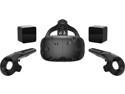
Pros: When I was considering buying this I read several reviews that said "Just buy it." I reiterate that sentiment. This technology could potentially change the world as much as the PC, the Internet or the cell phone.
Cons: - That being said, NOT this generation. This stuff is really big and cumbersome and while I am having a blast with mine, I estimate in 3-5 years there will be much improvement in the usability and quality of the graphics. Also there are a few big players such as Oculus Rift. Some games are for one or the other and each has certain strong and weak suits, different controllers, etc. One may dominate, leaving the other(s) out in the cold. Regardless of which one you buy right now, you probably won't want it in a year. It will be cheaper to buy the new one than to try to retrofit improvements to the old, and I expect the improvements to be significant foe the first couple years (wireless, reduce screen door, reduce mass, improve resolution/clarity/off-center) - Requires stout hardware and I perceive (based on user forums, etc) trying to run on less will lead to disappointment. - I had a one-week nightmare trying to run on Win7 x64. Win10 basically worked first try. DON'T WASTE YOUR TIME WITH WIN7 even if VR compatibility checker says your system will work (mine did). - Hopefully the leading companies will not screw it up or this could become the domain of doctors and real-estate companies, with regular people back to 2D games. Honestly they do not seem to take this technology seriously. I've never seen such a lack of support for a consumer electronics product. Not only is there LOUSY support from the manufacturer but the user support forums are the weakest I've ever seen. Ordinarily, if you don't get a response from a company rep, there will be some very knowledgeable users who will chime in. Not here. Addition: I had to make an addition to be fair. There is one guy on the forums who seems to be an employee and he takes care of a lot of people. If you get his attention you're lucky because he is spread pretty thin, but I have seen him help a number of people either with technical information or contact info. So there is *some* support.
Overall Review: The graphics are not crystal clear. There is "screendoor" effect. There is the giant contraption strapped to your head, plus headphones. And the umbilical cord you've got to drag around. Kind of hard to lose track of reality with all those strikes against you. YET YOU DO! IT IS STILL ONE OF THE COOLEST TOYS I'VE EVER HAD in spite of the shortcomings! A lot of the games and software at what they call "early access". This is their name for what (in the software company I used to work for) we would have called pre-beta or some even "proof of concept". Some of this stuff is VERY short and/or VERY rough. On the other hand, a lot of it is free or highly discounted and if they do decide to finish their project you might get some input into the direction they take, so that's kind of cool. The other day there was a free demo of a rollercoaster ride that was absolutely excellent but the whole thing couldn't be more than 60 seconds. On reviewer even said 30. I didn't time it, but the point is, REAL SHORT. Now, had I paid even a couple of bucks for it I would be complaining, but it was free. Also, do not get me wrong. There seems to be plenty of content out there. Especially for those of us who missed the first year of bleeding edge - I have at least a dozen games installed that I haven't even tried yet. I bought my Vive between Christmas and New Year's. If you're not a gamer (I am not except for my current interest in VR), they make extensive use of a very mature game marketplace called Steam, for buying, licensing and downloading your games.
I'm glad it was cheap
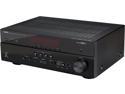
Pros: Easy set up. Lots of features. Variety of inputs. Good output power from the amp.
Cons: Not ideal for older input devices. The variety of inputs are useless unless you also connect a variety of outputs. Manual only on CD.
Overall Review: If you connect your TV to the HDMI output, only HDMI input signals can be sent to the TV. So if you have an older input device, DVD, VCR, etc. connected to a component or composite input, the only way to get its video to your TV is to connect another set of cables from the receiver to the TV. This is completely idiotic. Likewise, if you were to connect your TV to the component outputs on the receiver, your HDMI devices would not be visible unless you also connect an HDMI cable. So for full functionality of all devices, you need to connect your TV to the HTR-4066 with HDMI AND component AND composite cables. It is nothing but a glorified switch box. What it *should* do is convert all of the inputs to whatever output connection you are using, so that only one connection is needed between the receiver and the TV. Very disappointing. Makes a rats' nest of cables even worse, not better. What I am asking for might be technically unreasonable. Too bad. The customer is always right.
No disappointment. Almost 5.
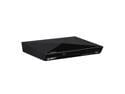
Pros: Good price. Wifi. Apps. HDMI & composite outs. HDMI cable included. Works fine.
Cons: Refurbished.
Overall Review: It is always a little risky buying refurb but in this case the gamble paid off. The unit we received was in a beat up box (shipped inside a bigger box) but the contents were complete and in like-new condition. The unit came right up, connected to wifi and ran firmware update. I deducted one star for the box though this might not be fair on a refurb.
Exemplary customer service
The item (used TV) arrived on time and was well packaged. The item had a few scuffs on it but it was cleaned up well and was described as used so I have no complaints about the condition or the description. The remote appeared to be brand-new. The picture is excellent and the TV functions perfectly and that is the most important thing. The bad news is, there was no stand or screws for the stand. With any modern TV that is kind of important because it is not an easy part to replace generically or to do without unless you are wall-mounting it. The VIPOUTLET responded to my email immediately and quickly issued a partial refund to cover the cost of the stand and screws and they located a replacement source for me. They also offered to refund the money if I wanted to return the TV but I need that exact model for an app I want to use. I received the new stand and parts yesterday and am watching the TV right now. I feel that the inconvenience and the fact that I had to eat the cost of shipping the replacement parts is worth deducting one star, but I am not going to because their service was exceptional given the error. Anybody who reads this whole post will have all the facts to decide for themselves. I would buy from them again.


